



ChromaQueen
Participant
November 8, 2025
Answered

GPU Accelator Issue

  • November 8, 2025
  • 2 replies
  • 78 views

GPU Accelator Issue

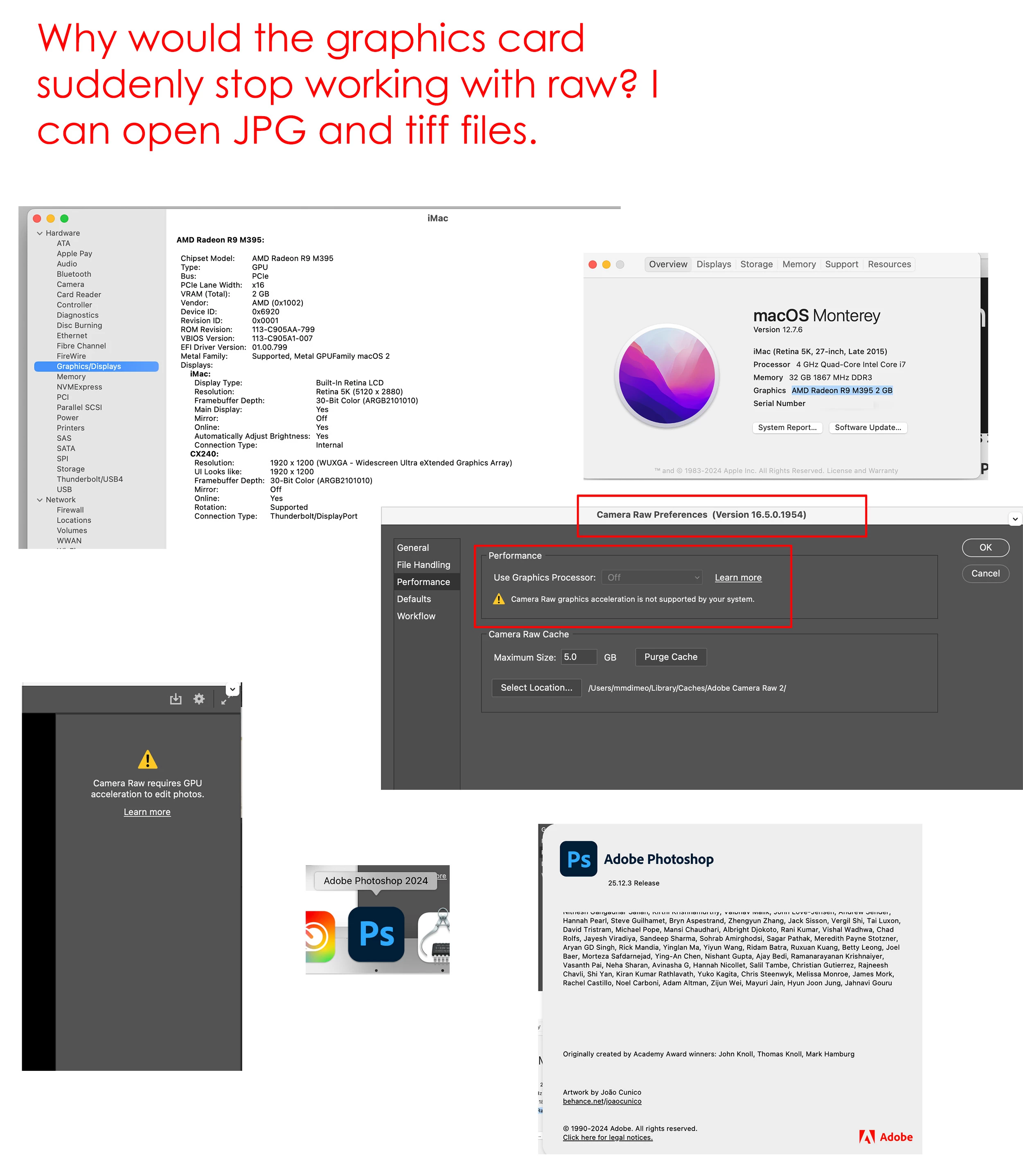
Everything was working fine, then out of the blue, I am getting the error “Camera Raw requires GPU accelator to edit photos.” when I try to open Raw files.


I am running macOS 12.7.6.  I tried Photoshop 2021 and Photoshop 2024.


Apple support said because I can see images in other applications, it’s not a hardware issue but rather a Photoshop issue.

Help!  I have a new Mac on order but I need to get a project out the door.


Thanks!


Correct answer Jeff Arola

Try 

6. Check and delete the TempDisableGPU3 or TempDisableGPU2 files

from here:

https://helpx.adobe.com/camera-raw/kb/acr-gpu-faq.html?x-product=Helpx%2F1.0.0&x-product-location=Search%3AForums%3Alink%2F3.7.2-dev.2

2 replies

Jeff Arola
Community Expert
Community Expert
November 9, 2025

I would say it's an odd glitch.

This can happen when the camera raw plugin gets updated, however, in your case that's unlikely the cause since Mojave hasn't received any camera raw plugin updates for at least a couple of years.

Jeff Arola
Community Expert
Jeff ArolaCommunity ExpertCorrect answer
Community Expert
November 8, 2025
ChromaQueen
Participant
November 9, 2025

Jeff,
You are my hero! 

It worked. I've never felt so happy to see the Raw tool panel!  🙂

Thank you, thank you!

I'm curious—what caused this problem? Just an odd glitch; a corrupt file?
