Participating Frequently
January 16, 2020
Answered

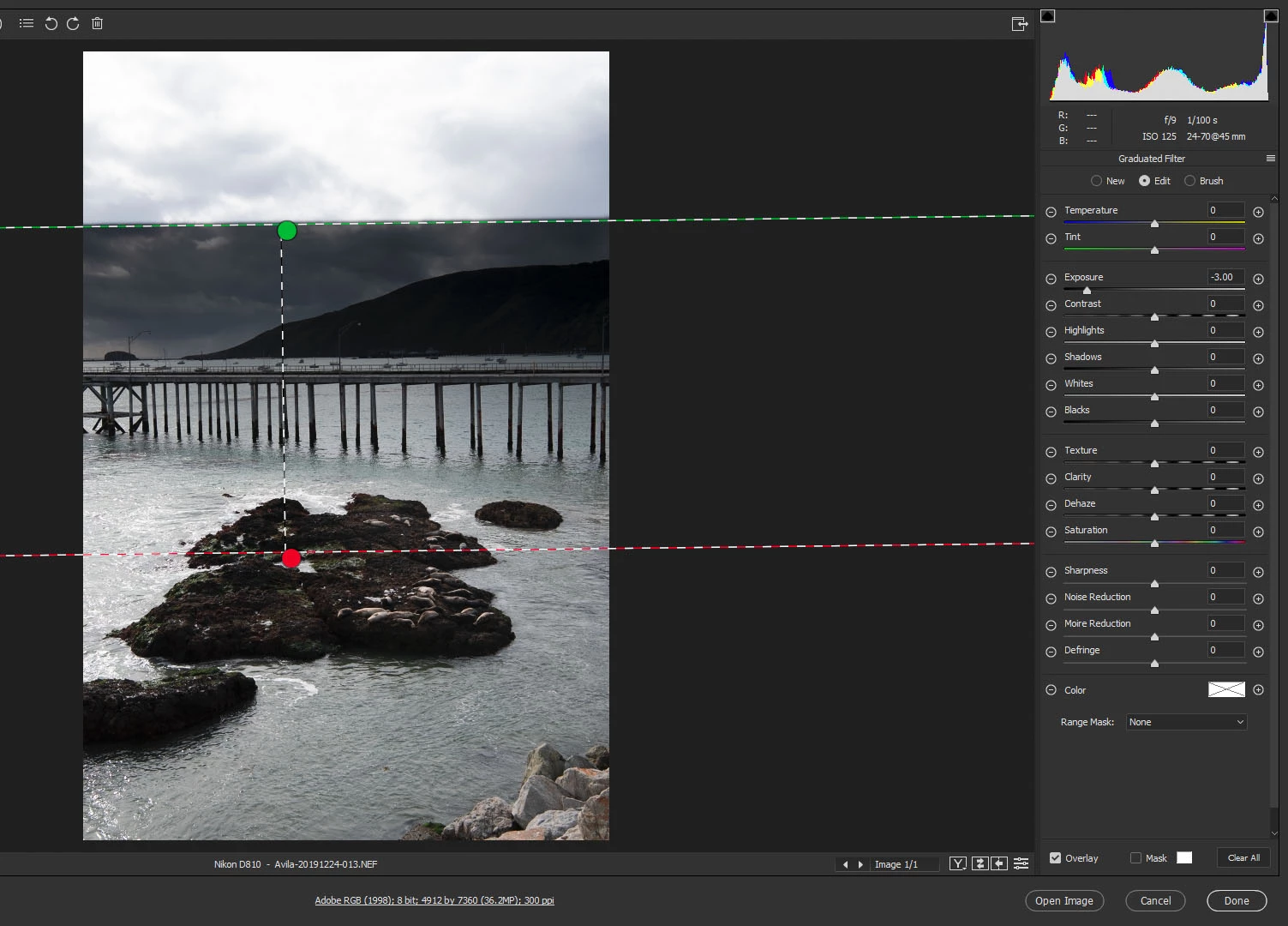
Graduated Filter applies filter effect above green dotted line

  • January 16, 2020
  • 1 reply
  • 339 views

In camera raw, using the Graduated Filter, I trace an area from 10 inches below the top of the document down to the midle of it.  When I adjust that area (for instance decreasing the exposure slider) the change of exposure starts at the top of the document instead of just inside the green line.


How can I get it to start the change inside the green area, feathering to zero at the red line?

This topic has been closed for replies.
Correct answer Chuck Uebele

Only way I can think of is to use the brush tool to erease the area above the green line. You can click on one side of the line, then shift click on the other, to make a straight line.

1 reply

Chuck Uebele
Community Expert
Chuck UebeleCommunity ExpertCorrect answer
Community Expert
January 17, 2020

Only way I can think of is to use the brush tool to erease the area above the green line. You can click on one side of the line, then shift click on the other, to make a straight line.