Inspiring
July 30, 2018
Answered

Highlight/ Shadows, not in ACR or PS?

  • July 30, 2018
  • 3 replies
  • 1689 views

I'm not a big LR guy as I hate importing and I move and rename folders around a lot which breaks stuff.

But today, my apprentice said he could not get what he wanted on a landscape image without LR.

The two things he likes there are the highlights and shadows sliders.

I see in ACR other sliders, (fill,  recovery, etc but he says they are more global.

Does ACR or PS have these two sliders in some way?

    This topic has been closed for replies.
    Correct answer Chuck Uebele

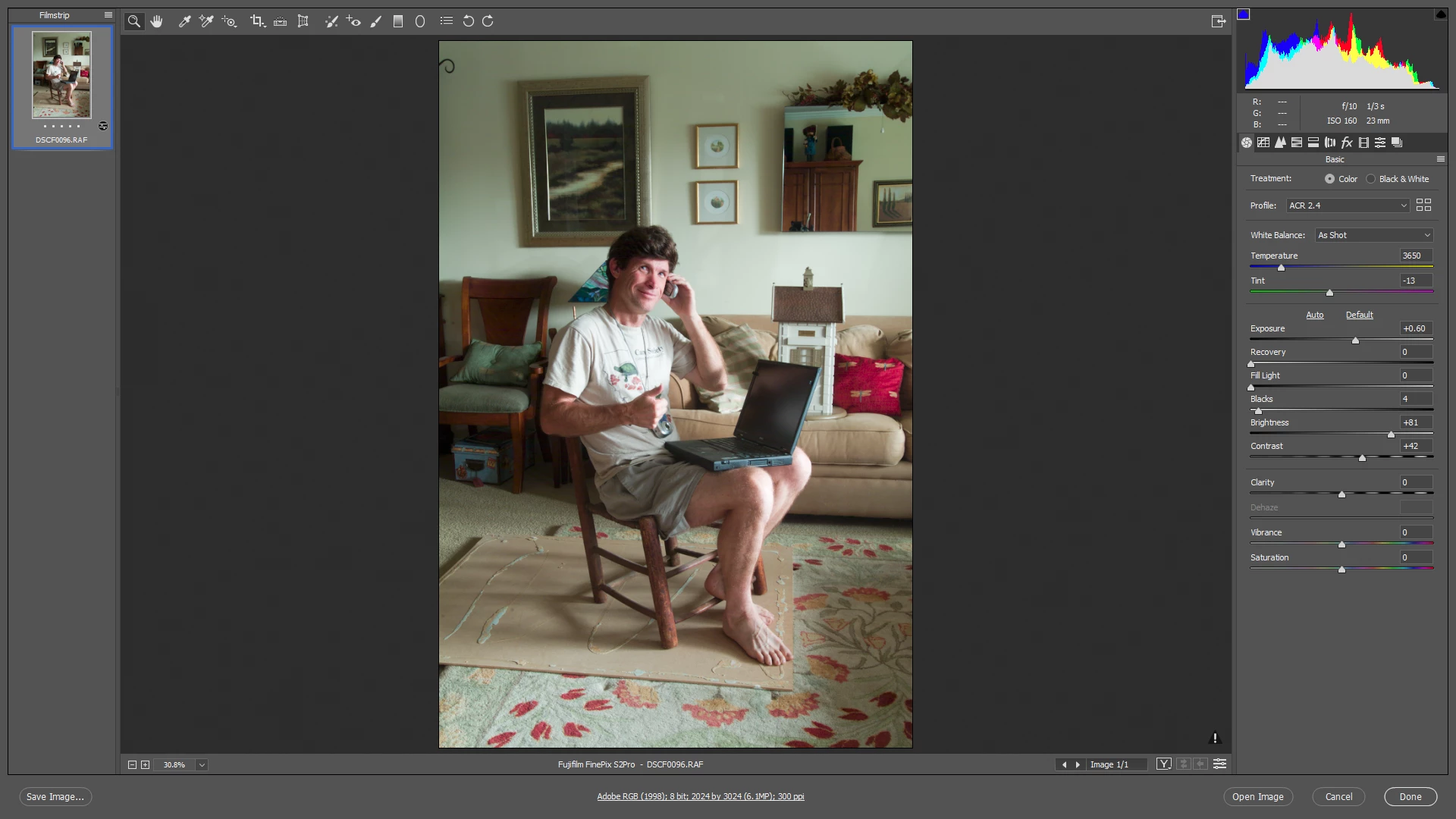
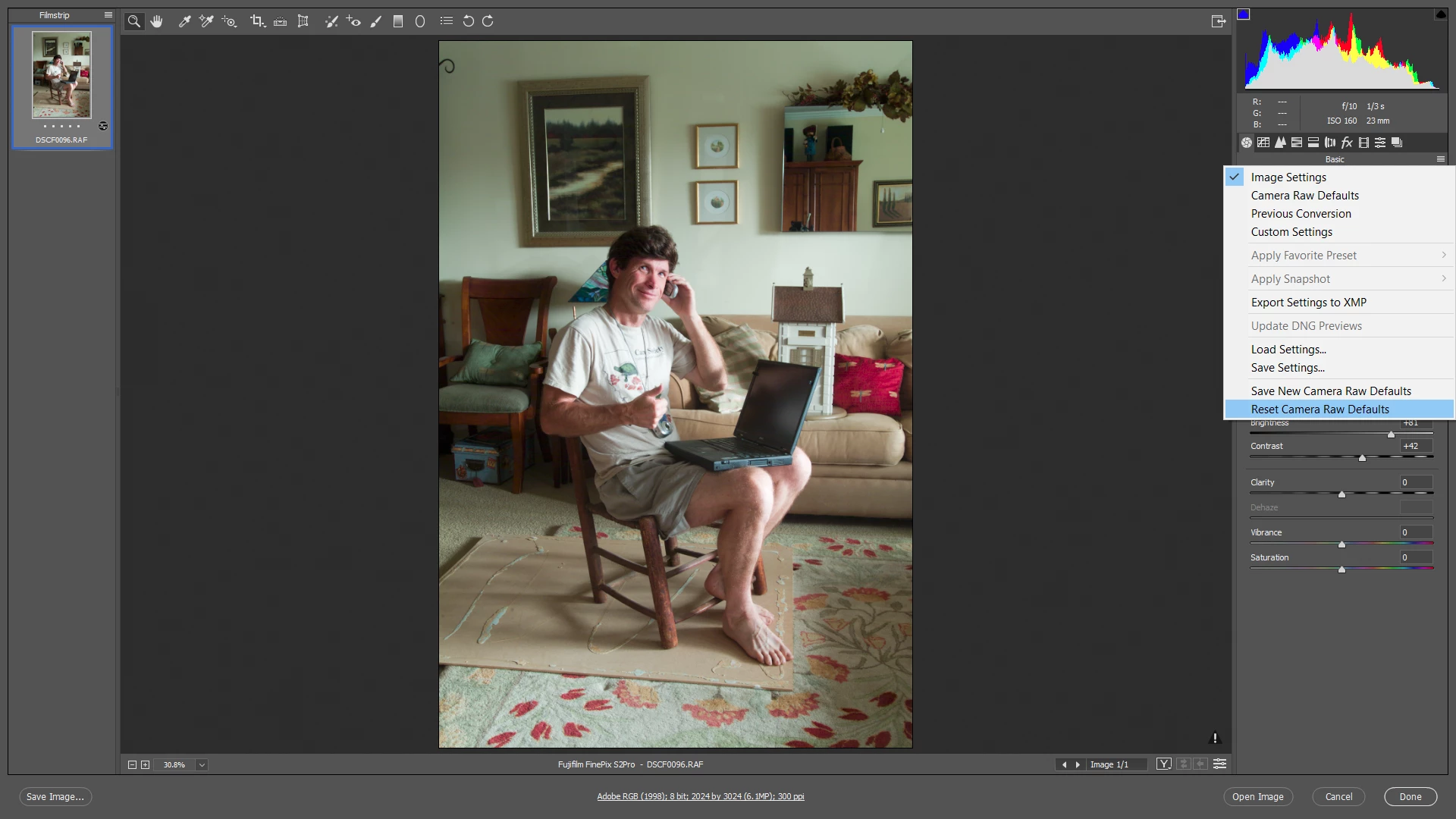
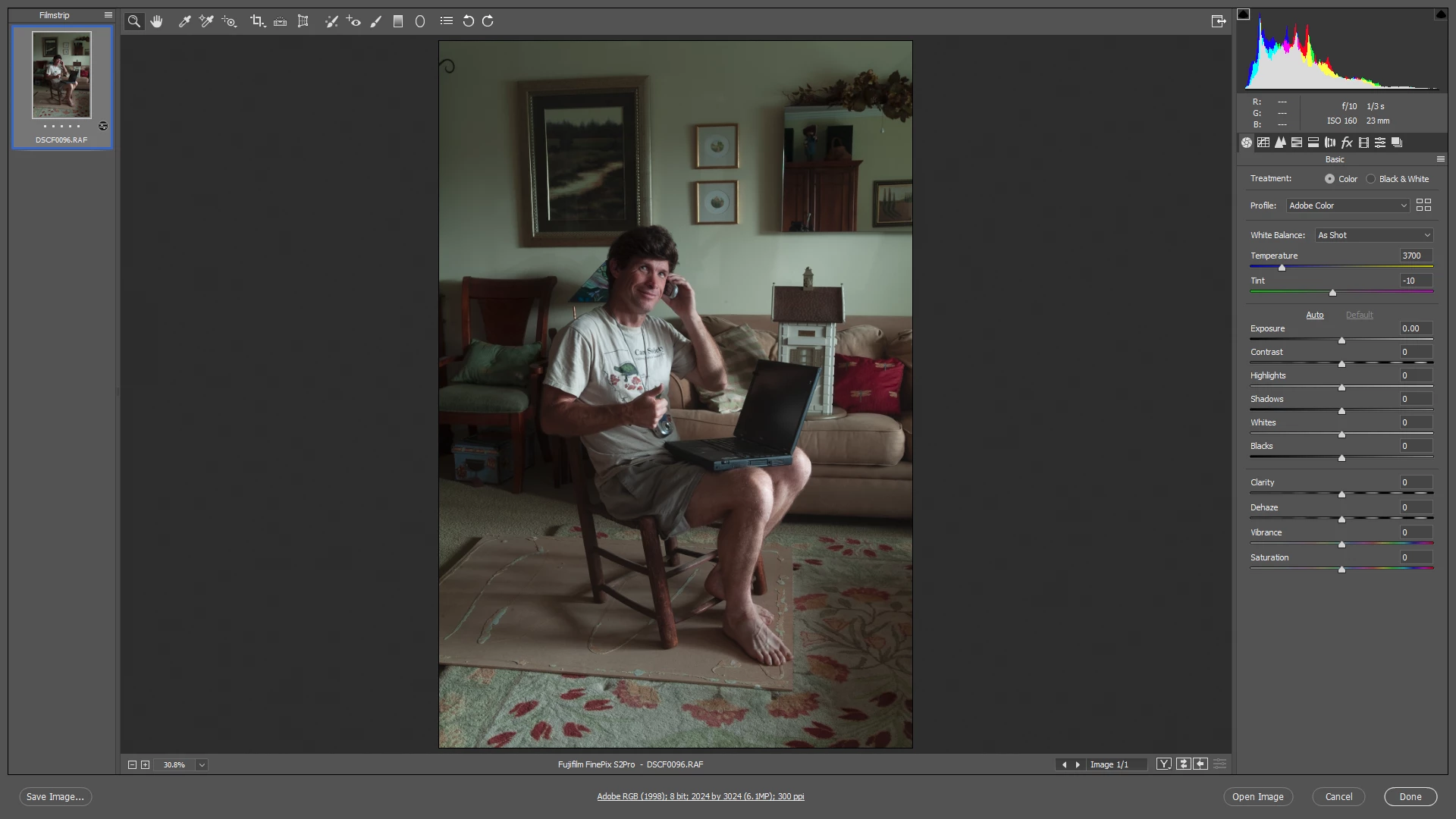
    If the image was edited in an older version of Camera Raw, you need to reset the image to the default, then the new settings will show. Otherwise it will show the old settings.

    Old settings:

    Reset the settings:

    Cleared settings, now showing new adjustments. Of course all your settings are gone, but the new controls are much better than the old ones!

    3 replies

    D Fosse
    Community Expert
    Community Expert
    July 31, 2018

    As far as I'm concerned, there have been two major breakthroughs in ACR development. The first was the vastly improved noise reduction somewhere around CS4. The second was Process Version 2012 with the new highlight and shadow recovery.

    Before that, I used to stack smart objects, developed for highlights and shadows, and then mask them as needed. Very complicated and time-consuming. PV2012 meant I could mostly do it all in one instance, without the masking, and often with even better results. It made life a lot easier.

    larry45Author
    Inspiring
    July 31, 2018

    Thanks D , can  you send a good link/ article that explains that well? Hard to get my head around.

    There used to be a book, my Ben Willmore I would get, "Up to Speed' on PS. Then he stopped making it, and I have no idea whats new.

    elie_dinur
    Participating Frequently
    August 6, 2018

    I remember that back in the day, when CR and Lightroom went to Processing Version 2012, I found this article by George Jardine very helpful: https://www.digitalphotopro.com/technique/software-technique/take-more-control-over-highlights-and-shadows/

    There is a very good video with much of the same material at  https://mulita.com/blog/a-few-thoughts-on-highlights-shadows-whites-blacks/

    Chuck Uebele
    Community Expert
    Chuck UebeleCommunity ExpertCorrect answer
    Community Expert
    July 31, 2018

    If the image was edited in an older version of Camera Raw, you need to reset the image to the default, then the new settings will show. Otherwise it will show the old settings.

    Old settings:

    Reset the settings:

    Cleared settings, now showing new adjustments. Of course all your settings are gone, but the new controls are much better than the old ones!

    larry45Author
    Inspiring
    July 31, 2018

    Thanks Chuck great. worked. How do you define what new settings achieve ( highlights / shadows)  compared to old settings?

    Chuck Uebele
    Community Expert
    Community Expert
    July 31, 2018

    The sliders are aptly named. The highlight is sort of like recovery in that it tones down the highlights, except the sliders are reversed. Same with fill and shadow. Shadow allows you to bring up the shadow values. Black and white control the ends of the histogram, exposure is overall shift of the histogram - more or less. There were some pretty bad color shifts with the old system that have been corrected with the new. I will often redo old images, if they use the old system. At first, I didn't like it, but as I got used to it, it is much better.

    JP Hess
    Inspiring
    July 31, 2018

    Fill and recovery were adjustment sliders in camera raw several versions ago, but have been replaced by highlights and shadows in current versions. What version of Camera Raw are you referring to?

    larry45Author
    Inspiring
    July 31, 2018

    10.4.0.976

    2018 ACR

    Those are not there.

    I just updated PS to 2018, should I try again?

    larry45Author
    Inspiring
    July 31, 2018

    says Camera Raw CC up to date in Creative Cloud