Participant
November 8, 2020
Answered

How, and can I download camera raw to Elements 11

  • November 8, 2020
  • 2 replies
  • 864 views

I have searched the internet to download camera raw plug in for Elements 11, the oldest version I could find is 10.5, which I downloaded to my Windows laptop.  I can see it in the downloads folder but when I go into Elements 11, I can't see it there or anyway to open this downloaded file to it?


Is this because this version is not compatable with Elements 11 (as I saw on-line that the last compatable version for Elements 11 is 7.4, but I couldn't find this version to download anywhere).


I have just started taking raw photos on my Canon 600D, and would like to be able to edit them in Elements.  I have never used Camera raw before (all photos taken previously have been jpeg).


I am also just learning to use lightroom 3.6 and can edit raw photos in this but if I wanted to do further edits in Elements then I think the only way I could do this is with the camera raw plug in.  Is there a particular camera raw plug in compatable with this Lightroom 3.6 (as again it is an old version), or will it work with any camera raw plug in?


I'd appreciate any adice, help on this.

This topic has been closed for replies.
Correct answer Jeff Arola

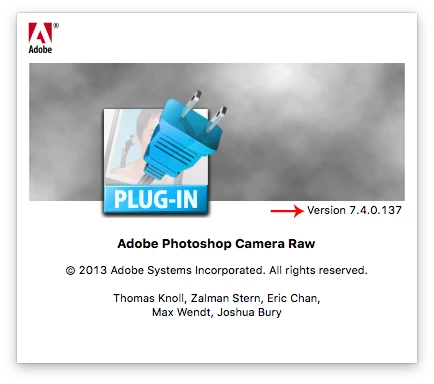
Photoshop elements 11 already includes camera raw 7.1 when installed, so in order to open your Canon 600D cr2 raw files just use File>Open in the pse 11 editor. You can find out which camera raw version you have by going to Help>About Plug-Ins in the pse 11 editor and clicking on Camera Raw. If you don't have 7.4 use Help>Updates in theb pse 11 editor.


As far as Lightroom 3.6 (equal to camera raw 6.6) there will be more adjustements in Lghtroom than in the photoshop elements camera raw version, which has a considerable amount of features removed as compared to the full version of camera raw and Lightroom.


You should be able to send an edited image from Lightroom 3.6 to photoshop elements 11 by going to Photo>Edit In.

2 replies

Jeff Arola
Community Expert
Jeff ArolaCommunity ExpertCorrect answer
Community Expert
November 9, 2020

Photoshop elements 11 already includes camera raw 7.1 when installed, so in order to open your Canon 600D cr2 raw files just use File>Open in the pse 11 editor. You can find out which camera raw version you have by going to Help>About Plug-Ins in the pse 11 editor and clicking on Camera Raw. If you don't have 7.4 use Help>Updates in theb pse 11 editor.


As far as Lightroom 3.6 (equal to camera raw 6.6) there will be more adjustements in Lghtroom than in the photoshop elements camera raw version, which has a considerable amount of features removed as compared to the full version of camera raw and Lightroom.


You should be able to send an edited image from Lightroom 3.6 to photoshop elements 11 by going to Photo>Edit In.

Participant
November 9, 2020

Thanks Jeff, I did have the camera raw 7.4 on there.....I just didn't know how to open the raw file.


Followed your instructions and it opened my CR2 photo, so thank you very much.

JP Hess
Inspiring
November 8, 2020

When you mention Lightroom 3.6 are you referring to the new version which is the cloud-based version? If so, upgrade to version 4, and just use it. You don't need an older version of Camera Raw because you got new and better features available. Just export a RGB file and open it in your old Photoshop Elements. If you really are using the old Lightroom 3.6, it seems that those old versions of Camera Raw are becoming more and more difficult to locate. It might be easier to just download the DNG converter and create digital negative copies that you can open with what you already have. Or you can consider purchasing the latest copy of Photoshop Elements. And, no, Lightroom 3.6 will not work with any version of Camera Raw. The "real" Lightroom is only available by subscription now. Photoshop Elements can still be purchased standalone. It's time for you to upgrade your software.