

Answered

Jeff ArolaCorrect answer
Community Expert
October 12, 2023
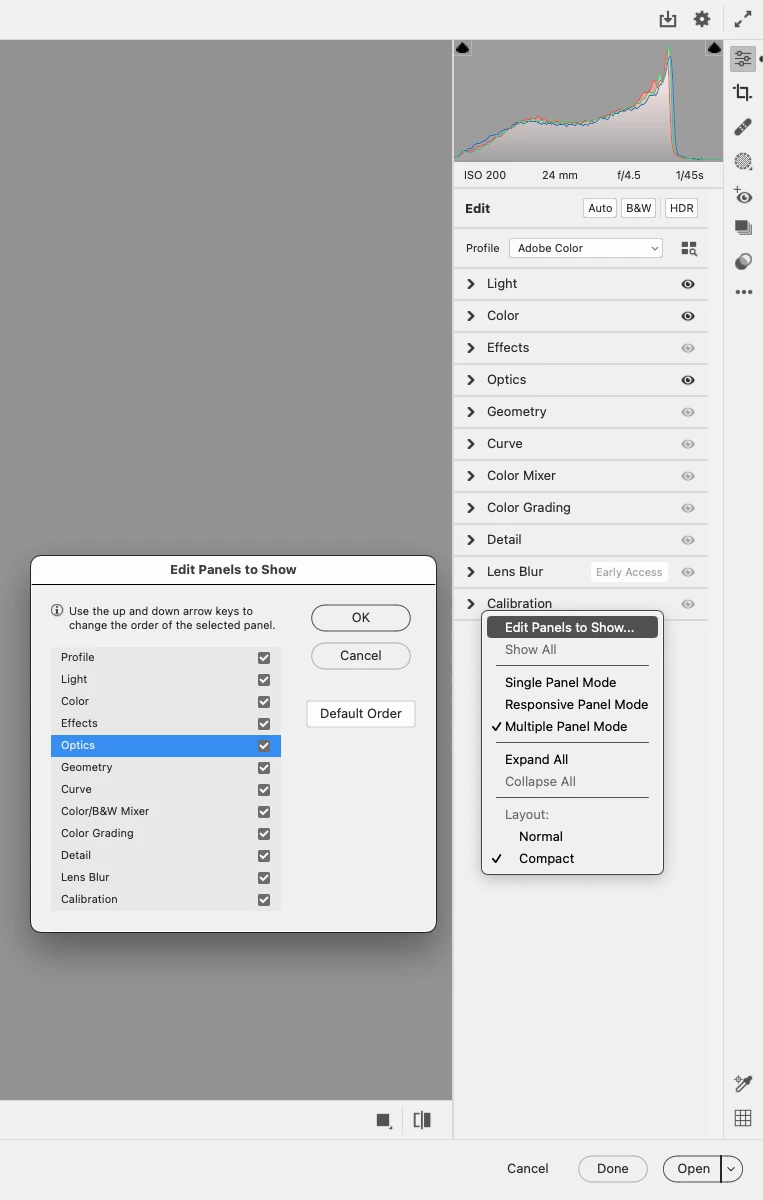
Right click on one of the Panels, click Edit Panels to Show, then highlight a Panel and use
the up or down arrow keys on your keyboard to move the panel.

Already have an account? Login
Enter your E-mail address. We'll send you an e-mail with instructions to reset your password.
 AdChoices