Known Participant
January 28, 2022
Answered

How to Disable Rich Tooltips in Adobe Camera Raw ACR?

  • January 28, 2022
  • 2 replies
  • 1051 views

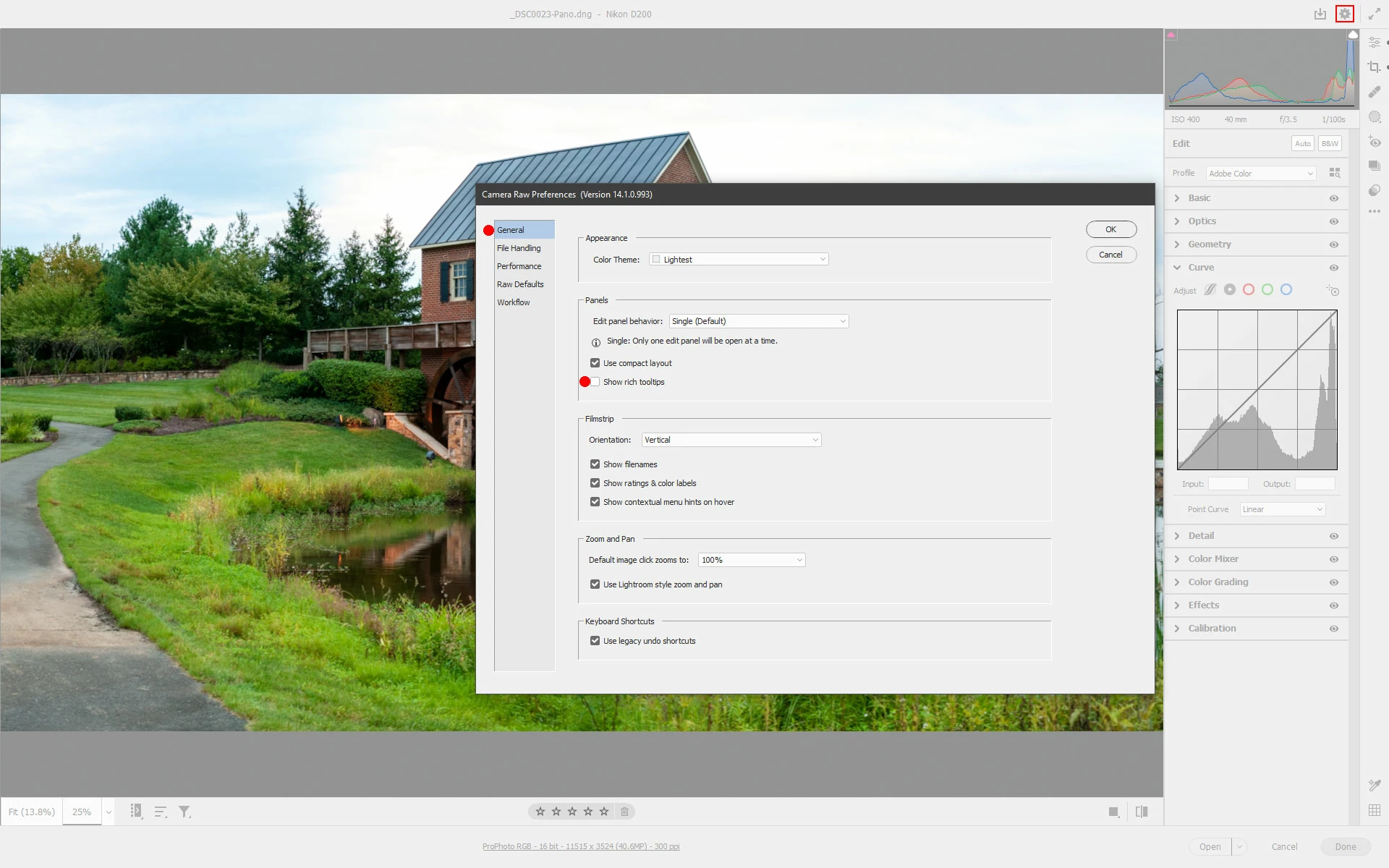
There appears to be no way to disable Rich Tooltips in ACR. Disabling Rich Tooltips in Photoshop Preferences disables it in Photoshop, but not in ACR. How can I turn them off in ACR?

Correct answer Jeff Arola

Yes in the camera raw dialog Preferences>General uncheck Show rich tooltips


2 replies

Jeff Arola
Community Expert
Jeff ArolaCommunity ExpertCorrect answer
Community Expert
January 28, 2022

Yes in the camera raw dialog Preferences>General uncheck Show rich tooltips


ktothebAuthor
Known Participant
January 30, 2022

My bad. Thank you!

ktothebAuthor
Known Participant
January 28, 2022

There is no way to disable Rich Tooltips in ACR. Disabling Rich Tooltips in Photoshop Preferences disables it in Photoshop, but not in ACR. We should be able to turn off tooltips in ACR.


Tooltips get in the way when moving your mouse to enter a numeric value instead of using the slider, the mouse while left near the slider activates the tooltip and deselects/deactivates the numerical value box for the adjustment which prevents me from typing in a number in the box. I then have to select the box again, make sure my mouse is nowhere near the slider, and then type in a number.