Inspiring
January 11, 2023
Answered

How to hide the masking tool icon?

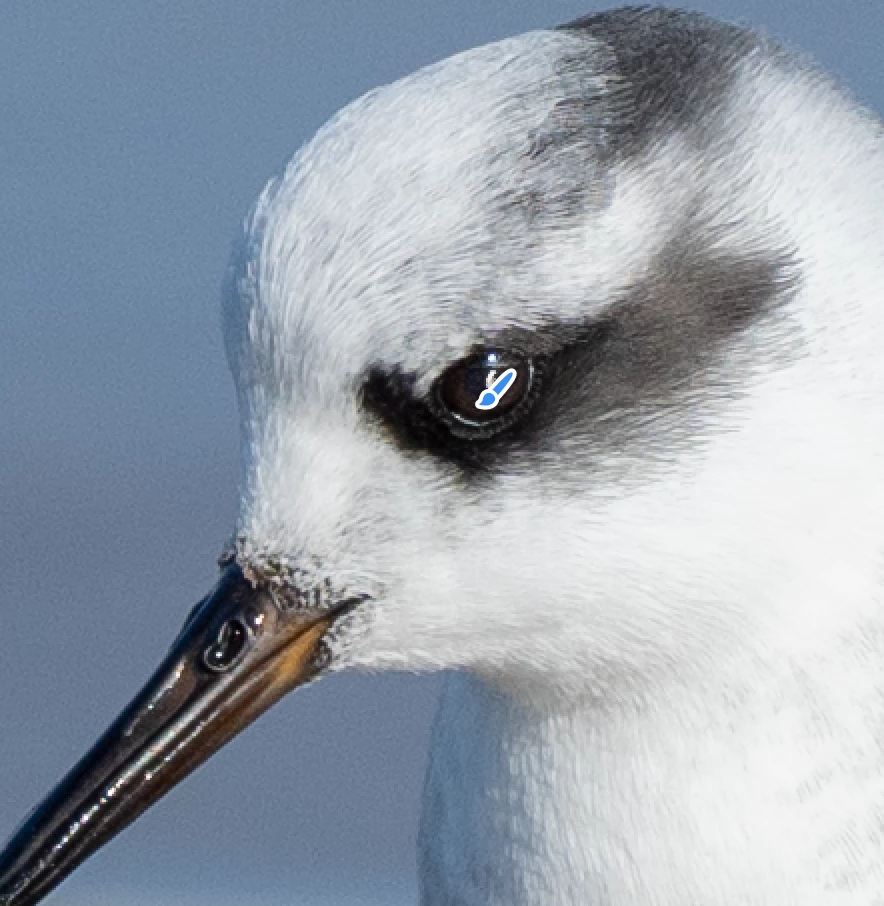
How do I hide the little blue and white brush icon that's in the way of my adjustments of the bird's eye? I Googled and searched the Adobe manual but no luck. I get the appeal of having a brush in the way to remind you that you're using a brush, but I also need to see what I'm doing. Thanks!
 

This topic is closed to new replies. Start a new post to keep the conversation going.
TheDigitalDog
TheDigitalDogCorrect answer
Inspiring
January 11, 2023

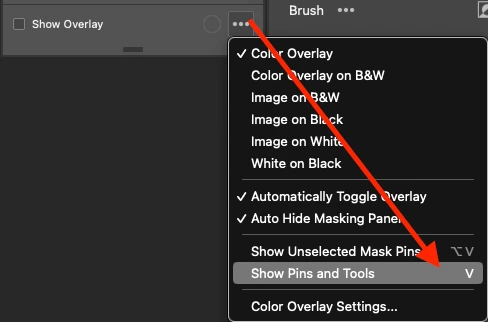
Type the V key. Or select this from the ... Menu:

Author “Color Management for Photographers" & "Photoshop CC Color Management/pluralsight"

2 replies

TheDigitalDog
TheDigitalDogCorrect answer
Inspiring
January 11, 2023

Type the V key. Or select this from the ... Menu:

Translate
Author “Color Management for Photographers" & "Photoshop CC Color Management/pluralsight"
Bman007Author
Inspiring
January 11, 2023

Thanks! I knew it was some kind of single key but kept thinking K. 

Translate