Known Participant
February 9, 2022
Answered

How to reset Color Mixer settings?

  • February 9, 2022
  • 2 replies
  • 1818 views

For example, I set saturation, hue and luminosity for different tones in an image, but later I decide I want the original settings - only in the color mixer, not all ACR image settings. How do I set all tones to zero without moving each arrow to the middle? 

This topic has been closed for replies.
Correct answer Conrad_C

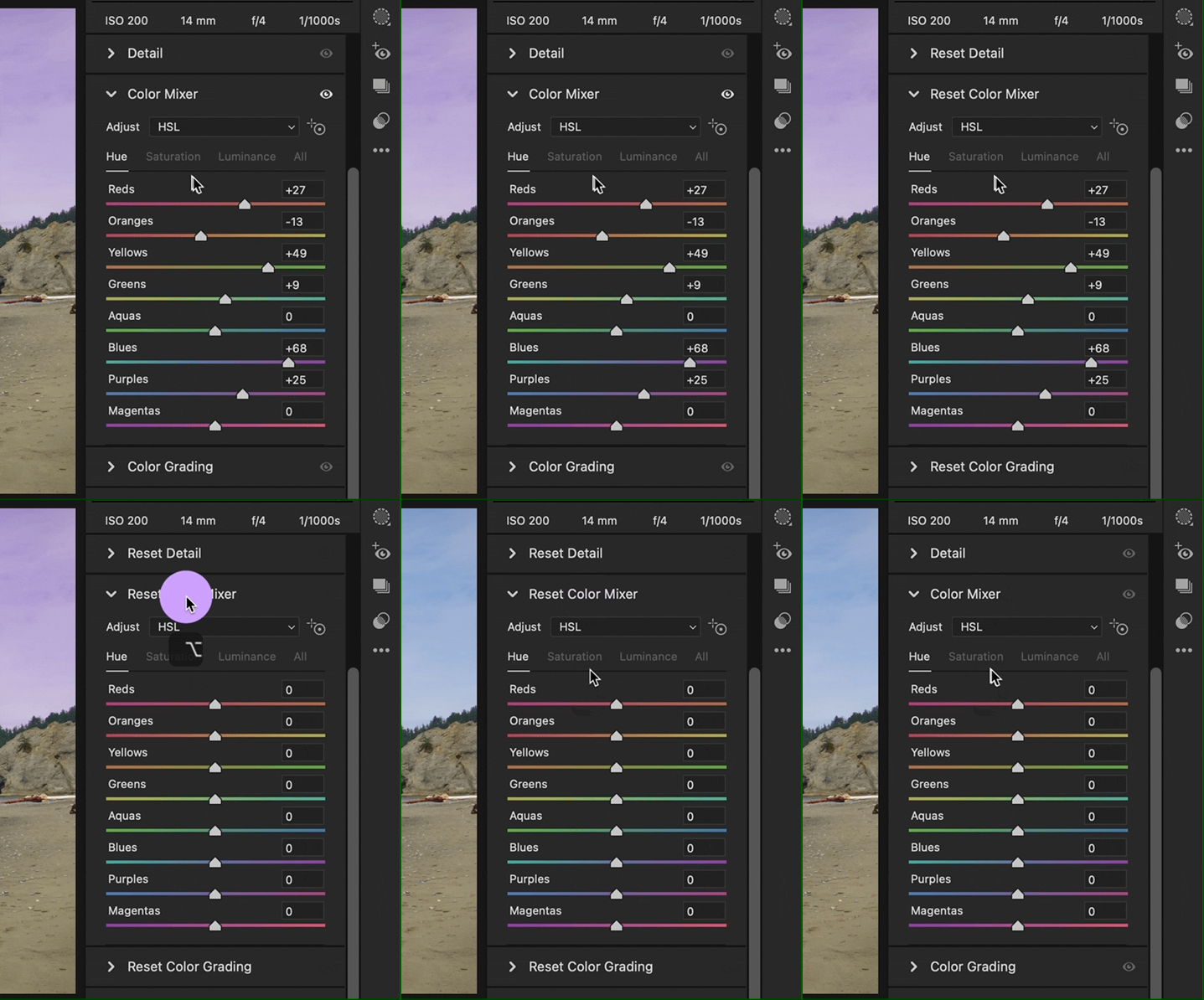
Does the demo below do what you want? If you want to reset just the Color Mixer panel, hold down the Option (Mac) or Alt (Windows) key and all the panel titles change to say Reset. Click the Color Mixel panel title with Option/Alt held down, and all the sliders reset in just that panel. Other panels are not affected.


If you want to reset just one slider in a panel, double-click the slider handle.

2 replies

Conrad_C
Community Expert
Conrad_CCommunity ExpertCorrect answer
Community Expert
February 12, 2022

Does the demo below do what you want? If you want to reset just the Color Mixer panel, hold down the Option (Mac) or Alt (Windows) key and all the panel titles change to say Reset. Click the Color Mixel panel title with Option/Alt held down, and all the sliders reset in just that panel. Other panels are not affected.


If you want to reset just one slider in a panel, double-click the slider handle.

Known Participant
February 16, 2022

Yes, that is it!! Thank you!!

TheDigitalDog
Inspiring
February 9, 2022

You can make a preset whereby the Color Mixer alone is set to default, then select that. That or any of the other panels can be 'reset' to original and default behavior again, with a preset.

Author “Color Management for Photographers" & "Photoshop CC Color Management/pluralsight"