


December 11, 2016
Answered

How to undo a batch rename that was done to raw files on a memory card :(

  • December 11, 2016
  • 2 replies
  • 1210 views

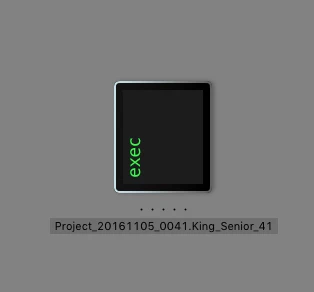
I know what you're thinking and you are right, I'm an idiot. So I took some senior photos for my niece and was editing in adobe bridge and yes, I did a batch rename to a lot of photos in their raw format on the memory card. All of the thumbnails are now black and say "exec" in bright green:
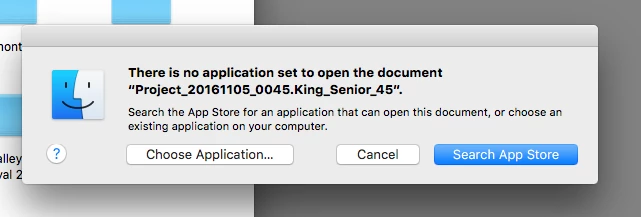
When I double click on a thumbnail I get this:
Please tell me they're not lost!! Thank you!

This topic has been closed for replies.
Correct answer gener7

And I see exactly what went wrong. I own a Macbook.

If for example your raws are from a Nikon camera, the file extension is .nef  DSC0000.nef for example.

Remove the .nef, OSX does not know what it is and gives you that exec thumbnail and also can't find what program opens it.

Solution: rename the file with the proper extension and you will see your raws again. Unharmed.

Gene

2 replies

TheDigitalDog
Inspiring
August 31, 2020

Further, NEVER edit anything on the camera card. Copy to the Finder or elsewhere first. 

Author “Color Management for Photographers" & "Photoshop CC Color Management/pluralsight"
gener7
Community Expert
gener7Community ExpertCorrect answer
Community Expert
December 11, 2016

And I see exactly what went wrong. I own a Macbook.

If for example your raws are from a Nikon camera, the file extension is .nef  DSC0000.nef for example.

Remove the .nef, OSX does not know what it is and gives you that exec thumbnail and also can't find what program opens it.

Solution: rename the file with the proper extension and you will see your raws again. Unharmed.

Gene

holly0D4C17585475
Participant
August 30, 2020

Hello so I did something similar this evening, I did not know a batch rename would show my raws as a little white sheet of paper icon.. I tried to Undo but it would not let me ( I regretfully did not copy the files either. those were my only ones and I fear I lost them ) The file info still shows all of the metadata but I just can not open or see them anymore. Please help. 

( I also tried recuva for the memory card they were on but it said files were found but cannot be opened or something along those lines.)  


gener7
Community Expert
Community Expert
August 30, 2020

Simple. If you know the file is a cr2, just rename the file with the extension added. You will be asked if you really want to do this and confirm that you do.


image1 > image1.cr2 Then see if it opens.


Since I don't usually run batch renames, just do it one file at a time.