


Participant
September 12, 2021
Question

I can't upload my raw photos to Adobe Cloud.

  • September 12, 2021
  • 2 replies
  • 4074 views

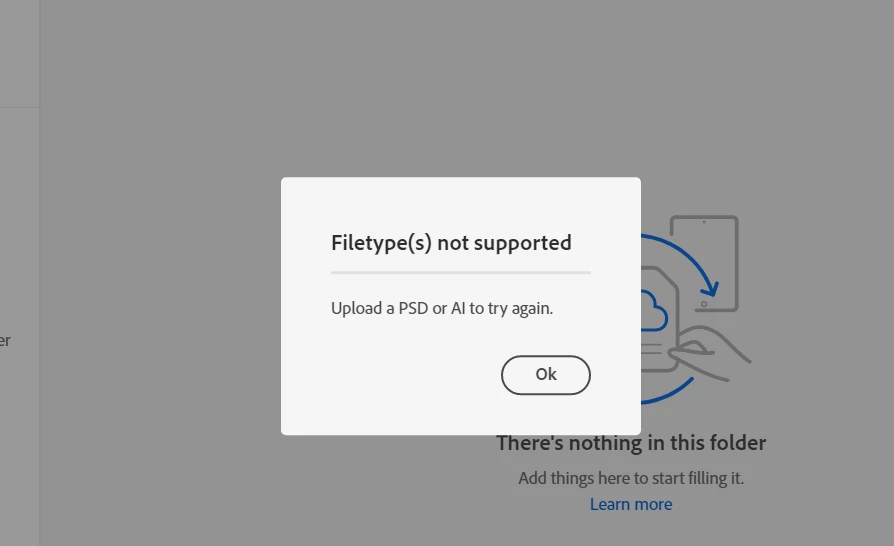
Need help.  Trying to upload my raw images to Adobe Cloud but it won't allow me. It says file not supported, please upload a PSD or AI file....??? Need some help with this please. I was told Adobe cloud can be used as storage for my photos and video too.


2 replies

Rikk Flohr_Photography
Community Manager
Community Manager
September 22, 2021

In Finder (Mac) or File Explorer (Windows) you should see a Creative Cloud Files folder.  Anything in this folder syncs to the Creative Cloud.


Inside the CCF Folder, create a folder and drop your raw files into it.  Those will then sync up to the cloud. 


Otherwise, you would need to use Lightroom to sync your photos/videos to the cloud. 

Rikk Flohr: Adobe Photography Org
anuschkaw43896424
Participant
January 8, 2025

Hello - thank you so much. I am sorry but I am an absolute beginner trying to use the Creative Cloud for a shoot archive. I have found the Creative Cloud Files folder in the Finder and I am able to pull files across. However, if I wanted to use this as a shared library with my colleagues or have other people access these files - can this be done via "libraries" that I can set up? Or is this only usable for my personal archive?

BTW, I am on an Enterprise Version for Creative Cloud via the employer I work for.
Thanks!

TheDigitalDog
Inspiring
September 12, 2021

See: https://community.adobe.com/t5/creative-cloud-services-discussions/creative-cloud-no-support-for-raw/m-p/11456588

You can upload and store your raw images there. 

Being this is the Camera Raw forum, outline the steps you are following prior to getting that dialog. 

Author “Color Management for Photographers" & "Photoshop CC Color Management/pluralsight"
Participant
September 20, 2021

When  I have my Creative Cloud Desktop open, I go to Cloud Documents.  Then once I am in the specific folder I have created, I click and drag my raw photos into the Cloud folder and then the error message comes up:


Am I forgetting to do something beforehand??