


calebrj
Participant
July 29, 2020
Question

Images in Camera Raw appear edited

  • July 29, 2020
  • 4 replies
  • 476 views

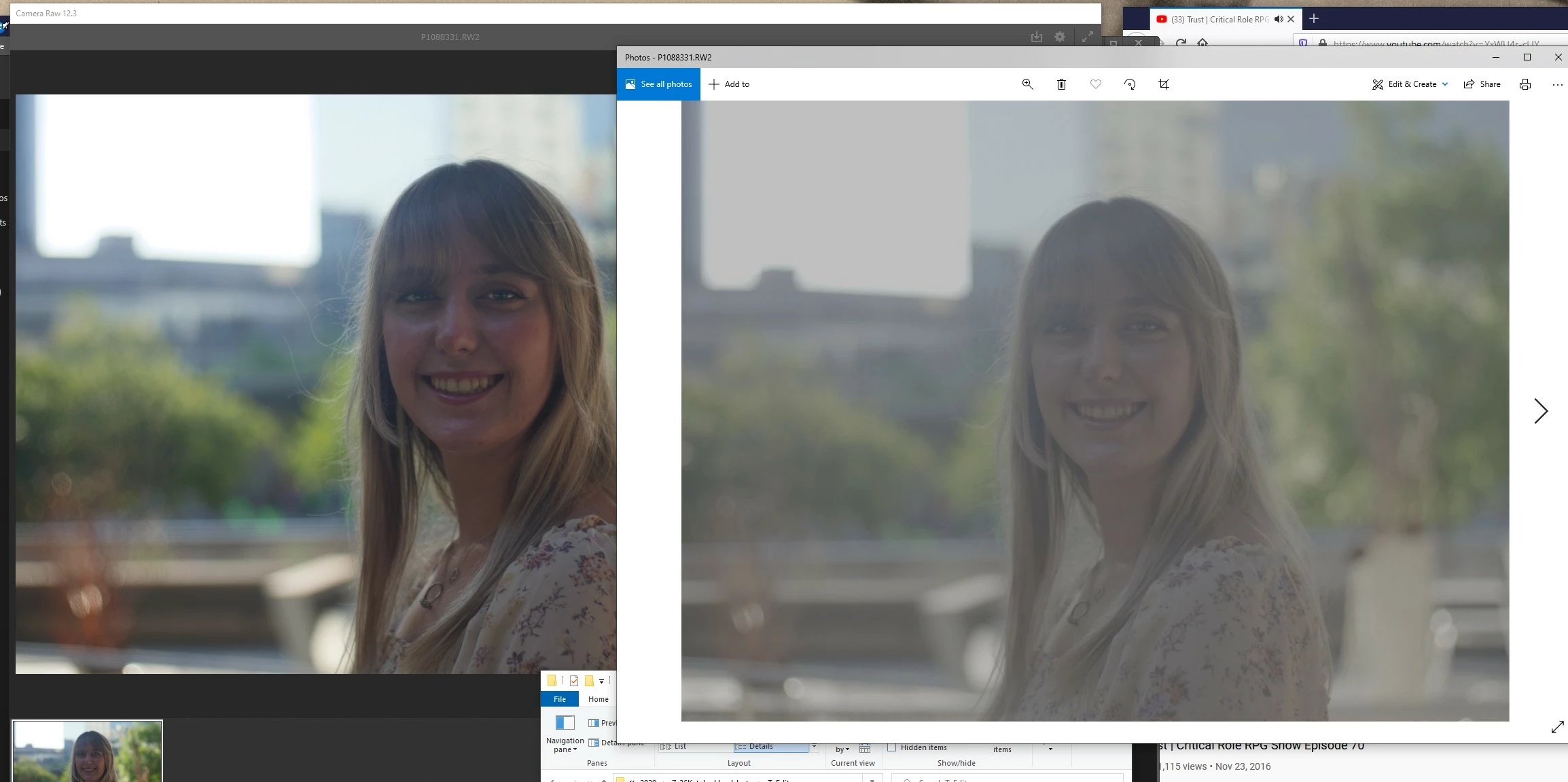
I am shooting on a Panasonic GH5 in RAW. I have been for a couple years and developed and streamlined a workflow with it. I edit from the flat profile, but now Camera Raw appears to be applying some sort of auto-edit that boosts the contrast. I went back and opened some images I'd worked on a couple months ago, and they're still opening fine without any aparent edit. I have gotten a firmware update for my camera since then... could this be a change to the .RW2 format that is now being read differently in Camera Raw? I have checked the profile and it was different than my shots from a couple months ago. I changed that to the same one from before but it's still not what it should be.


Here's an example of how Camera Raw is changing my image from the flat base I prefer to edit from.
This topic has been closed for replies.

4 replies

JP Hess
Inspiring
July 30, 2020

I'm sure you're aware that the histogram in the camera is reflecting the results of the embedded JPEG preview. The camera cannot display the raw image data. That could explain the difference. If you want to import and to have the import reflect that difference then about the only thing I can suggest is that you modify a newly imported image to reflect that difference and update your default settings accordingly.

calebrj
calebrjAuthor
Participant
July 31, 2020

Right, it's just frustrating that however my camera is rasterizing the image can't be replicated in Camera Raw using profiles. I have managed to get an approximation using the highlights/shaddows sliders. It's not ideal, but it serves for now.

JP Hess
Inspiring
July 29, 2020

Yes, I have recommended that same video several times. But I hesitated doing so in this instance since we were discussing Camera Raw. However, it was after watching that video that I figured out how to set the defaults properly in Camera Raw. It is a very good video.

TheDigitalDog
Inspiring
July 29, 2020

Here's a very good video and instructions about the new way to deal with defaults that Jim mentiones:

https://laurashoe.com/2020/02/11/whats-new-in-lightroom-classic-9-2-raw-defaults/

Video: https://youtu.be/XGCnR9qEqA4

ACR and Lightroom behave in the same new behavior shown. 

Author “Color Management for Photographers" & "Photoshop CC Color Management/pluralsight"
calebrj
calebrjAuthor
Participant
July 29, 2020

Unfortunately this isn't fixing my issue.. I have used Camera Raw several times since 9.2 and my previous test images I mentioned from a couple months ago were from after that update. I have the default profile set to Camera Standard. I'm guessing at this point that the issue is the firmware update on my camera, that somehow the profile I'm using can't be mimiced to rasterize a similar image.

JP Hess
Inspiring
July 30, 2020

So did you reestablish your Camera Raw defaults after the release of 9.2?

JP Hess
Inspiring
July 29, 2020

Camera Raw has changed the way it applies your chosen defaults. That happened in version 9.2. If you haven't specifically set your defaults properly then Camera Raw is applying the Adobe default settings.