



dragantomas
Inspiring
December 25, 2022
Question

Imported presets not showing in ACR and Lightroom

  • December 25, 2022
  • 2 replies
  • 320 views

Hi All,


Latest version of Photoshop / Mac Intel version


I upload-dropped preset XMP files into ACR 15.10.1329 and Corresponding Lightroom. Stepps I followed was Libray-Application Support-Adobe-Camera Raw-Settings

I have sellected here presets in screenshot that I am not able to see in Acr.
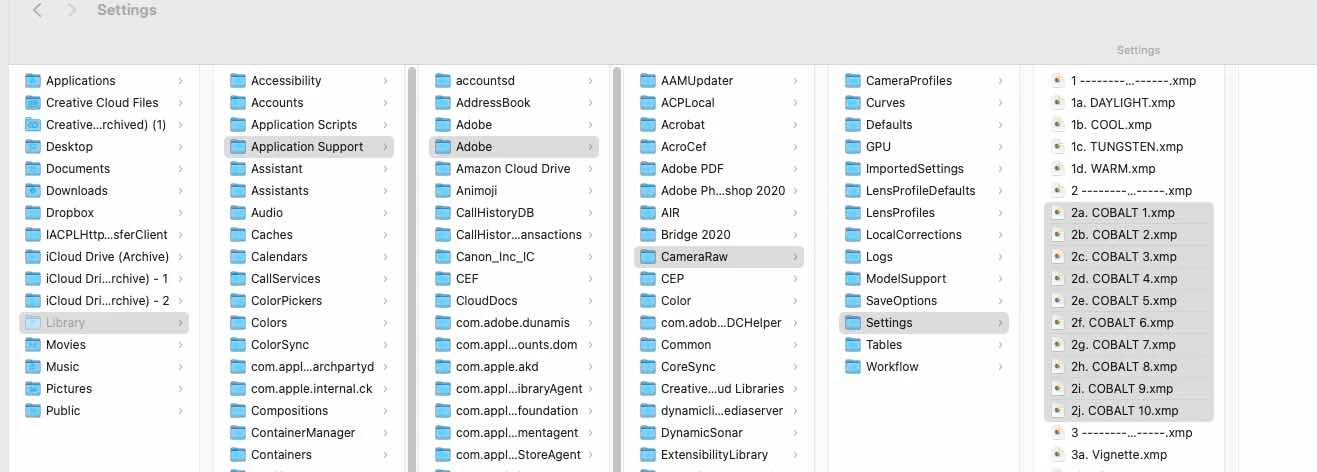
 

Now I tried to upload these presets via ACR itself by clicling on 3 dots and choosing Load Settings, it allows me only to choose one preset at the time from the preset stack, that preset applies itself onto the image, but the preset is still not showing in the preset panel.


Does someone knows how to fix this problem please?


Thank you.


This topic has been closed for replies.

2 replies

Chuck Uebele
Community Expert
Community Expert
December 26, 2022

Moved to the Camera Raw forum, from the Photoshop forum.

TheDigitalDog
Inspiring
December 26, 2022

Maybe try this path:


Author “Color Management for Photographers" & "Photoshop CC Color Management/pluralsight"
dragantomas
Inspiring
December 26, 2022

That didnt work friend, but thanks for reaching out. However I have found a very manual way around to fix this problem. 


ACR - press on 3 dots - Load Settings - Choose an XMP preset and press 'Load', which applies that preset onto an image in ACR - save this preset in an before hand created preset group by right clicking on the preset panel - Choose 'Create Preset' from the menu - on the 'Create Preset' panel, name the preset and then Save the preset in the group you want it to land (or you can create/name a new preset group on that 'Create Preset' panel) 

And so on loading one by one xmp preset files ans saving them as described.