


Answered
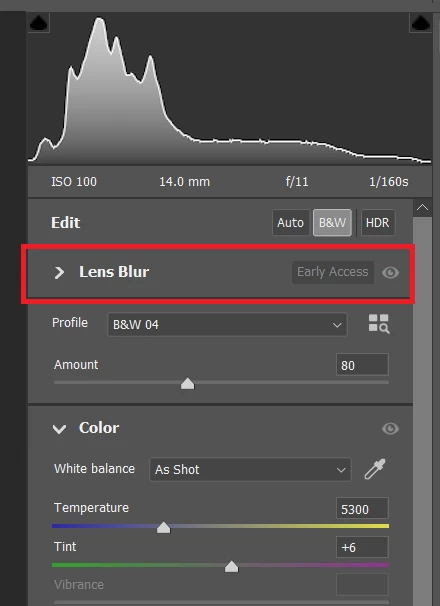
Lens Blur panel stuck at top of panel bar
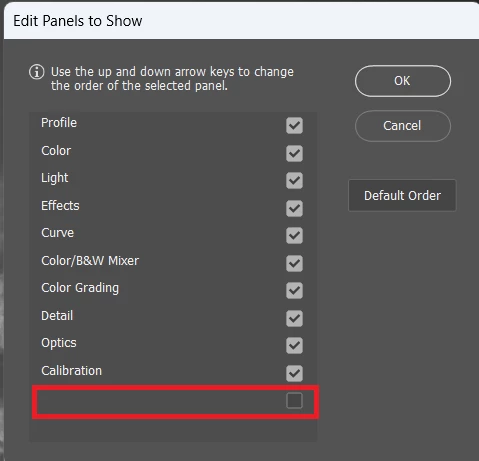
The Lens Blur panel is stuck at the top of the panel bar and and can't be moved or removed. When opening the Edit Panels dialog to try to move or remove it, it shows at the bottom without a title and moving or unticking it has no effect.
This only started happening after updating from ACR 16.0 to 16.1 When running 16.0 I had removed the lens blur panel using the Edit Panels because I didn't need it. But once I updated to 16.1, the panel is back and stuck at the top.
Windows 11 Pro 22H2
ACR 16.2.0.1763
Processor: AMD Ryzen 9 7940HS w/ Radeon 780M Graphics
 AdChoices