


Participant
August 14, 2020
Question

Loss of Quality When Opening RAW Files in PSE 2020

  • August 14, 2020
  • 2 replies
  • 255 views

I have just updated my version of PSE to handle the ARW (RAW) files from my Sony A77ii. 

Unfortunately, when I edit the files in ACR and try to open them in PSE for additional touch-ups/recomposing, etc., the image quality is HORRIBLE!! 

Here is a screen grab of a (fairly awful) picture that I edited in ACR:
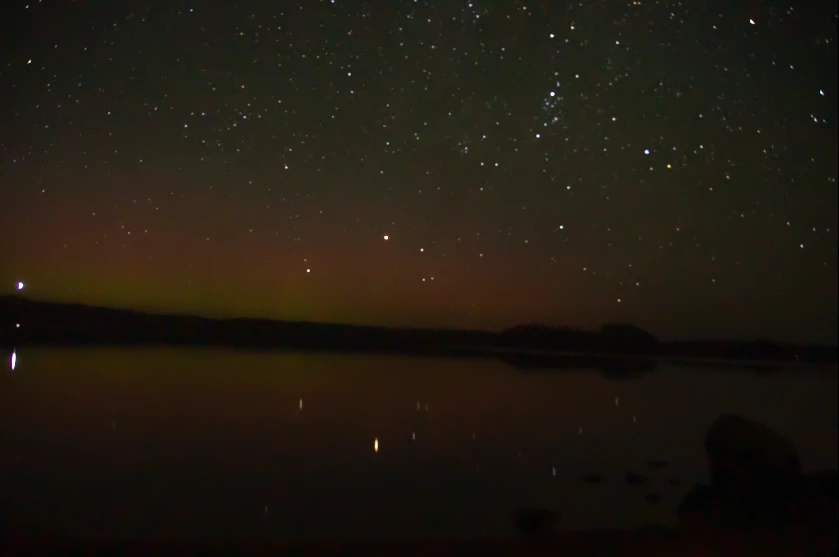
Obviously, it's not the best picture, but still MUCH better than when I open it in PSE:
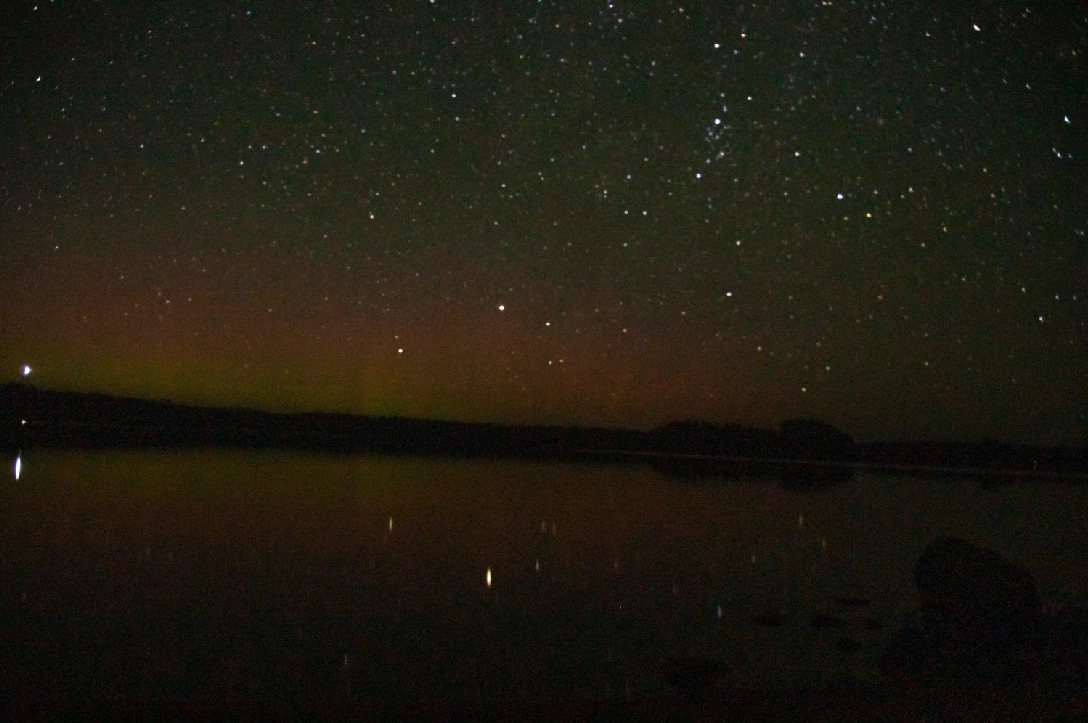
 

I'm so frustrated!! What am I doing wrong?? 

I've also tried other software, such as RAWThereapee, with similar results. Are Sony RAW files just terrible to work with??


This topic has been closed for replies.

2 replies

TheDigitalDog
Inspiring
August 14, 2020

We really need access to the raw to compare it to other converters, examine a raw Histogram etc. 

You say you got similar (poor?) results from another converter, could be the image quality itself is just really poor. 

Author “Color Management for Photographers" & "Photoshop CC Color Management/pluralsight"
JP Hess
Inspiring
August 14, 2020

Long exposures are difficult to deal with. And it's difficult to evaluate this image because there's no indication as to what ISO setting was used. One disadvantage you have using Camera Raw with Photoshop Elements is that you don't have all the tools that Camera Raw has to offer when compared to Photoshop or Lightroom Classic. Whether or not that would make a difference, I couldn't tell you because I haven't used Photoshop Elements since version 2.