



Answered
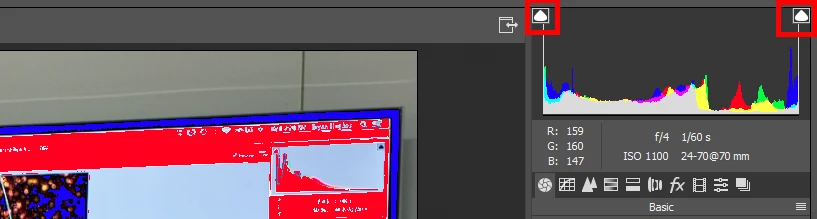
Lost clipping indicators
i have lost my 'whites and black's' clipping indicators on my image and looking for a way to make things the way they used to.
I did two uodates, one with Adobe and the other with Windows.
Updates with Adobe were basically going from Photoshop / Bridge / Camera Raw from 2017 to current, so that puts me in Camera Raw 10.1
Updates with Windows was 10 something to 10 something else (1709 build 16299.125)
i have always had my clipping indicators showing in previous versions and surprised i no longer am seeing that ability.
Sure I see them in the upper right Histogram, , but how do I go about getting them back on my image?

 AdChoices