



Multiple errors
Hi All
I am experiencing multiple errors as I proceed through my workflow from Bridge > RAW > Photoshop.
I am posting this in the RAW channel as it starts there. The first is this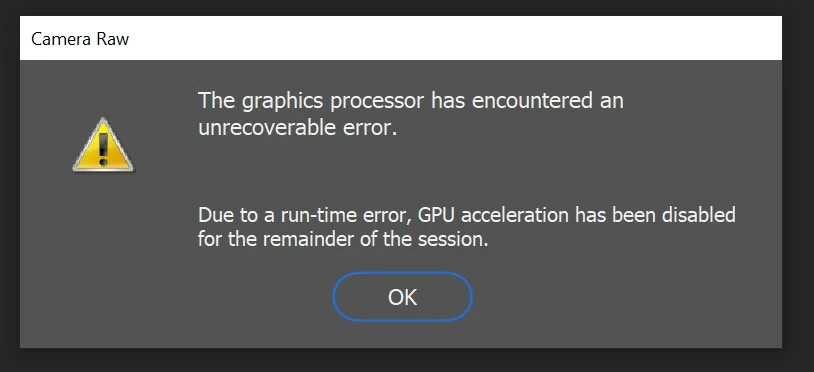 This error happens usually when I attempt to use the Adjustment brush or the Geometry. I have now disabled the feature but it makes RAW sluggish and cropping impossible.
The second error is this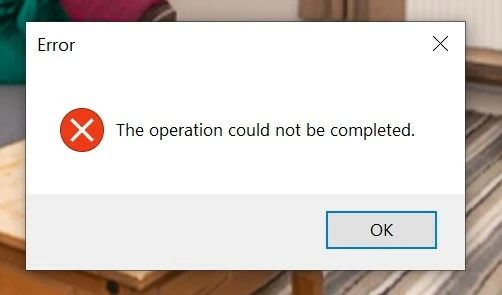
This follows shortly after GPU acceleration automatically disabled so I assume is connected and occurs when I try to do pretty much anything.
Around this time I start getting this error in Bridge and Photoshop which must be connected as they both involve the RAM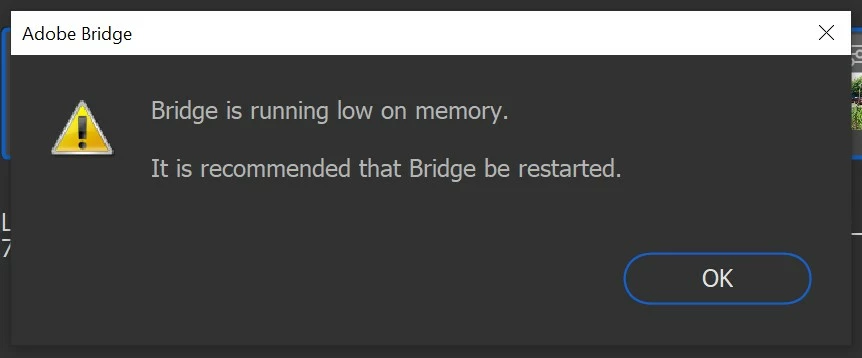
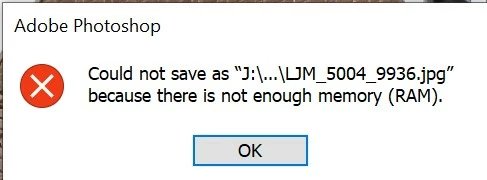
Below are my system specs
Machine Id: {0B81B34E-A118-4D74-B369-CF96A8D8F62B}
Operating System: Windows 10 Home 64-bit (10.0, Build 18363) (18362.19h1_release.190318-1202)
Language: English (Regional Setting: English)
System Manufacturer: Micro-Star International Co., Ltd.
System Model: MS-7B45
BIOS: A.40 (type: UEFI)
Processor: Intel(R) Core(TM) i7-8700K CPU @ 3.70GHz (12 CPUs), ~3.7GHz
Memory: 16384MB RAM
Available OS Memory: 16338MB RAM
Page File: 16497MB used, 3557MB available
Windows Dir: C:\WINDOWS
DirectX Version: DirectX 12
DX Setup Parameters: Not found
User DPI Setting: 144 DPI (150 percent)
System DPI Setting: 144 DPI (150 percent)
DWM DPI Scaling: UnKnown
Miracast: Available, with HDCP
Microsoft Graphics Hybrid: Not Supported
DirectX Database Version: Unknown
DxDiag Version: 10.00.18362.0387 64bit Unicode
------------
DxDiag Notes
------------
Display Tab 1: No problems found.
Display Tab 2: No problems found.
Sound Tab 1: No problems found.
Sound Tab 2: No problems found.
Input Tab: No problems found.
--------------------
DirectX Debug Levels
--------------------
Direct3D: 0/4 (retail)
DirectDraw: 0/4 (retail)
DirectInput: 0/5 (retail)
DirectMusic: 0/5 (retail)
DirectPlay: 0/9 (retail)
DirectSound: 0/5 (retail)
DirectShow: 0/6 (retail)
---------------
Display Devices
---------------
Card name: NVIDIA GeForce GTX 1080
Manufacturer: NVIDIA
Chip type: GeForce GTX 1080
DAC type: Integrated RAMDAC
Device Type: Full Device (POST)
Device Key: Enum\PCI\VEN_10DE&DEV_1B80&SUBSYS_33661462&REV_A1
Device Status: 0180200A [DN_DRIVER_LOADED|DN_STARTED|DN_DISABLEABLE|DN_NT_ENUMERATOR|DN_NT_DRIVER]
Device Problem Code: No Problem
Driver Problem Code: Unknown
Display Memory: 16248 MB
Dedicated Memory: 8079 MB
Shared Memory: 8169 MB
Current Mode: 3840 x 2160 (32 bit) (60Hz)
HDR Support: Supported
Display Topology: Extend
Display Color Space: DXGI_COLOR_SPACE_RGB_FULL_G22_NONE_P709
Color Primaries: Red(0.679688,0.315430), Green(0.280273,0.673828), Blue(0.152344,0.049805), White Point(0.312500,0.329102)
Display Luminance: Min Luminance = 0.010000, Max Luminance = 1499.000000, MaxFullFrameLuminance = 799.000000
Monitor Name: Generic PnP Monitor
Monitor Model: LG HDR 4K
Monitor Id: GSM7707
Native Mode: 3840 x 2160(p) (59.997Hz)
Output Type: Displayport External
Monitor Capabilities: HDR Supported (BT2020RGB BT2020YCC Eotf2084Supported )
Display Pixel Format: DISPLAYCONFIG_PIXELFORMAT_32BPP
Advanced Color: AdvancedColorSupported
I am at a loss as to what course of action to take. Many thanks for any help provided and please ask what other information you need that can help.
 AdChoices