Participant
August 18, 2019
Answered

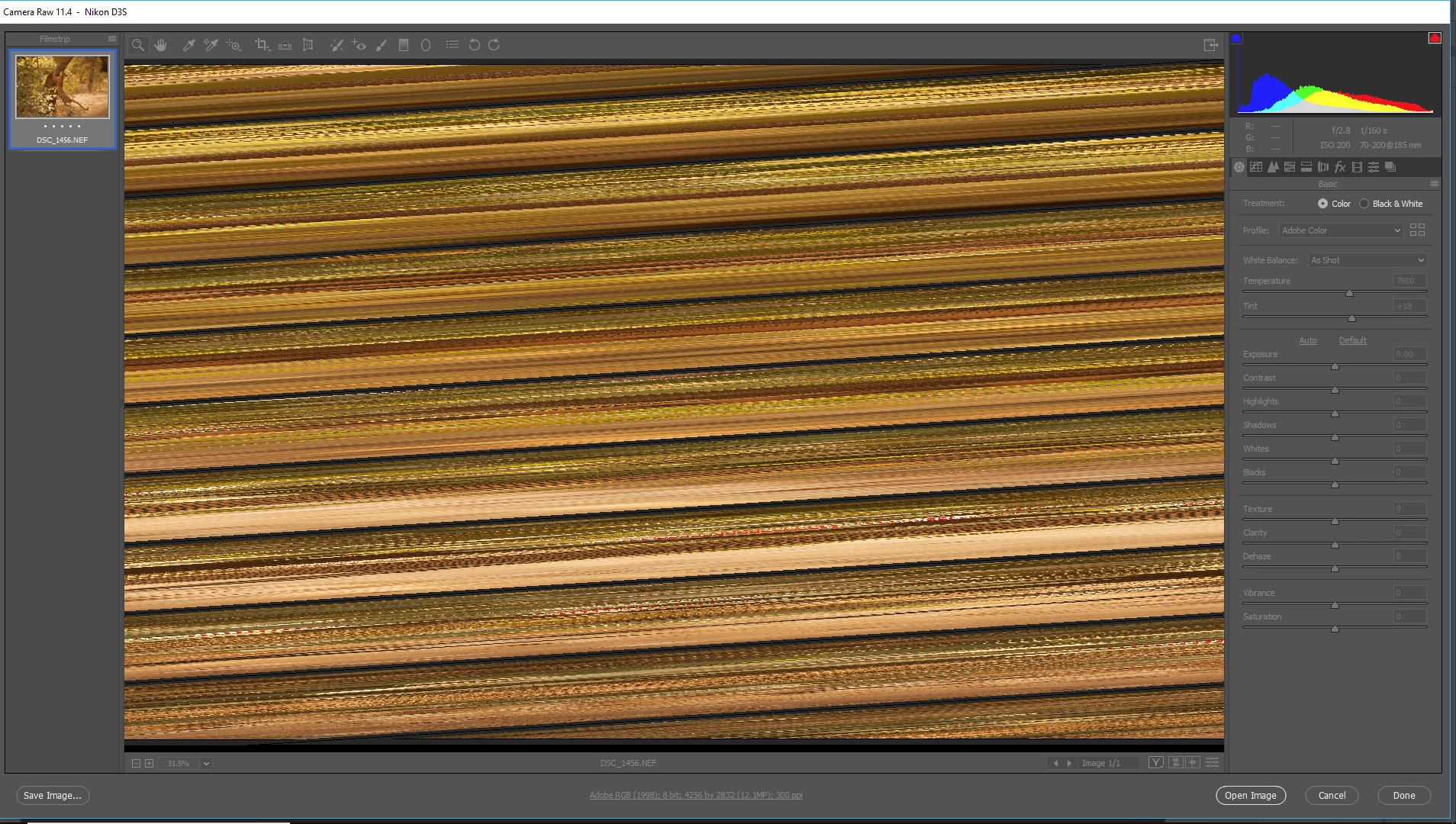
Nikon RAW files opening in Adobe raw editor like this!!

  • August 18, 2019
  • 1 reply
  • 864 views

    This topic has been closed for replies.
    Correct answer Per Berntsen

    Try to disable the GPU.

    While in the Camera Raw window, press Ctrl+K to bring up preferences.

    Uncheck Use graphics processor in the Performance tab and click OK.

    If this fixes the issue, updating your graphics driver may let you work with the GPU enabled.

    1 reply

    Per Berntsen
    Community Expert
    Per BerntsenCommunity ExpertCorrect answer
    Community Expert
    August 18, 2019

    Try to disable the GPU.

    While in the Camera Raw window, press Ctrl+K to bring up preferences.

    Uncheck Use graphics processor in the Performance tab and click OK.

    If this fixes the issue, updating your graphics driver may let you work with the GPU enabled.

    Participant
    August 18, 2019

    Thank you very much Per, all working again now!

    dfranzen_camera_raw
    Adobe Employee
    Adobe Employee
    August 20, 2019

    Can you tell me if you disabled the 'Use GPU for display" or the "Use GPU for image processing" option or both? Setting the popup to "off" disables both; the two check boxes appear when the popup is set to "Custom."

    Since turning off GPU acceleration fixed your problem, can you share with us some information about your system, so we know what configuration is not working?

    How to generate a DxDiag report.

    1. Click Windows menu.

    2. Type Run

    3. Type dxdiag into the Run dialog then click the OK button

    4. When the diagnostic is complete, click the Save All Information

    If you prefer not to share this information on the forum, please e-mail me: dfranzen at adobe dot com.


    Thank you for your help,

    David