


leethestrange86
Known Participant
June 13, 2018
Answered

No grayscale option under HSL

  • June 13, 2018
  • 1 reply
  • 2412 views

Hey guys,

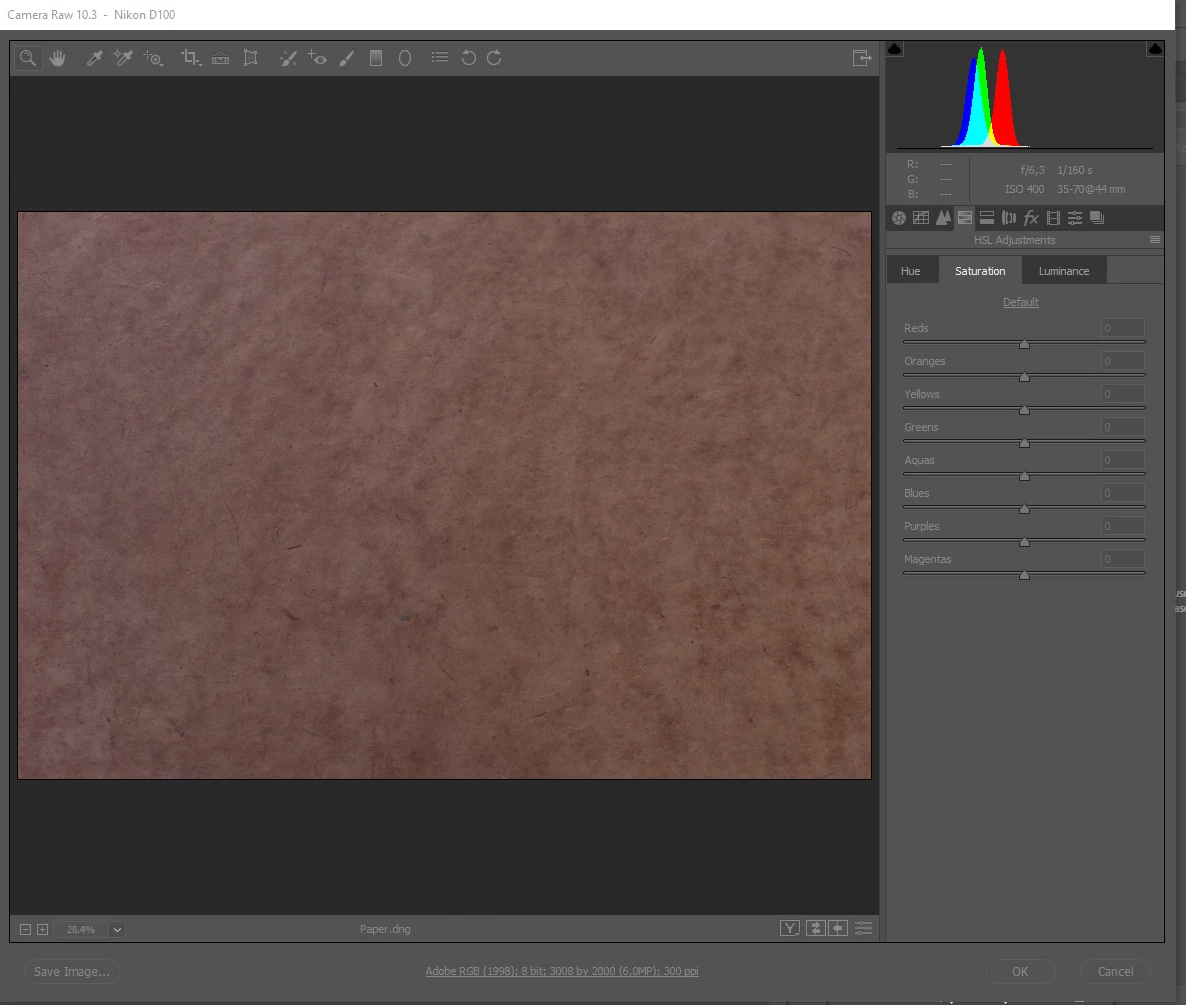
I just started using Camera Raw and found that I do not have the grayscale option under HSL.

I am using Photoshop CC 19.1.3.

Can anyone explain to me why I do not have this grayscale option?  I am including a screenshot of what I am seeing.

Thank you in advance!
    This topic has been closed for replies.
    Correct answer JP Hess

    Convert the image to black and white in the basic panel. Then the HSL panel becomes a black-and-white mix.

    1 reply

    JP Hess
    JP HessCorrect answer
    Inspiring
    June 13, 2018

    Convert the image to black and white in the basic panel. Then the HSL panel becomes a black-and-white mix.

    leethestrange86
    Known Participant
    June 15, 2018

    Thank you so much!
