


Marko Subotin
Inspiring
August 17, 2020
Answered

Panel scrolled all the way down

  • August 17, 2020
  • 3 replies
  • 1062 views

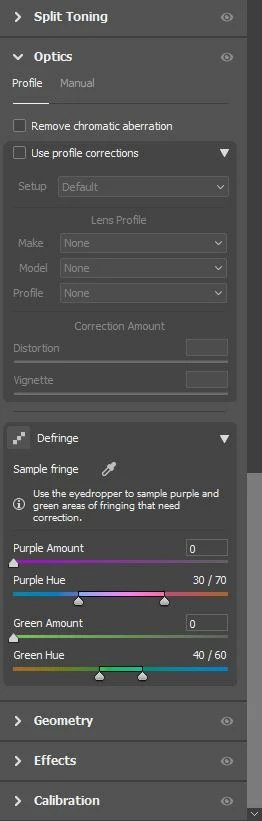
Hi guys, whenever I open a photo in ACR, first thing I see are my bottom panels, so everytime I edit I need to scroll all the way up to the edit panel. Is there a way to change that? Because first thing I need is the edit panel, then maybe I will scroll down to the other panels and use them, not the other way around.
Thanks.

This topic has been closed for replies.
Correct answer Erik Bloodaxe

Right click on any of the panels from Basic down to Calibration then select "Single Panel Mode". 

In Single Panel Mode each time you open a new panel the others close automatically. That saves lots of unnecessary scrolling and that works fine for me. Hope that helps you.

3 replies

Conrad_C
Community Expert
Community Expert
August 21, 2020

If it still happens, one workaround is to press Ctrl-1, the shortcut for the Basic panel. All the Edit mode panels have Ctrl-number shortcuts so Ctrl-1 forces it to go to the top.

Marko Subotin
Inspiring
September 1, 2020

Eric has the best answer. In SINGLE PANEL or RESPONSIVE PANEL MODE it is a lot quicker to edit without scrolling all the way up. Even if I see this as a bug, and it could be fixed, this is the method to fix this on your own. Thanks to all of you for the suggestions. 🙂

Erik Bloodaxe
Legend
August 17, 2020

Not sure if this is what you want but try switching to single panel mode which eliminates unnecessary scrolling. Camera Raw remembers which panel you had open when it was last closed so if that's not the edit panel then simply press "E" to jump straight to it.

Marko Subotin
Inspiring
August 18, 2020

Single panel mode? How do I do that? And I dont think that it remmembers, after I use EDIT panel and close it, reopen, its all the way to the bottom again.

Ash Mills Photography
Known Participant
August 19, 2020

12.4 has fixed this bug for me on Windows.

TheDigitalDog
Inspiring
August 17, 2020

Some Windows users have reported this, some can't replicate and I can't either on Mac. Adobe is aware of this however. 

Author “Color Management for Photographers" & "Photoshop CC Color Management/pluralsight"