


Participant
June 13, 2018
Question

PhotoMerge Blur

  • June 13, 2018
  • 2 replies
  • 1394 views

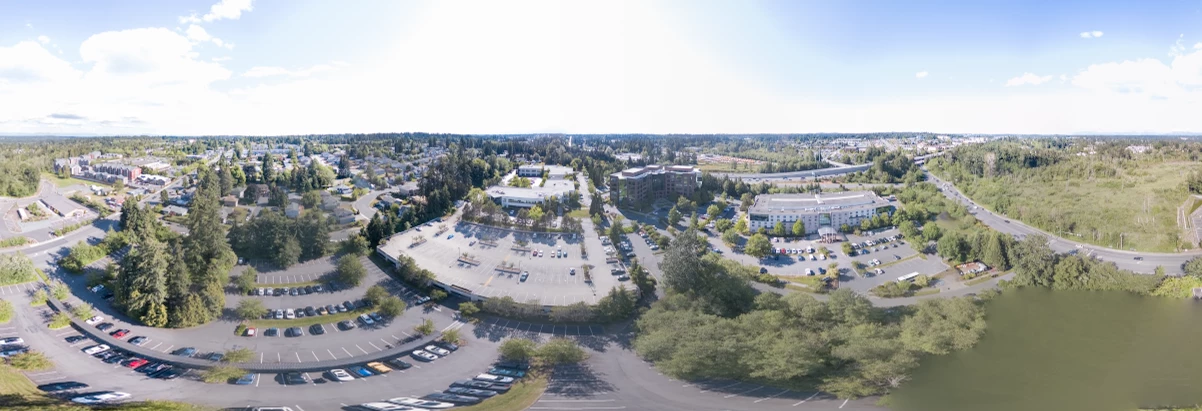
I'm trying to create a 360 spherical photo using 34 raw images I captured through my Mavic Pro drone. Everything seems to go just fine in Camera Raw except that one portion of the final image appears blurry (lower-right). The source images that cover that spot in the pano are not blurry so I'm a bit confused as to what is causing this. Anyone else have some ideas?
    This topic has been closed for replies.

    2 replies

    mattc76018157
    Participant
    December 25, 2018

    Hey, I've been having the same issues with many of my panoramas..  I can't seem to figure out any way to remedy this other than using completely different software.  Have you made any progress figuring this out?

    JP Hess
    Inspiring
    June 14, 2018

    All I can suggest is to try the different "modes" and compare. The other thing you could do is try photomerge in Photoshop itself to compare.

    Participant
    June 14, 2018

    I've tried everything. The merge in Photoshop does work, but it doesn't do raw files.

    JP Hess
    Inspiring
    June 14, 2018

    I have never tried a 360° panorama. Those who cannot get what they need from the panorama feature in Camera Raw or Lightroom seemed to recommend a product called Hugin. I don't know anything about it, have never tried it, but it's highly recommended. You should be able to find it with a web search.

    Photoshop cannot do ANYTHING with raw files. That's why Camera Raw is for, to convert the image and prepare it for Photoshop.