


Kablamaman
Participant
October 8, 2021
Question

Photos won't open in Bridge to Camera Raw

  • October 8, 2021
  • 4 replies
  • 1076 views

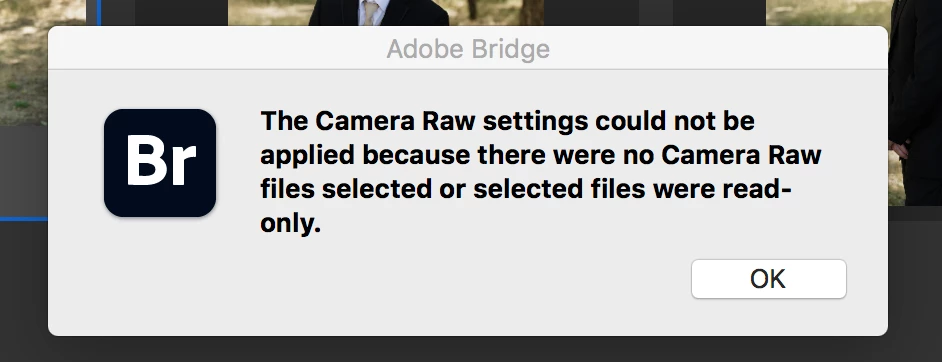
"The Camera Raw settings could not be applied because there were no Camera Raw files selected or selected files were read-only"


This keeps appearing when I try to open photos to camera raw. The weird thing is it's only for this one photo session. 


Any ideas what it means? I'm able to bipass it by going to edit the photos in photoshop, but its a hassle cause I'm editing a whole wedding. 


Any thoughts?
4 replies

Participant
April 23, 2025

I am having the same problem! Can go back to any of my files from a previous session - no problem. I don't know of anything different with anything in camera or computer


Participant
April 24, 2025

FOUND A WORKAROUND

Went to the file management app (Finder, for Apple)

Right-clicked  on a .CR2 file to get [Open With]

Selected Adobe Photoshop instead of the default Adobe Bridge

File opened in Camera Raw!

Participating Frequently
March 7, 2025

having same problem as you- only one shoot; Mac desktop will not open jpgs in RAW for me to adjust--using Photoshop and Bridge but I keep getting the same notice you got; trying everything and nothing works. Help! "selected files  were read only" but I haven't changed my settings and all other shoots are fine.


TheDigitalDog
Inspiring
October 24, 2021

Which version of Mac OS and did you make sure Bridge and Photoshop have disk access in Security>Privacy>Full disk Access? 

Author “Color Management for Photographers" & "Photoshop CC Color Management/pluralsight"
Participant
October 24, 2021

I just added the full disk access but it doesn't seem to make a difference. Big Sur 11.6

TheDigitalDog
Inspiring
October 24, 2021

Could be a permissions issue or such. 

Did you reboot? 

You might want to try running a free utility like Onyx.
https://www.titanium-software.fr/en/onyx.html

Author “Color Management for Photographers" & "Photoshop CC Color Management/pluralsight"
Participant
October 24, 2021

Did you find a solution to this?  I'm having the exact same issue!


Participating Frequently
March 7, 2025

did you find a solution? I'm desperate.