I was very satisfied with my Adobe system versions until everything evolved to version 2024 of Photoshop. For 5 days (more like nights...) my system has no longer worked with camera raw (ACR I think?).
I have reviewed almost all of the conversations of this honorable assembly relating to Camera Raw pb.
I have applied the advice “many” times:
- CTRL key in camera raw preference
- Uninstallation * and reinstallation of the complete suite (* as much as possible with this mystery program which is nowhere...)
- Disabled my graphics card (NVIDIA Geforce GTX 1650) on Dell G315 PC.
- Reactivated everything with up-to-date drivers.
-...
All these actions which are the solutions answered to the reported blocking questions do not work on my config:
I can no longer open .CR2, .CR3 or other files, I can no longer access the Raw camera filter
I can only open jpeg or psd files...
What is going on, you tell me?
Answer: NOTHING.
Every time someone presents the same setbacks as me, the discussion stops...
Can anyone provide THE SOLUTION to this blockage which makes PS completely inoperable?
Thanks in advance
We'll get there, I'm sure!
“The studios are yours” as Léon Zitrone would have said in his time...
Best regards.
By @Michel283800554wsz
Try this:
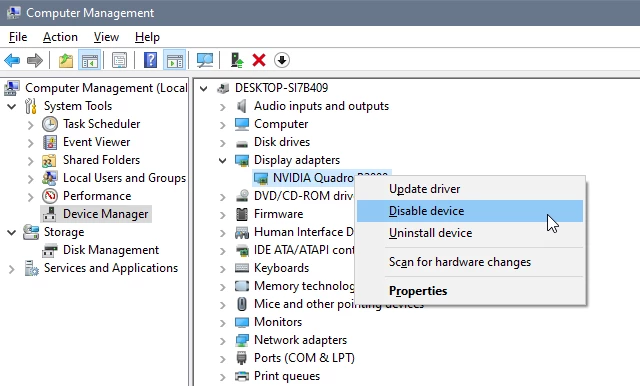
In the Device manager, disable the Intel(R) UHD Graphics.
Having two GPUs enabled is known to create issues.





 AdChoices