


Participant
April 19, 2025
Question

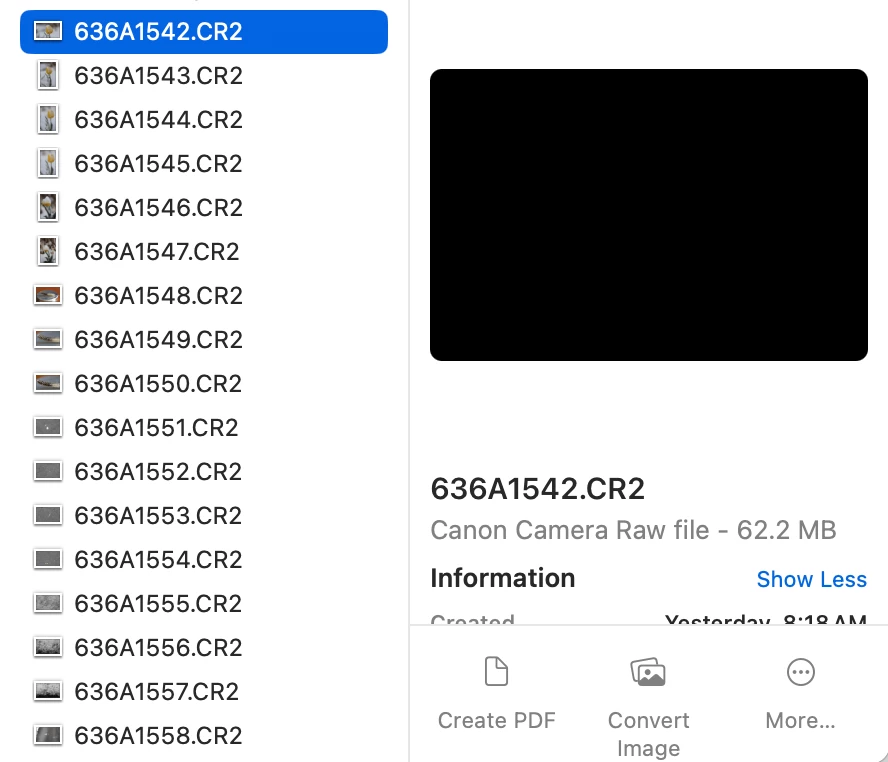
Preview pane on my MAC no longer shows image previews.

  • April 19, 2025
  • 4 replies
  • 1136 views

I shoot RAW photos with a Canon 5D Mark IV. Until recently, my .CR2 files showed without issue in the preview pane after downloading them to my MAC system. Since my upgrade to Sequoia 15.4.1, the preview pane shows black. Once the images go through post processing and are saved as .psd or .jpg files, the preview pane functions normally. Is this an Adobe issue due to Adobe/MAC incompatabilities or is this something that stems from the MAC side? Anyone else have this issue?  Any ideas?
4 replies

Participant
May 9, 2025

It's a Sequoia bug.  Click on the blank window and change its size, and the image will appear. It’s a terrible bug and a terrible workaround, but it works.  The alternative is to use a different program to find images until Apple gets their xxxx together. 

Participant
May 9, 2025

I am having the same exact issue! Any update on how to fix this? 

Participant
April 21, 2025

Yes, the same problem appeared after the last update. To be more precise, the latest update did not fix the problem

Jeff Arola
Community Expert
Community Expert
April 20, 2025

I believe that's a bug in macOS Sequoia 15.4 and 15.4.1


A couple of things that work to get the preview are, resizing the Finder window (have to do for each file) or view the files in Gallery view.

Participant
April 23, 2025

This advice works for both .CR2 and .CR3.  The Sequoia bug affects both of these Canon RAW files the same way.