


matthewb54933900
Participant
September 23, 2021
Question

Problem with colours on HDR panorama DNG

  • September 23, 2021
  • 3 replies
  • 222 views

I'm trying to create a HDR Panorama on Photoshop. I've taken the bracketed shots, created HDR images in ACR, applied a custom preset for the individual frames of the Panorama and saved as DNG files. The colours in the individual HDR files display correctly.
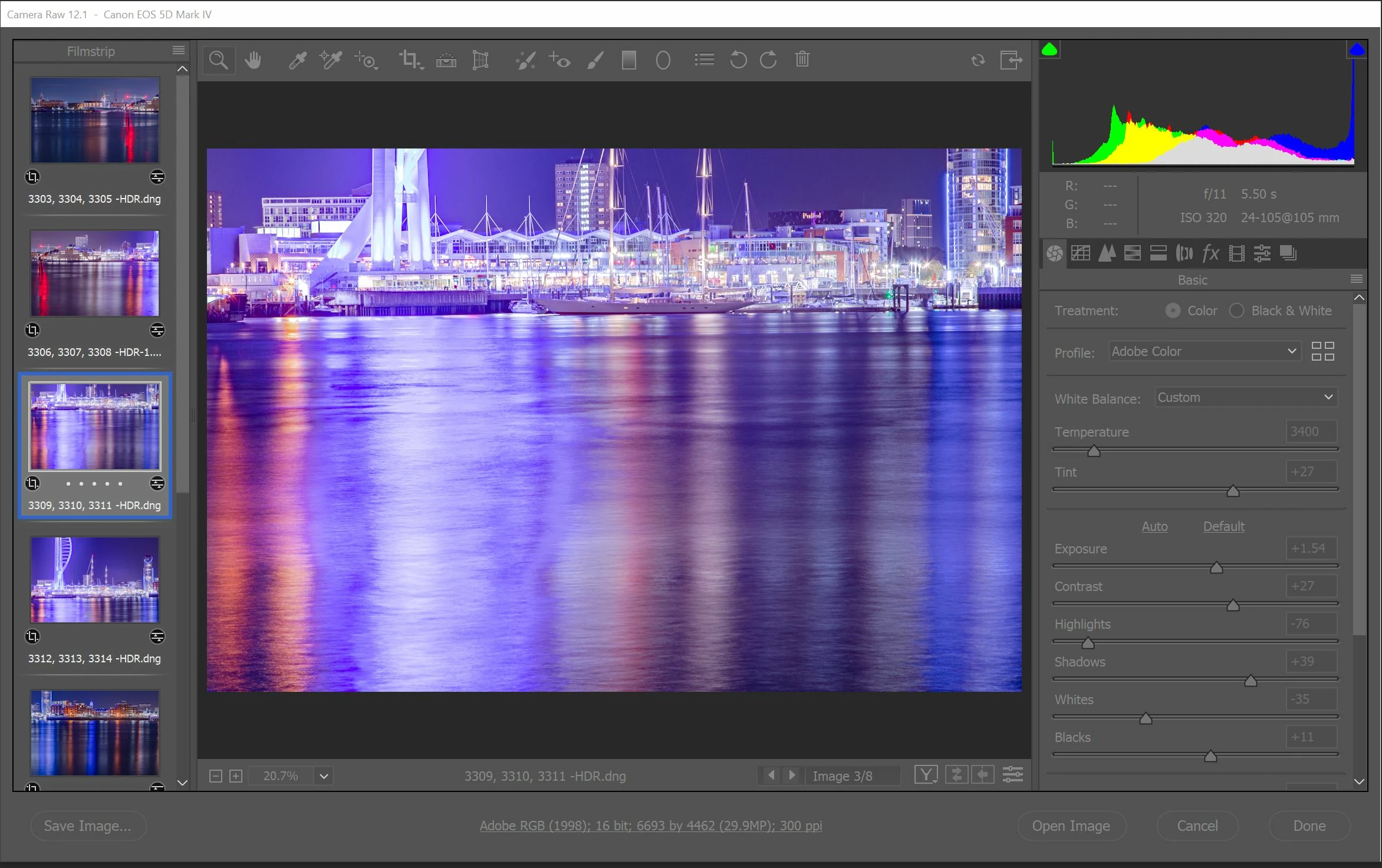
 

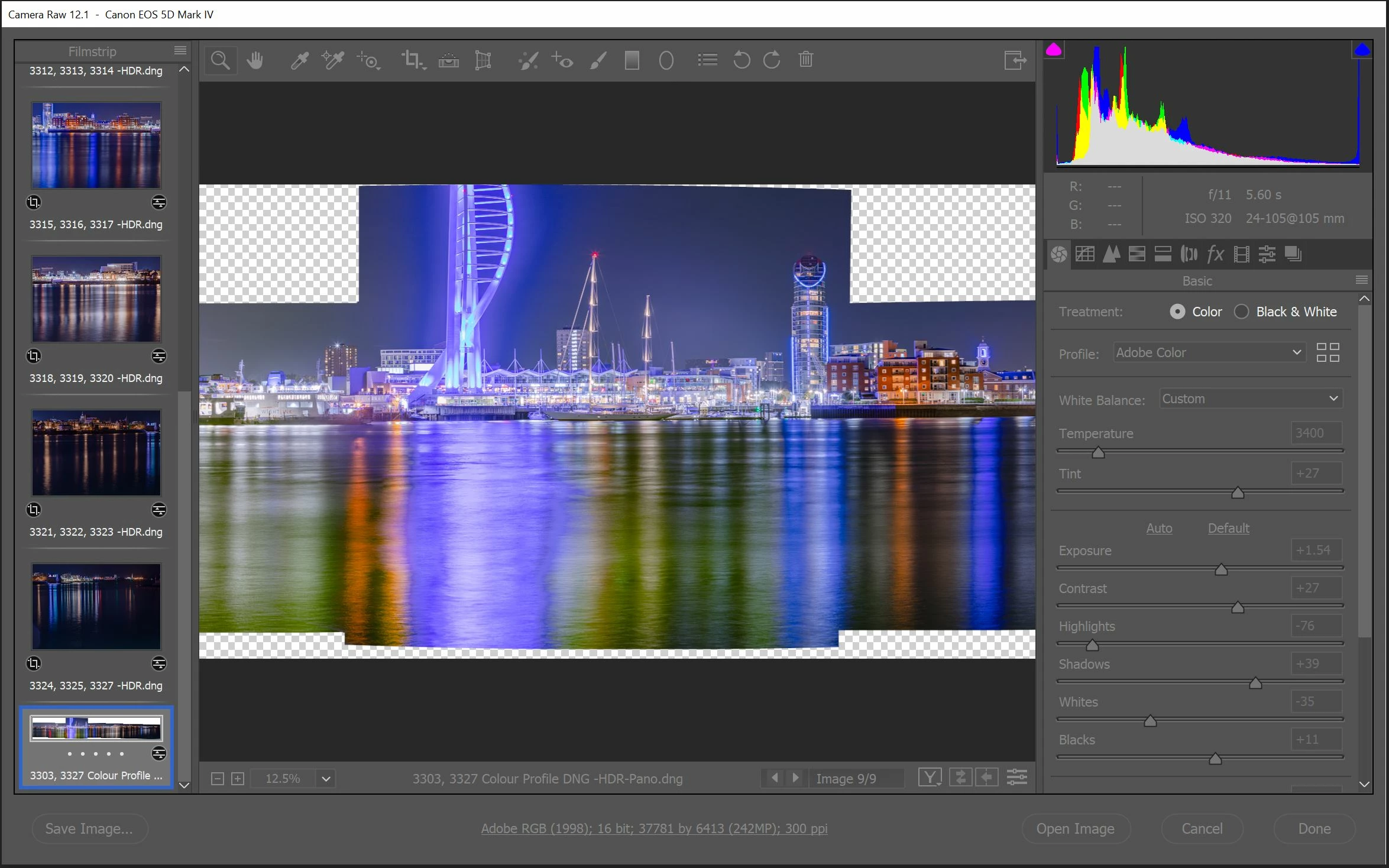
When the individual DNG HDRs are loaded back into ACR and stitched into a Panorama the colours are completely ruined, (Purples/Blues showing as Greenish/Yellow). I've double checked auto settings were turned off before stitching and can't think what else could be causing this. 
This topic has been closed for replies.

3 replies

Chuck Uebele
Community Expert
Community Expert
September 25, 2021

As mentioned, ACR ignores the settings, so you might try saving the files as a tif then stitching them in ACR.

matthewb54933900
Participant
September 24, 2021

Thank you for your response, I've had another attempt and tried stitching the panorama using the bracketed shots without the preset and applying the preset after the stitching in ACR, It still produced the same error in the colours.


I managed to find a solution, making note of the settings used in the preset and applying them one by one until I found the dehaze setting was causing the colour shift.


Just seems odd the dehaze works fine when applied to individual frames but completely shifts the colours when applied to a panorama

JohanElzenga
Community Expert
Community Expert
September 23, 2021

ACR ignores any settings when it merges images, so the custom preset you applied is ignored. To see if you can find an explanation, you must look at the unedited images. Remember that ACR is not intelligent in any way. It tries to match colors to seamlessly stitch the images, but it doesn't know what it is looking at, so if one image is clearly different in color, ACR may seriously change it trying to match it tomits neighbors.


-- Johan W. Elzenga