

carsagralosan
Participant
October 26, 2018
Answered

Problems With Camera RAW

  • October 26, 2018
  • 4 replies
  • 599 views

Hi, everyone

I'm having problems when I am using CameraRAW

Each time I use the sliders the pictures is shown as in the attached picture
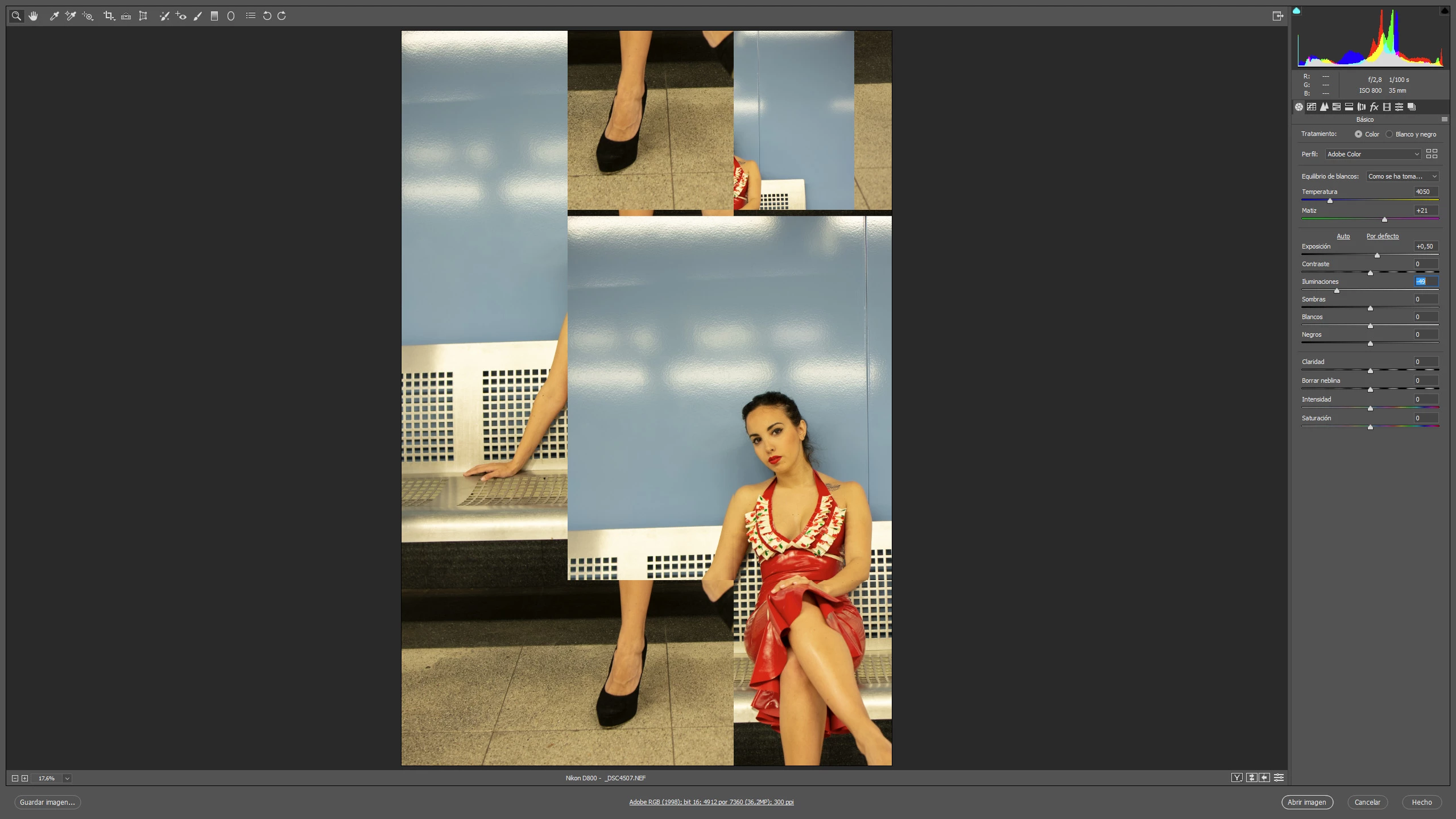
How cai it be solved?

Thank You.

This topic has been closed for replies.
Correct answer JP Hess

The suggested solution that seems to resolve this is to disable the graphics processor in the Camera Raw preferences.

4 replies

TheDigitalDog
Inspiring
September 2, 2022

If turning OFF GPU works, it's a GPU bug and you need to contact the manufacturer or find out if there's an updated driver for it. This is why disabling GPU is an option as more and more functionality moves to the GPU in newer versions of many Adobe products.
Also see: https://helpx.adobe.com/photoshop/kb/photoshop-cc-gpu-card-faq.html
https://helpx.adobe.com/photoshop/kb/acr-gpu-faq.html

Author “Color Management for Photographers" & "Photoshop CC Color Management/pluralsight"
Participant
September 2, 2022

Solution 1: Install the latest version of the Camera Raw plug-in that is compatible with your Adobe application. Solution 2: Remove and reinstall Photoshop or Photoshop Elements. Solution 3: Upgrade to the latest version of Photoshop or Photoshop Elements.

zain
JP Hess
JP HessCorrect answer
Inspiring
October 26, 2018

The suggested solution that seems to resolve this is to disable the graphics processor in the Camera Raw preferences.

Kanikas
Community Manager
Community Manager
October 26, 2018

Moving to Adobe Camera Raw
