


Participating Frequently
July 16, 2020
Question

Radial Filter Issues in v12.3.0.493

  • July 16, 2020
  • 3 replies
  • 491 views

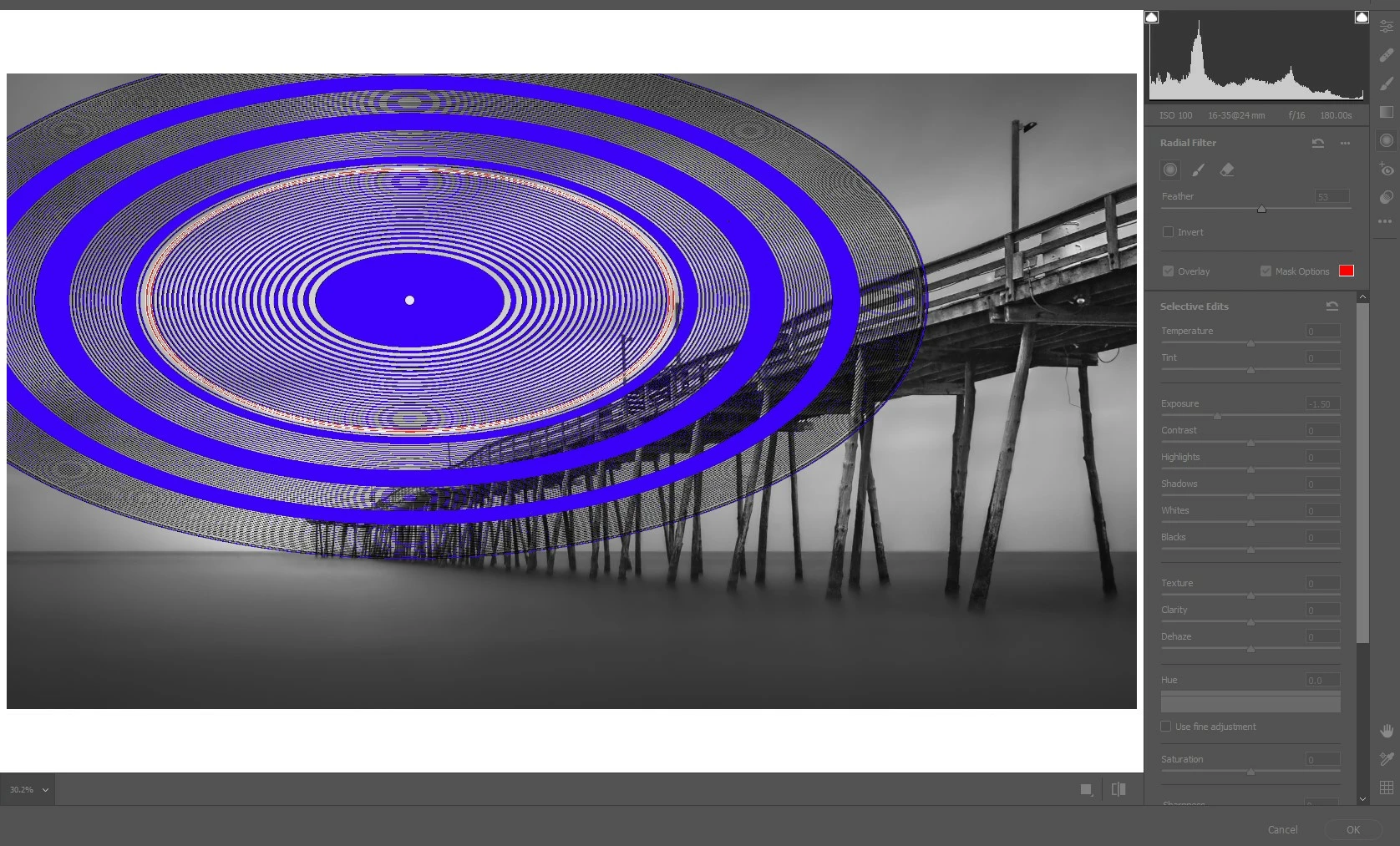
I am having issues with the 'Radial Filter' in ACR (v12.3.0.493) as well as the Camera RAW Filter within Photoshop as displayed below.

Sometimes the issue is non-existent, other times the filter just goes all wonky and does something similar to the below. Thus far, I have been unable to discern any pattern to when it occurs. It would appear to be random. When it does exhibit this behavior, any edits I'm attempting to deploy with the filter are ignored and these oval patterns appear instead.

For what it's worth....
  - This occurs in Windows 10 on both a laptop and a desktop pc.
  - It appears to be an issue ONLY with the Radial filer. Neither the Adjustment Brush nor the Gradient filter seem to be impacted.

  - It also does not occur when I use the Radial Filter in Lightroom Classic.

This all started with the most recent update deployed a couple weeks ago.

Any suggestions?

This topic has been closed for replies.

3 replies

Participating Frequently
October 19, 2020

This is happening for me as well. 

 Would love to know the fix so I can get my client's images done.  Thank you!

Seantoonagh
Participant
November 24, 2020

Same problem just started last week


rjWilnerAuthor
Participating Frequently
October 18, 2020

Does anyone have any suggestions how this can be resolved. It seemed like, for a brief time, the frequency of occurrence of this issue had diminished....not completed disappeared, but happened with somewhat less frequency.

But over the last several days, it's become significantly problematic again. It just happened for the 3rd time today a few minutes ago. Getting to be a pain to have to close PS, wait a few minutes, then reload. More often than not, that resolves the issue temporarily, but not always.

rjWilnerAuthor
Participating Frequently
July 21, 2020

Another instance of this occurred this am. See attached.

I'd edited several images this am which were existing .psd files that I wished to 'touch up'. On each I used the Radial Filter from within the 'Camera Raw Filter' within PS. And on none of the first few did I have an issue. Each worked w/o issue. Then I opened this one, and when I created a Radial Filter, I get the attached.

Any suggestions would be much appreciated. This is becoming a real nuisance.

Participant
August 15, 2020

Same problem here. Either it makes this circles or it doesn`t work at all. I really need this to get my customer pictures ready. 😞