



Question
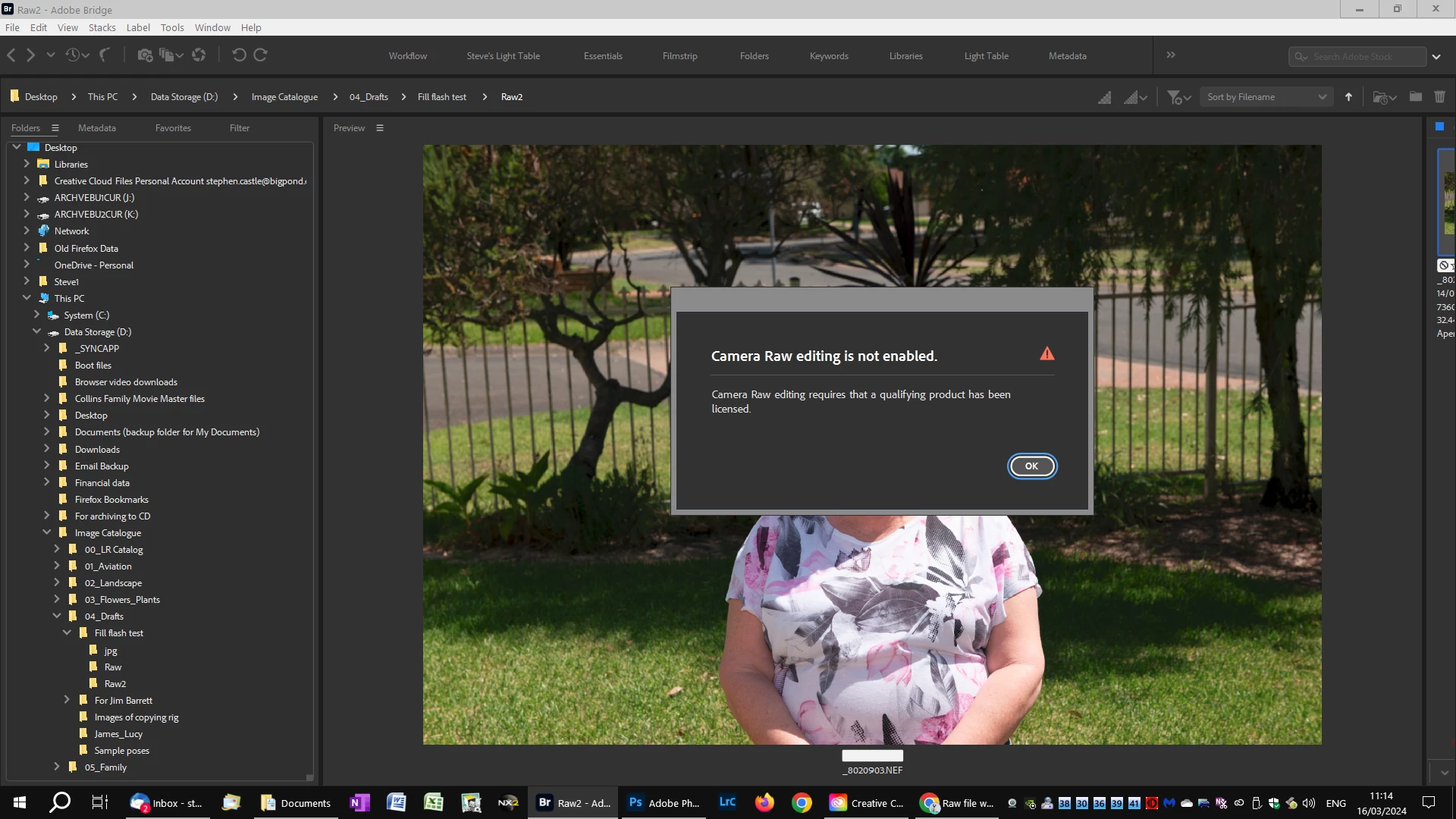
Raw file will not open from Bridge 14.0.2
Hi all,
When I try to open a raw file (Nikon NEF) into ACR from Bridge 14.0.2 I get the attached error.
Adobe support has tried many things, uninstalling/reinstalling Briddge, resetting preferences but nothing worked. They tell me it is a permissions issue. However, it works fine in Bridge 12.0.4. It stopped working from Bridge 13.
Double clicking on the file opens it in ACR, so I can't see how it is a permissions issue.
I note others have had the same issue. I am running Win 10, latest version, PS latest version and latest version of Bridge.
Any ideas?
Not a major problem, as double clicking on the file opens it in ACR. It is just that is a feature is in the app, it should work.
Regards,
Steve
 AdChoices