Participant
November 14, 2025
Question

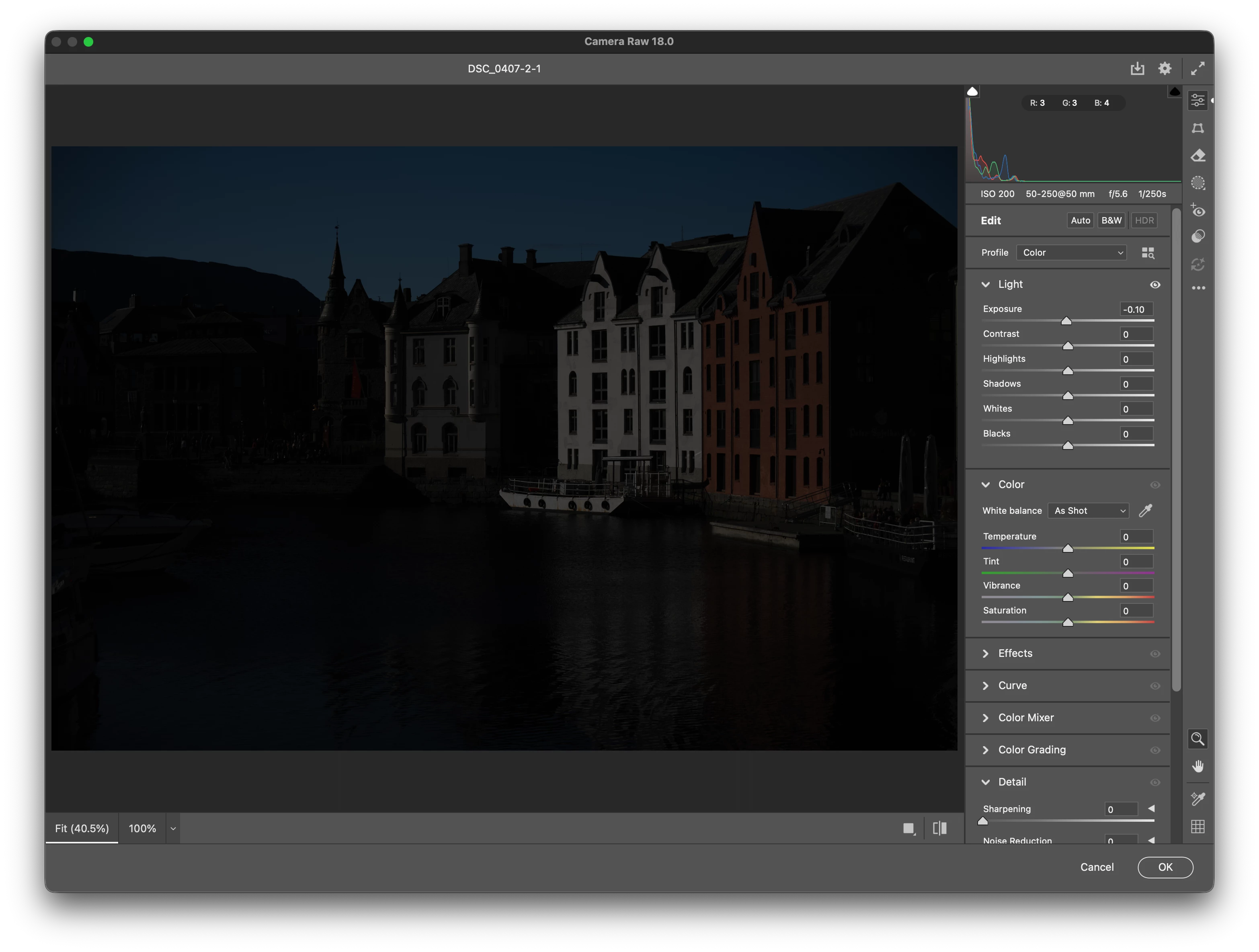
Raw from Lightroom to Photoshop>Camera Raw Adjustemnts are all at zero

  • November 14, 2025
  • 1 reply
  • 53 views

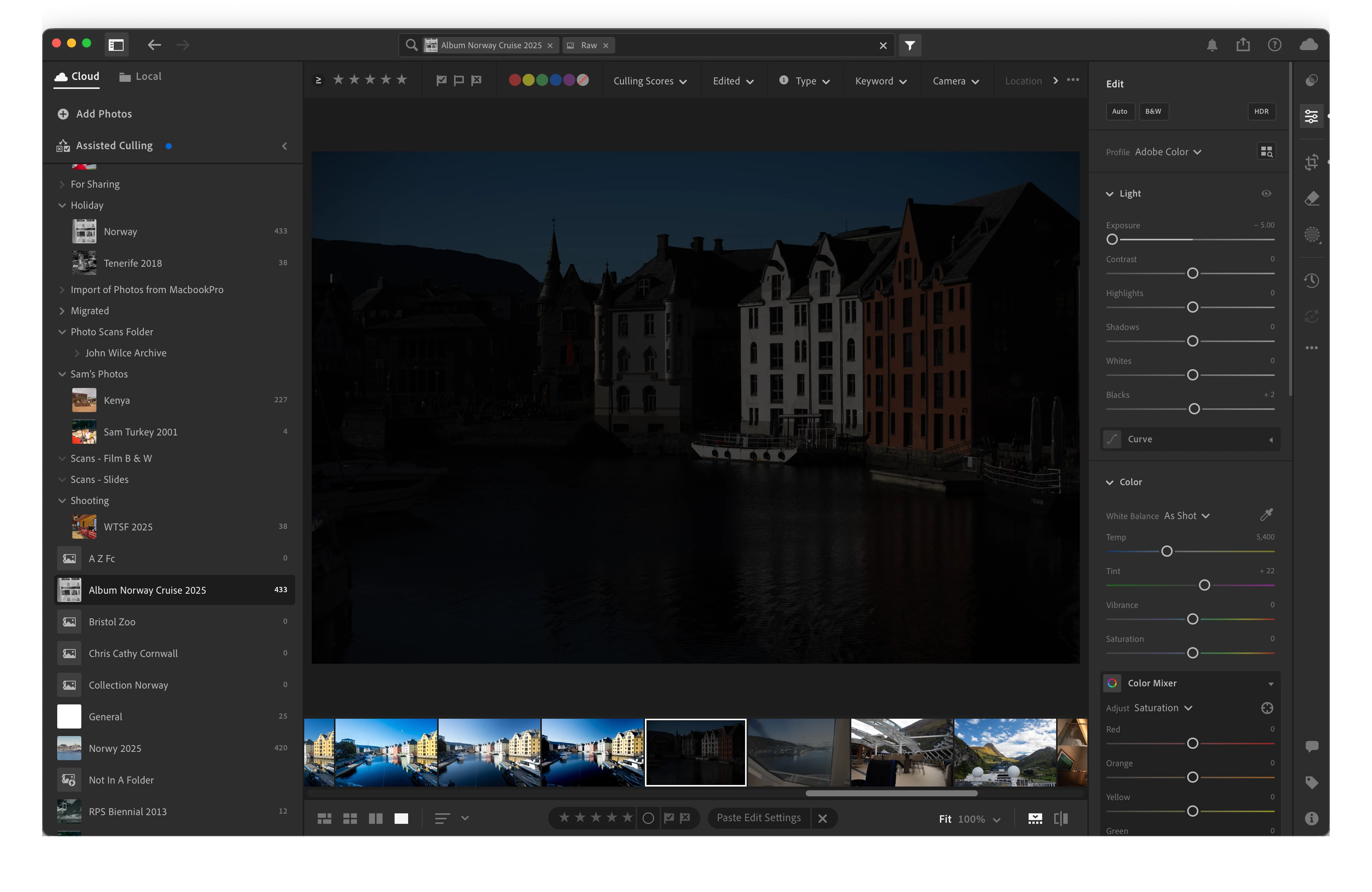
From Lightroom when I go to edit a Raw file in Photoshop and then filter in Camera Raw, the Lightroom settings are visually copoed over but all of the values sliders in the Camera Raw filter ar all set to zero.


I have only just started to try and use ACR and prefer it over using the Lightrrom version but this has got me stumped. I like to use Lightroom for browsing albums and I like to make initial edits but now want to use some of the luminoisty plug-ins that are photoshop to take my photography to the next level. 


I have included both Lightroom and Camera Raw scvreen shots showing that the settings are passed over (i deliberatly dropped the exposure to make the difference obvious) but the slider values are not.


Hope someone can help.


Chris


1 reply

Erik Bloodaxe
Legend
November 15, 2025

It looks like you are confusing the Camera Raw Filter with the Camera Raw Plugin which is the Raw editor hosted by either Photoshop or Adobe Bridge. Your screenshot shows the Camera Raw Filter.

Forget about opening from Lightroom, but go directly to Photoshop and use File>Open. If you open a Raw file in this way it will open in the Camera Raw Plugin and all of your settings should be there. You can also open directly from Adobe Bridge if you wish. Photoshop's Camera Raw Filter is a different thing even if it looks similar. It is for applying adjustments to an already rendered image rather than a Raw image as you were expecting. When you select an image in Lightroom and choose to edit in Photoshop, you are rendering the image using the settings you previously applied so you are no longer dealing with the original Raw image. Choosing Photoshop's Camera Raw Filter will always show zero adjustments, you are not looking at your Raw image.