




Question
Re: My ACR masks don't show their pins.
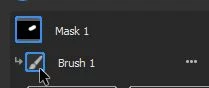
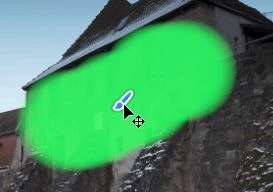
I find that if I click on the icon for the adjustment tool in the Masking panel the tool pin (& color overlay) reappears to be able to move the 'Pin'. And for a Brush adjustment- the pin is now a 'Brush'! Hover the mouse cursor on the 'Brush' pin to activate a 'move'.
 AdChoices