Participant
April 6, 2018
Question

Sony A7 III - Camera RAW [branched]

  • April 6, 2018
  • 3 replies
  • 2449 views

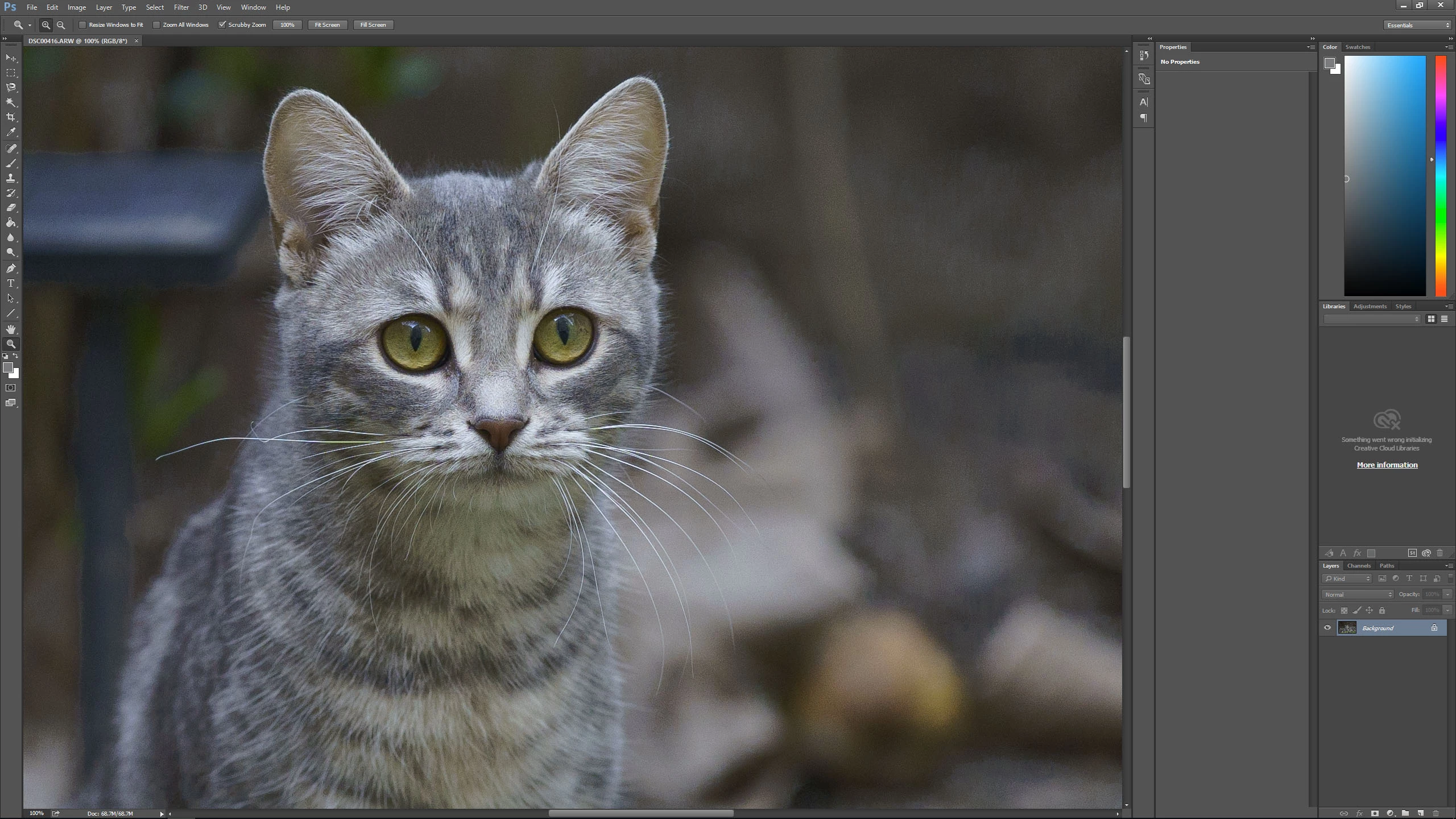
Unfortunately Adobe did a very poor job on the camera matching profiles. Incredible artifacts.

Here is the link to full rez printscreens and the raw. You can try for yourself.

https://drive.google.com/file/d/1Emxq_1nze-nFqQkr6CCh769zTBeBkkPb/view?usp=sharing

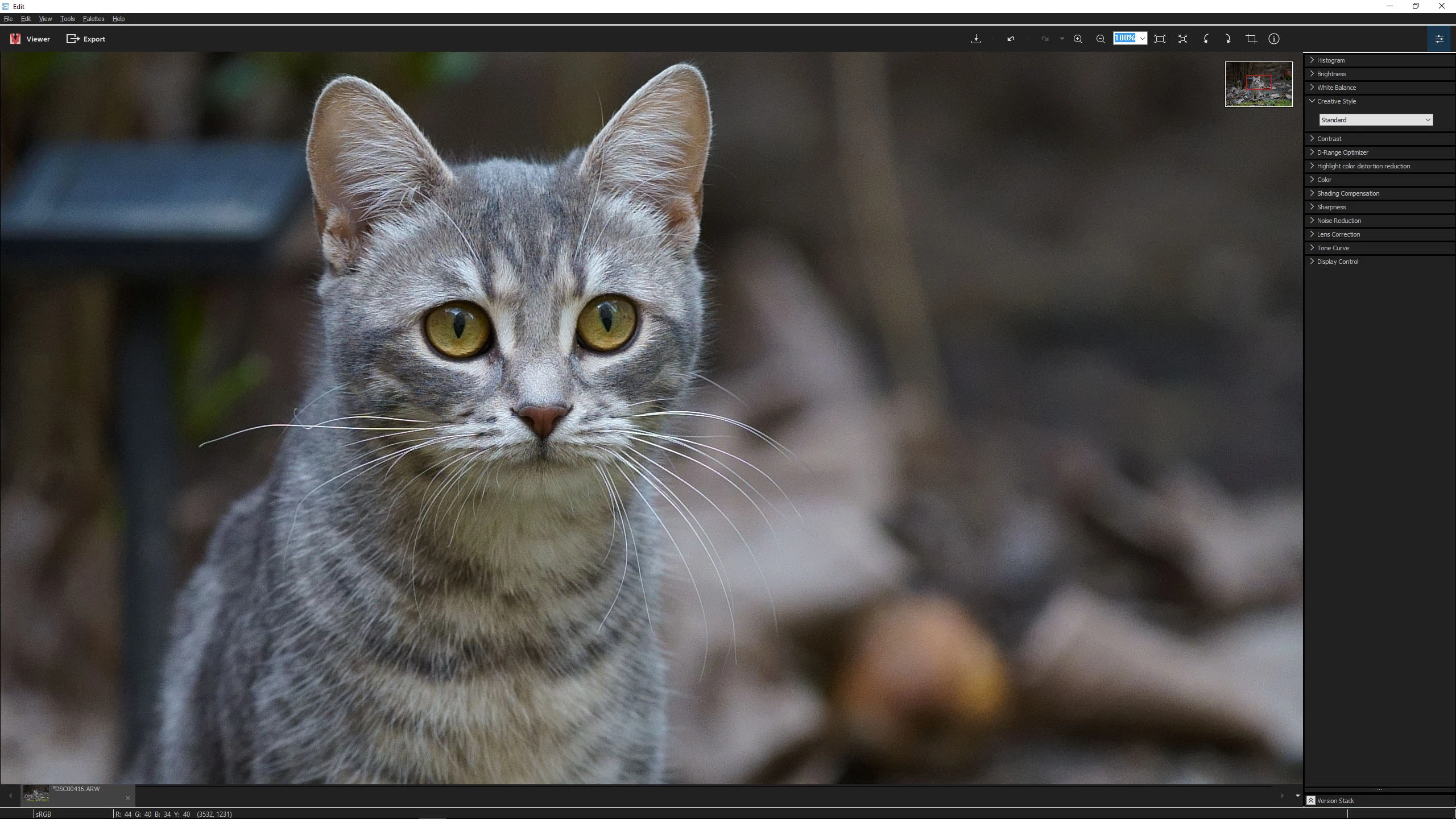
Creative style is standard. Sony Imaging Edge vs Photoshop.
    This topic has been closed for replies.

    3 replies

    Known Participant
    April 20, 2018

    looks similar to the issue that I am facing. https://forums.adobe.com/message/10330441#10330441

    Community Expert
    April 6, 2018

    Do you mean the weird and very ugly splotches that look like bad brushstrokes in the bokeh area? Very visible to the right of the cat

    Left Lightroom/ACR with camera standard profile, right your screenshot from Sony's software.

    They are only there when using a camera matching profile. In Adobe Color (or any of the other Adobe profiles) they are not there. That does seem like a big problem with the camera matching profiles for this camera

    Kuky01Author
    Participant
    April 6, 2018

    Yes, exactly. Actually they are present on all camera matching profiles from this camera.

    99jon
    Genius
    April 6, 2018

    Looks fine to me in Lightroom. Imported with the default settings and switching profile from Adobe Color to Camera Standard.

    Kuky01Author
    Participant
    April 6, 2018

    1. Don't have Lightroom ,but I don't think it's different.

    2. You have to zoom at 100%, pixel 1:1. At that zoom in your printscreen it's not visible. Check my printscreens but zoom at 1:1.

    99jon
    Genius
    April 6, 2018

    Zooomed 1:1 with NR and pushing up sharpening/masking

    [EDIT discussion branched to camera raw from Lightroom - moderator]