


Question
Sony Camera matching Color Profiles render cloud gradients with weird artefacts and discolouration
Hello,
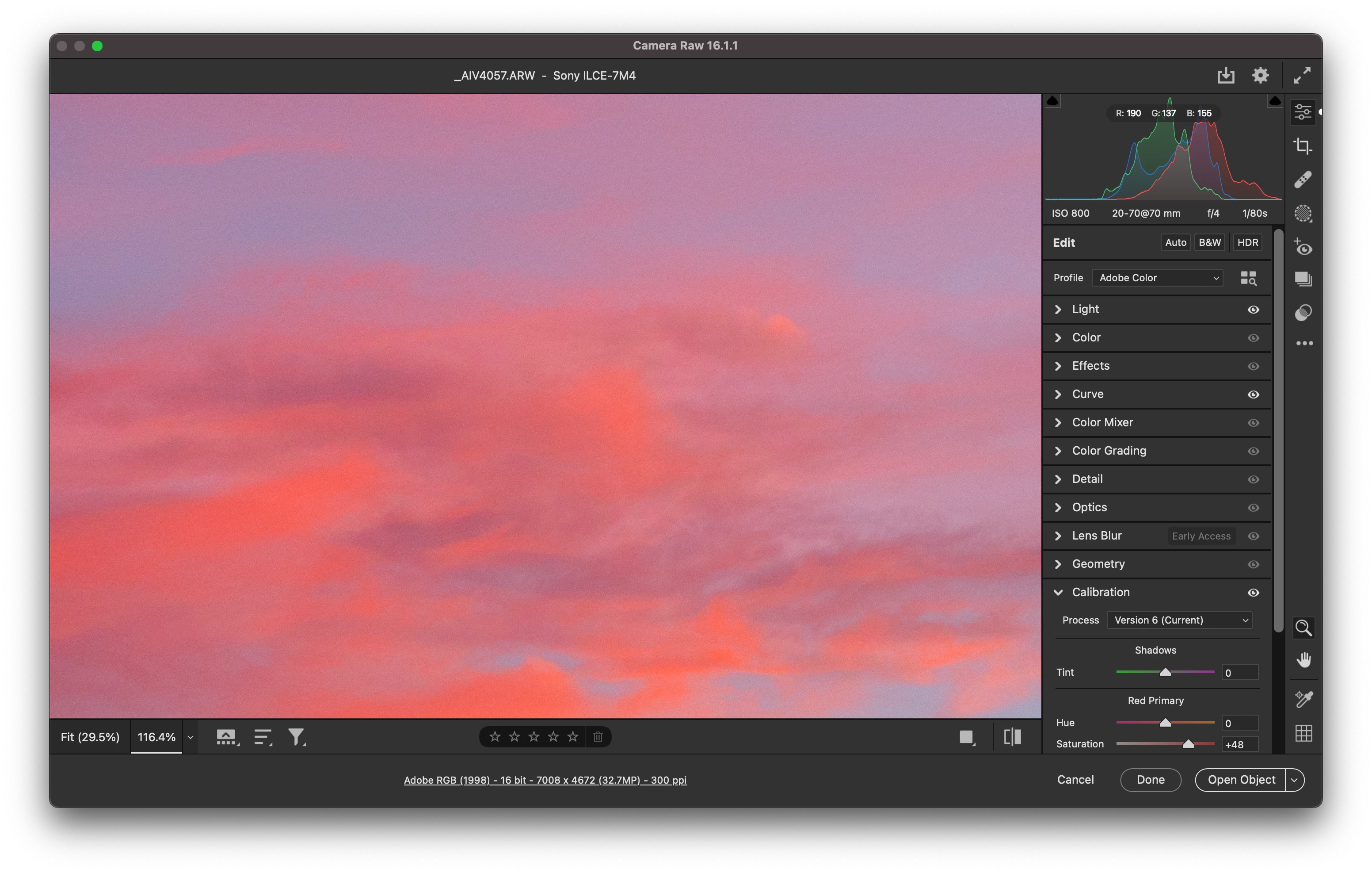
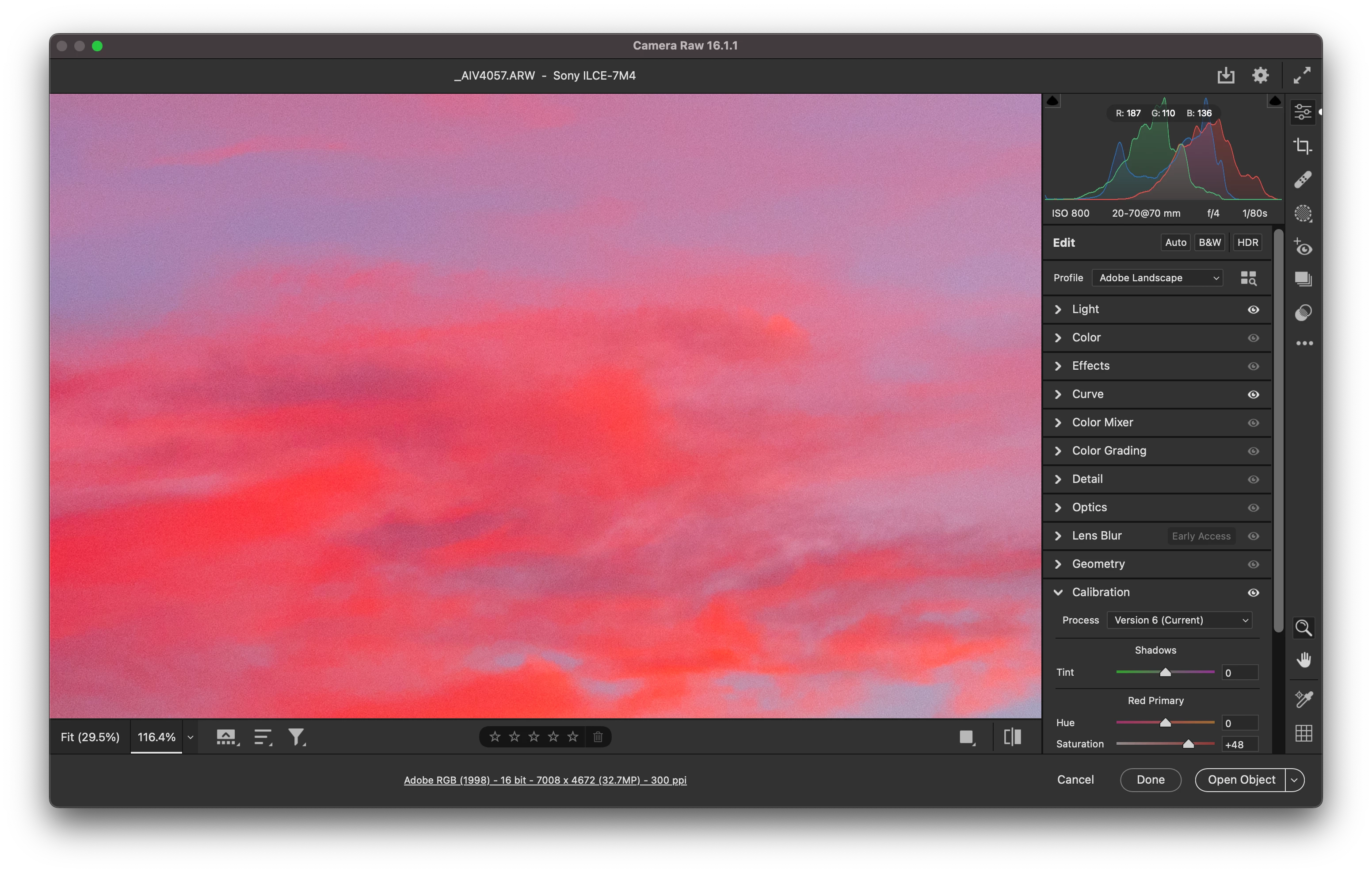
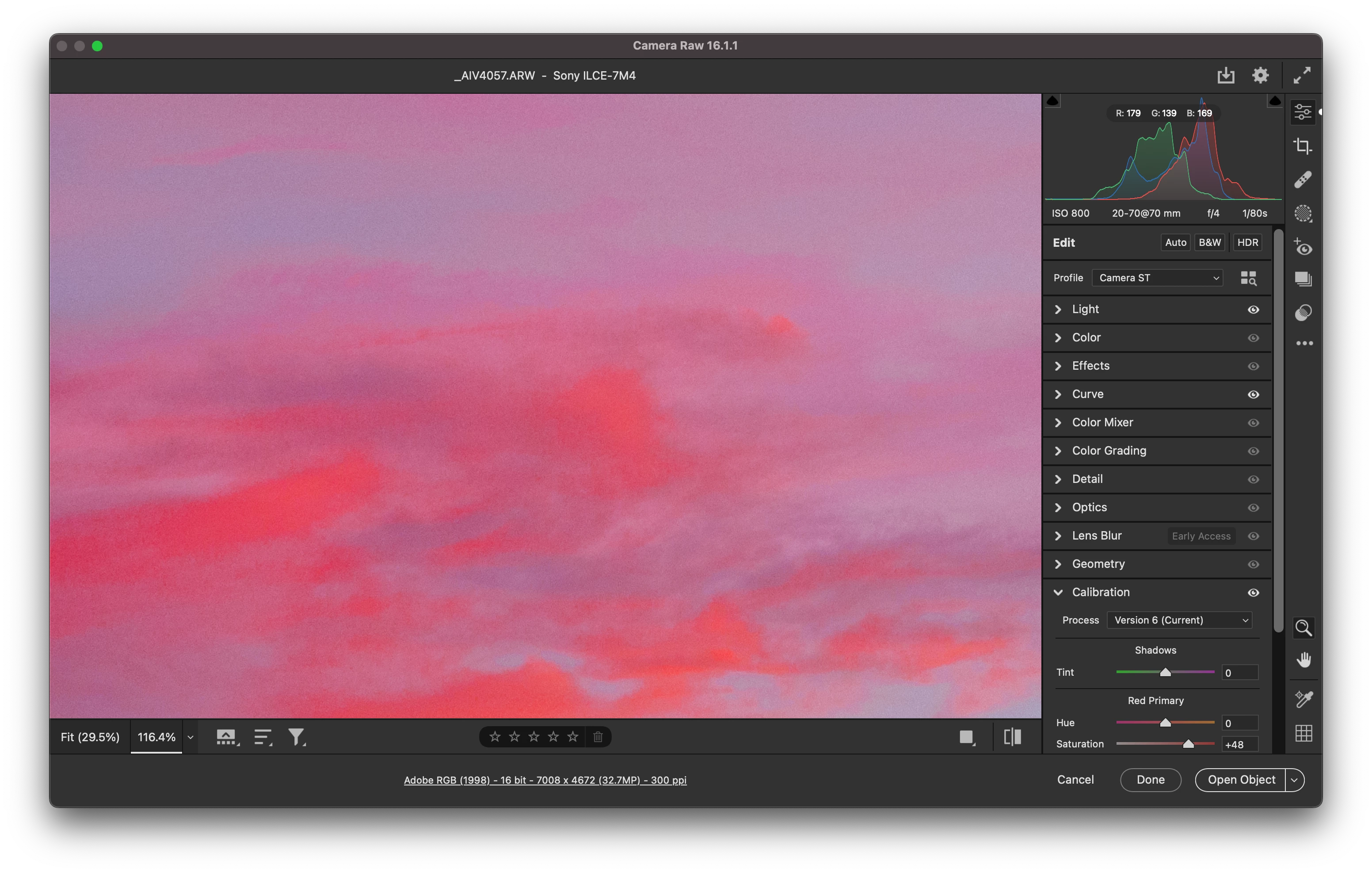
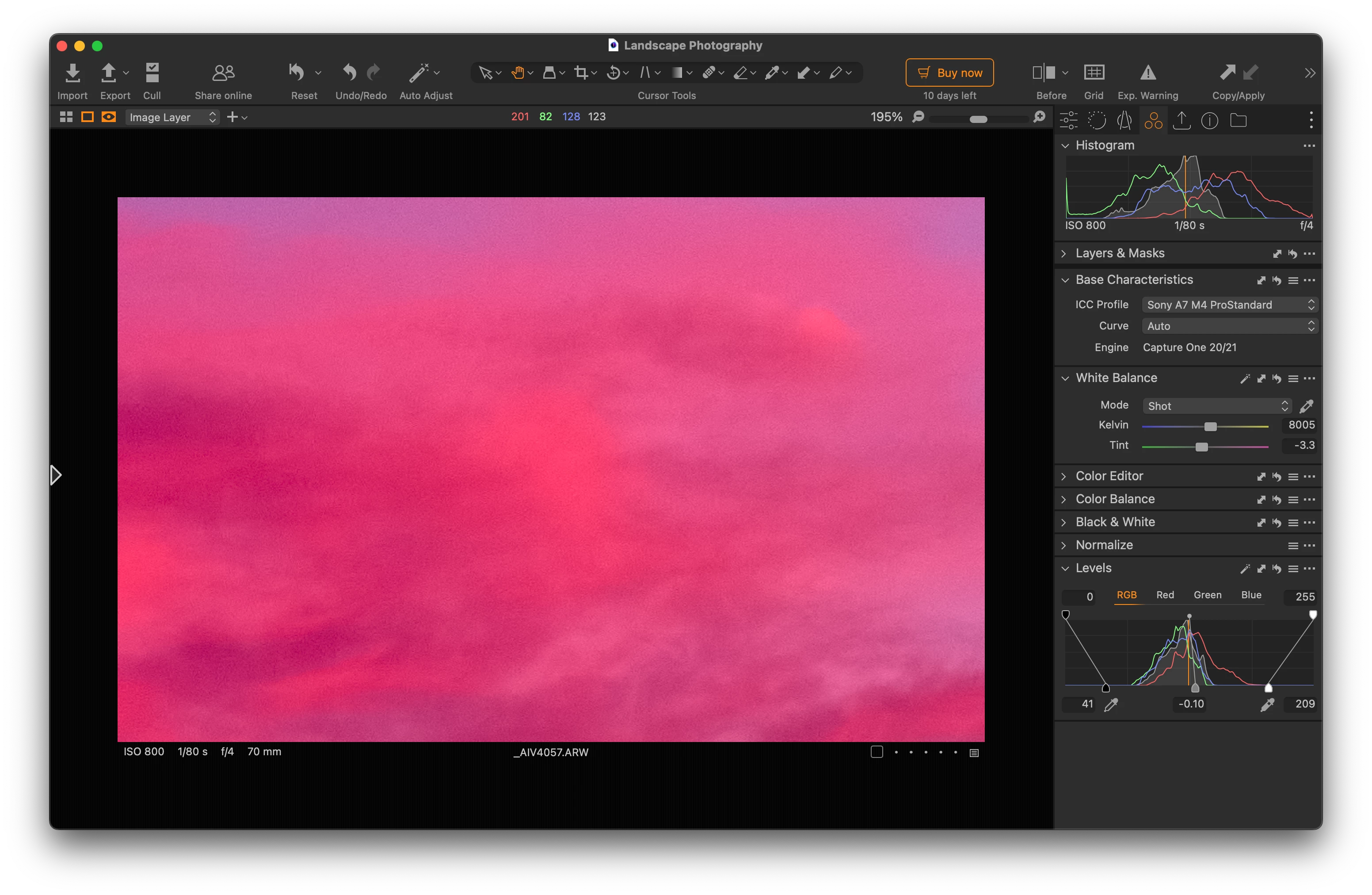
I've noticed this issue a while ago. Whenever I open a Sony RAW file in Photoshop with Camera Raw, the colours in the clouds are rendered with strange discolouration and artefacts when I use camera matching Color Profiles. I have tried multiple files, lossless compressed and uncompressed. When using the Adobe Color Profiles they are rendered better, but the colors are completely different and quite difficult to change to the desired, original camera matching ones. The same files are rendered beautifully and accurately in Capture One. I will attach relevant screenshots with the same file edited in Camera matching and Adobe Color Profiles and in Capture one.
 AdChoices