


Known Participant
January 7, 2023
Question

Stuck in Camera Raw Filter

  • January 7, 2023
  • 1 reply
  • 1506 views

So, as one community expert said to an unsolved problem, that it was solved and we should make a new post and locked the old one, I am making another, which will again be in vain as there is no way this will be solved, but let's try anyway, shall we?


Mac OS 12.5.1, M1 iMac

Photoshop 24.1

Camera RAW 15.1.1

while trying to use ACR filter on a smart object, it gets stuck with this:
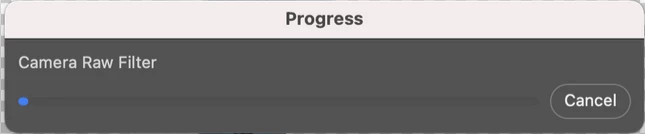
Clicking the cancel button on this progress bar dialog does nothing (makes the OS error sound), actions in the Camera Raw dialog dont work as everything is greyed out and this window does not have focus.


Tips and suggestions mentioned in previous thread DO NOT WORK and it started happening only a few days ago, on the newest photoshop and camera raw.

This topic has been closed for replies.

1 reply

TheDigitalDog
Inspiring
January 7, 2023

Try resetting your ACR preferences, better? 

Hold down the Command key and select Photoshop > Preferences > Camera Raw (macOS) or hold down the Ctrl key and select Edit > Preferences > Camera Raw (Windows).

Click Yes in the dialog that asks "Delete the Camera Raw Preferences?"

If that does not work:


Try logging into another user account (you may need to make one), still crashing? 

Try starting up in Safe mode (hold down Shift Key when booting), still crashing? 

You might want to try running a free utility like Onyx: still crashing? 

https://www.titanium-software.fr/en/onyx.html

Also view:

https://www.macworld.com/article/352902/onyx-review-macos.html

https://www.macworld.com/article/224955/how-to-reset-a-macs-nvram-pram-and-smc.html

From Adobe:

https://helpx.adobe.com/photoshop/kb/basic-troubleshooting.html

Author “Color Management for Photographers" & "Photoshop CC Color Management/pluralsight"
Known Participant
January 11, 2023

Nothing you mentioned will help with that, as finally, the culprit decided to show up.


Resetting ACR will did nothing.

I am not touching onyx as I have no idea what to do with it.

M1 Mac does not have NVRAM and SMC reset option.

And creating a new account and safe mode are not going to change the splash screen you see on the screenshot behind the stuck loading.

TheDigitalDog
Inspiring
January 11, 2023

What is the culprit? 

Author “Color Management for Photographers" & "Photoshop CC Color Management/pluralsight"