Inspiring
March 7, 2022
Answered

Super Resolution creating lower resolution copy?

  • March 7, 2022
  • 1 reply
  • 452 views

I have a 4800 x 3113 jpeg texture.


When I open it in Camera Raw and use Enhance > Super Resolution, the resulting DNG file is 1024 x 664.


Huh? This seems like the exact opposite of what Super Resolution is supposed to do.


At the very least, I would expect to get output that is the same resolution as the original.


Any ideas?

This topic has been closed for replies.
Correct answer Rob_Cullen

I would take a bet that you are looking at the file 'Properties' in Windows File Explorer.!

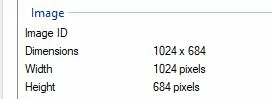
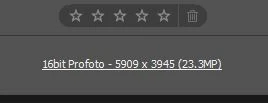
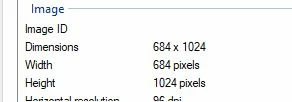
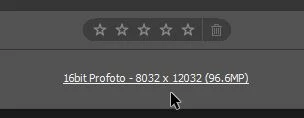
Windows File Properties reports only the size of the embedded preview (1024x664) within the DNG- not the pixel dimensions of the DNG file itself.

View the image in Photoshop, ACR (or similar) to see the real dimensions of the DNG.


An original DNG file-

And an Enhanced (vertical) Version-


1 reply

Rob_Cullen
Community Expert
Rob_CullenCommunity ExpertCorrect answer
Community Expert
March 8, 2022

I would take a bet that you are looking at the file 'Properties' in Windows File Explorer.!

Windows File Properties reports only the size of the embedded preview (1024x664) within the DNG- not the pixel dimensions of the DNG file itself.

View the image in Photoshop, ACR (or similar) to see the real dimensions of the DNG.


An original DNG file-

And an Enhanced (vertical) Version-


Regards. My System: Windows-11, Lightroom-Classic 15.0, Photoshop 27.0, ACR 18.0, Lightroom 9.0, Lr-iOS 10.4.0, Bridge 16.0 .
Inspiring
March 9, 2022

You are absolutely correct! Thank you for shedsing some light on the situation!