


Participating Frequently
December 3, 2021
Question

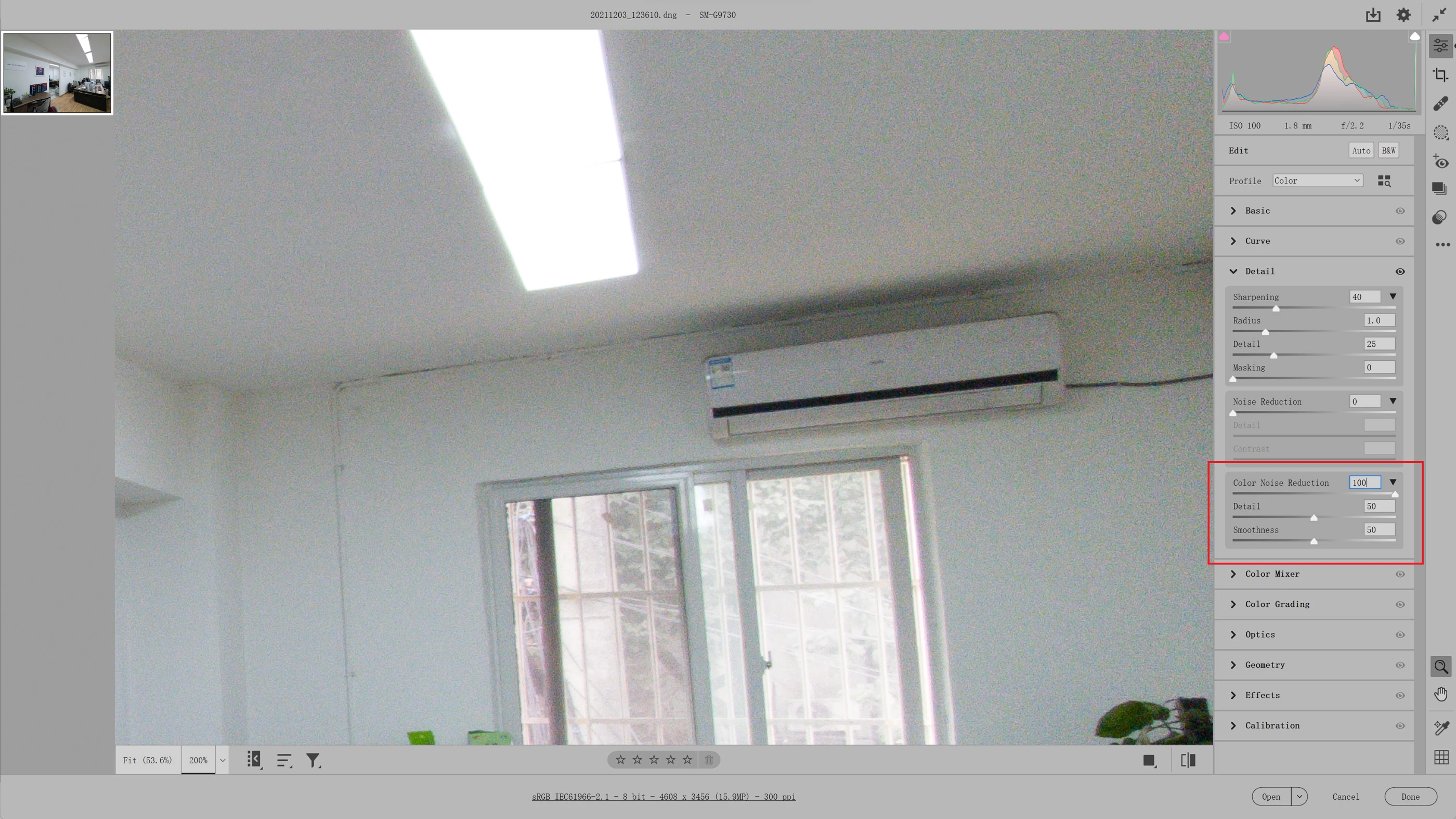
The color noise reduction in Camera Raw is not works on windows 11.

  • December 3, 2021
  • 4 replies
  • 718 views

The color noise reduction in Camera Raw is not works on windows 11. No effect changes when I adjust value.
The same photo ,the same PS and Camera Raw version,it works on windows 10, but not works on windows 11.
This is very important function, please fix it as quickly, thanks.
This topic has been closed for replies.

4 replies

Participating Frequently
December 7, 2021

Today, my Galaxy S10 received an update, when the update complete.the DNG color noise reduction bug is fix.
It is now pretty sure that Samsung caused the problem.
Thanks.

TheDigitalDog
Inspiring
December 3, 2021

It is working on this end but a differing OS. The effect can be subtle visually. So it would be useful as suggested, if you show us a screen capture at the setting you used and one at zero. Better if you can do so on a very high ISO image if possible. 

Author “Color Management for Photographers" & "Photoshop CC Color Management/pluralsight"
Participating Frequently
December 4, 2021

the same dng file ,the same PC ,the same PS and Camera Raw version.all the setting is same.there is no problem before my PC upgrade to windows 11.

I found this problem after my PC upgrade to windows 11.

David Franzen at Work
Adobe Employee
Adobe Employee
December 3, 2021

Hello,


Thank you for reporting a problem. I believe that Color Noise Reduction is working the same on both Windows 10 and Windows 11, so please help us to better understand the problem you are seeing.


Please provide us with one or more DNG file that demonstrates the problem. Please provide screenshots that demonstrate how you see the sample photo rendered at different Color Noise Reduction settings, ex: 0 vs 100, vs 50. I can see from the screenshot you did provide that there appears to be some color noise in the photo with the slider set at 100, but is it exactly the same as at zero? Please also provide screenshots from Winodws 10 of the same photo and settings to illustrate the difference you see between Windows 10 and Windows 11. Finally, please provide us with system information about the PC you are using (or PCs, if you used a different PC for Windows 10): https://helpx.adobe.com/photoshop/kb/system-info-troubleshoot-photoshop.html

Do you see the same problem with other raw photos, including photos from different cameras?


Did you try turning off "Use GPU for Image Processing" in the Camera Raw Preferences? Does that setting make any difference? You can find instructions for changing this preference setting here: https://helpx.adobe.com/camera-raw/kb/acr-gpu-faq.html


Thanks for your help,
David


Participating Frequently
December 4, 2021

1.any DNG file is have this the problem(shot with sony ILCE-6300 and samsung Galaxy S10).
2.turning off "Use GPU for Image Processing" in the Camera Raw also have this  problem.
3.No effect changes when I adjust value.(0~100)

I found this problem after my PC upgrade to windows 11.my PC`s system information:NVIDIA GeForce GTX 1050 Ti (Studio Driver v472.47).
but the same dng file open with my another windows11 surface pro ,it has no problem,so I think the problem is on the GeForce GTX 1050 Ti 's graphics driven.


Participating Frequently
December 3, 2021

The color noise reduction in almost all the  Camera Raw version (v14.0 & v13.1 & v12.4) is not works on windows 11