Majd Matti
Participant
May 27, 2023
Question

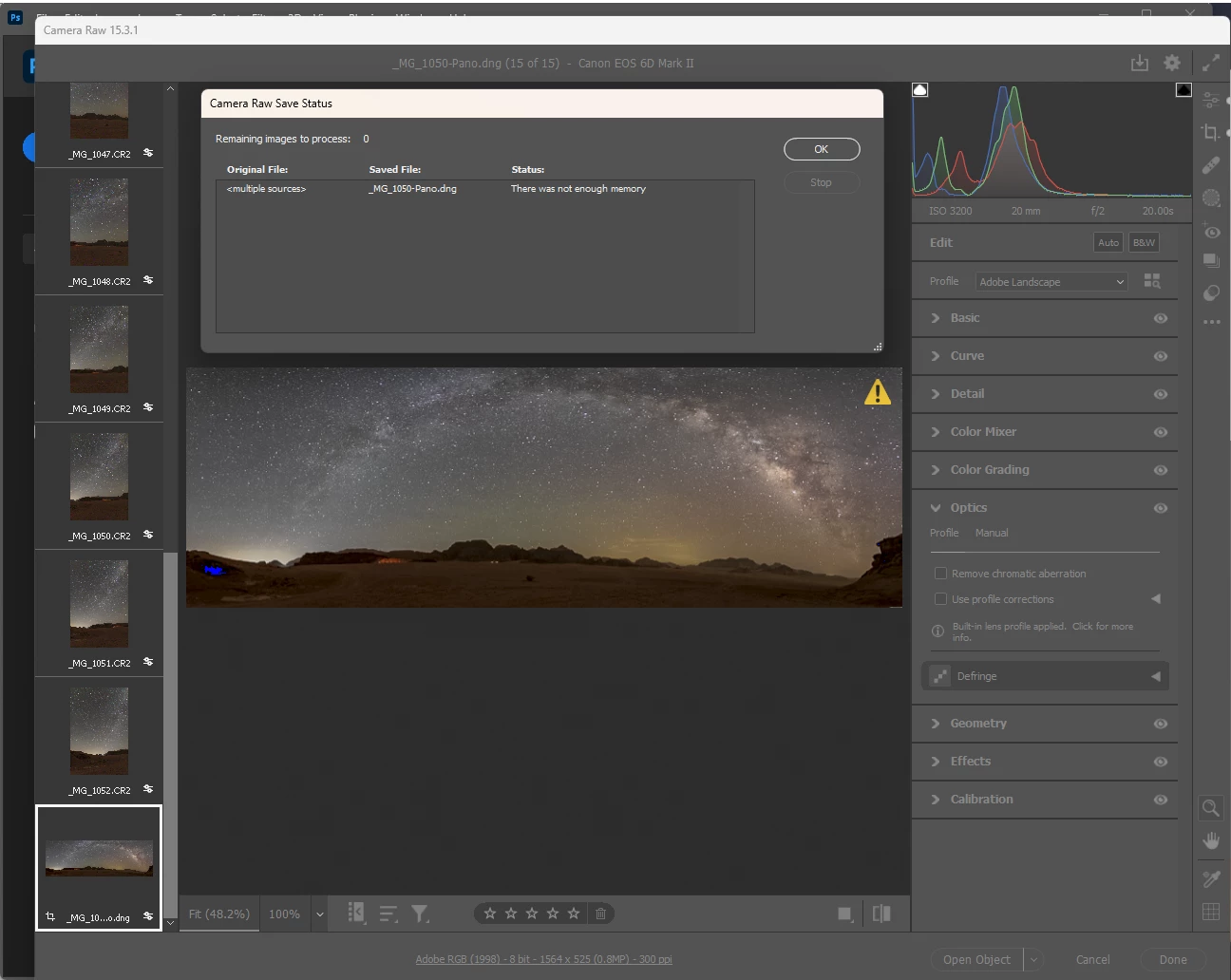
There was not enough memory

  • May 27, 2023
  • 3 replies
  • 2321 views

Hi, as shown in the figure below Iam trying to merge 14 Raw pictures in to a panorama, but it gives me the error (there was not enough memory) when trying to save the merged panorama.
* My Computer RAM is 32 GB.

* Windows 11 version 22H2
* There is a storage space on C where photoshop installed and on D where I trying to save the panorama.
* Camera Raw version is 15.3.1

* Photoshop version is 24.5.0


This topic has been closed for replies.

3 replies

D Fosse
Community Expert
Community Expert
May 28, 2023

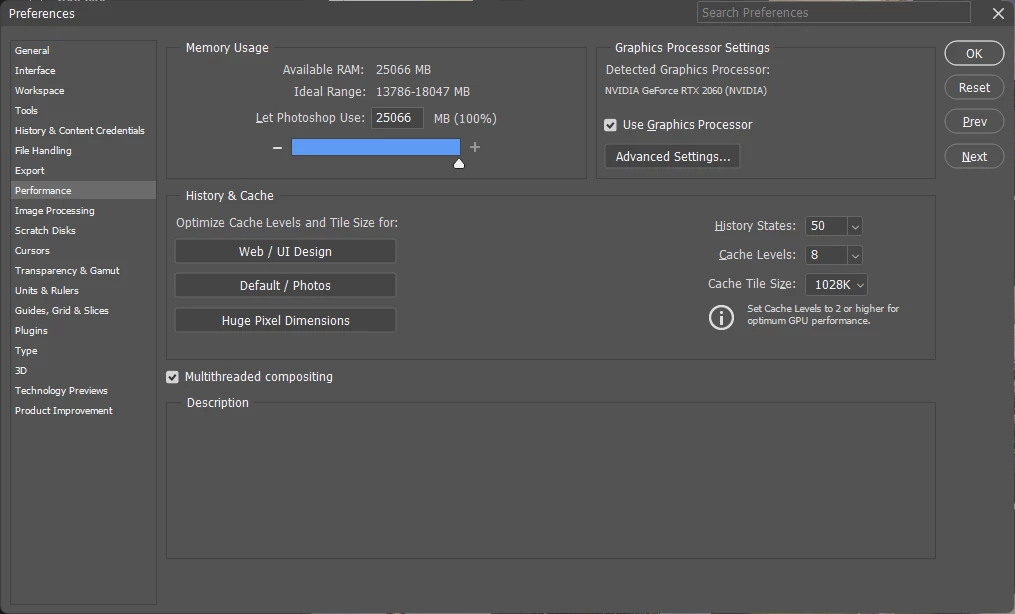
You have allocated 100% memory to Photoshop. Never do that! That's your problem right there.


Plugins such as ACR run outside Photoshop's address space and need their own memory. The same goes for other applications and processes. But you have choked everything!


Set memory allocation back to 70 % or so, and this should start working again.

Jeff Arola
Community Expert
Community Expert
May 28, 2023

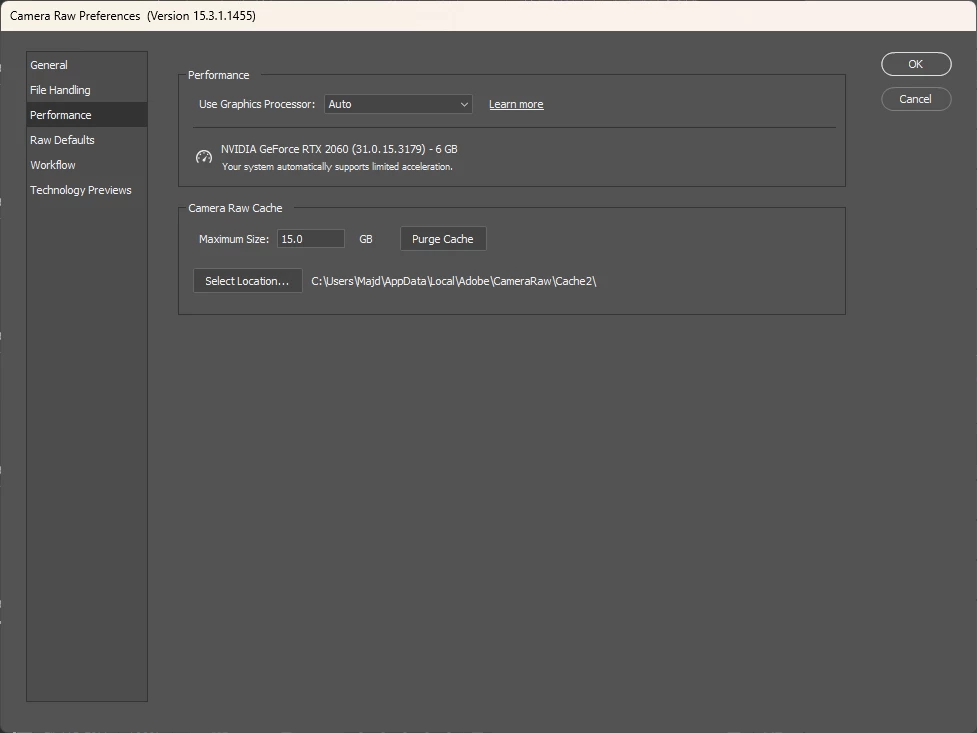
In your Camera Raw Preferences>Performance tab with that card you should be able to have full acceleration.


If you click on the Use Graphics Processor>Custom are you able to check Use GPU for Open and Save?


TheDigitalDog
Inspiring
May 27, 2023
Author “Color Management for Photographers" & "Photoshop CC Color Management/pluralsight"
Majd Matti
Participant
May 28, 2023

I have 90 GB of scratch disk space.

TheDigitalDog
Inspiring
May 28, 2023

Depending on the size and number of raws, might not be enough.

If you try 7, error?

Author “Color Management for Photographers" & "Photoshop CC Color Management/pluralsight"