

Participant
November 4, 2019
Question

Unable to open RAW files after the Camera RAW update to 12.0

  • November 4, 2019
  • 2 replies
  • 785 views

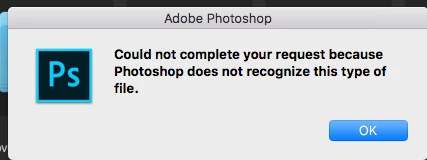
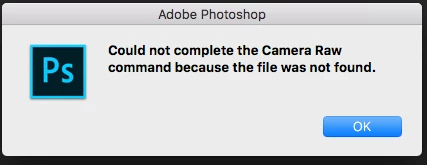
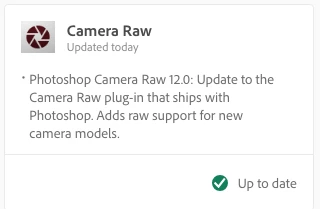
I just updated Camera RAW on my iMac and I cannot open RAW files. No Camera RAW. The only copy of application is from 2010


{Thread title edited by moderator}

This topic has been closed for replies.

2 replies

Jeff Arola
Community Expert
Community Expert
November 5, 2019

What version of macOS are you using?

https://helpx.adobe.com/camera-raw/system-requirements.html


That happened to me on one of my macs that has Mac OS X El Capitan with photoshop cc 2018 installed, since the creative cloud desktop application said there was a camera raw update available, which turned out to be camera raw 12.0 that wouldn't work on the El Capitan install and i got the same error messages you got before i reverted back to the prior camera raw version.

Participating Frequently
November 6, 2019

Jeff, I'm suffering the same problem (but with Sierra); would you be able to explain how you managed to revert back to the previous version of Camera RAW.  Many thanks.

Jeff Arola
Community Expert
Community Expert
November 6, 2019

If you have a Time Machine backup or other system backup you could get the camera raw plugin from there.

The location is the System Library/Application Support/Adobe/Plug-Ins/CC/File Formats/Camera Raw.plugin


Otherwise try the 11.4.1 camera raw installer from here:


https://helpx.adobe.com/camera-raw/kb/camera-raw-plug-in-installer.html


nikunj.m
Community Manager
Community Manager
November 4, 2019

Hi there,


We are sorry about the issue you are facing while trying to open RAW files in Camera RAW.


Would you mind uninstalling Camera Raw using the Creative Cloud Cleaner tool using the steps mentioned in the link below and then uninstall and re-install Photoshop to check if that helps?

https://helpx.adobe.com/in/creative-cloud/kb/cc-cleaner-tool-installation-problems.html


If uninstalling and re-installing the application and Camera Raw does not work, would you mind sharing some information like operating system version you are using and the location where the files are saved (on the computers internal drive or an external drive) along with the file format?


Regards,

Nikunj