


Participant
October 8, 2020
Question

unable to read the full size image if reading from Network drive.

  • October 8, 2020
  • 5 replies
  • 1960 views

After upgrading to Camera Raw 12.4.0.555 I am getting the following error when trying to open a raw file:

"Unable to read the full size image"
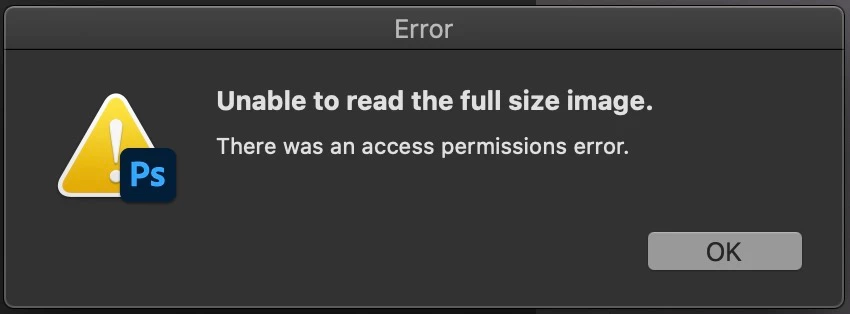
 

This happens when files are on a network drive. If I copy the files to a local drive there is no problem opening the files.


Workstation:  iMac Pro (2017), MacOS Catalina (10.15.7)

Photoshop version: 21.2.4

Raw files:  Olympus RAW (ORF files)

Files are located on Network Drive, (AFP), permissions are 777.


Since nothing hass changed on the NAS, and the previous version of ACR did not have this issue, it must be some bug.


Please fix a.s.a.p.


Rick


5 replies

rohitm44104293
Participant
April 25, 2025

Deleting the .acr and .xmp files and re opening it in bridge on my friend's pc worked for him

Legend
April 25, 2025

The XMP and ACR files contain all the edits and metadata so... bottom line, working off network drives is a problem and not recommended.

Gary Box
Participant
March 22, 2024

Have the same error. But I did discover a workaround.

If I double click a raw file in Bridge, in my case, a Canon CR3, it get the error. It will not open. However, if I right click on the raw file and specify "Open in Camera Raw" it will successfully open.

It looks like a bug to me.

Try that and see.

Gary Box
Participant
March 22, 2024

Using MAC studio M1 Ultra, 64GB on Sonoma 14.4 running Bridge v14.0.3.200 and Photoshop v25.6.0 and Camera Raw v16.2 on a network drive

Known Participant
March 30, 2024

Yep, it's abug. Only way is to work locally

Participant
March 6, 2023

Just an update to this thread whch according to Adobe have never heard of it, which i supplied a link to them with this issue after updating RAW 15.2 Having the same issue . after a number of emails etc they naturally still say accessing network drives is not a reliability with the program, well i said there must be an issue as it works fine on RAW 14.5 which i re installed , no issues . So according to them if networks are not supported (which i dont know anyone in a pro world does not use ) isnt their cloud the same and even a slower transfer rate than a network drive with the user? If it quacks its a duck !so the bottom line as stated here already , practical and logical fault finding has come to a halt , something in this raw vwersion is not right , so il continue using the older version and maybe , just maybe the next one maybe bugless.

M Prewitt at IIW
Known Participant
June 22, 2021

Getting the same error in Camera Raw 13.3. Appears to be a recent bug, because previously I have opened RAW images on a network drive (the same network, the same share) without any problem. Maybe it is specific to the file size or specific camera model file format?

Participant
November 29, 2020

I have the exact same trouble , any progress in solving it?

Francesco

Participant
November 30, 2020

Hi Fransesco,


No, unfortunately not. I have contacted Adobe Support but they don't even want to look into the problem. They say that reading from and writing to network drives are not supported. In this day and age I find this one of the most ridiculous answers I have ever gotten.


Rick

Known Participant
June 11, 2021

I agree, Adobe's response to Network drive compatibility is pathetic. Their competitors have no such trouble. Affinity Photo works fine.