


Participant
November 25, 2022
Answered

Unable to save a new PSD file to my macbook documents. Immediately crashes.

  • November 25, 2022
  • 1 reply
  • 91 views

Dear community,


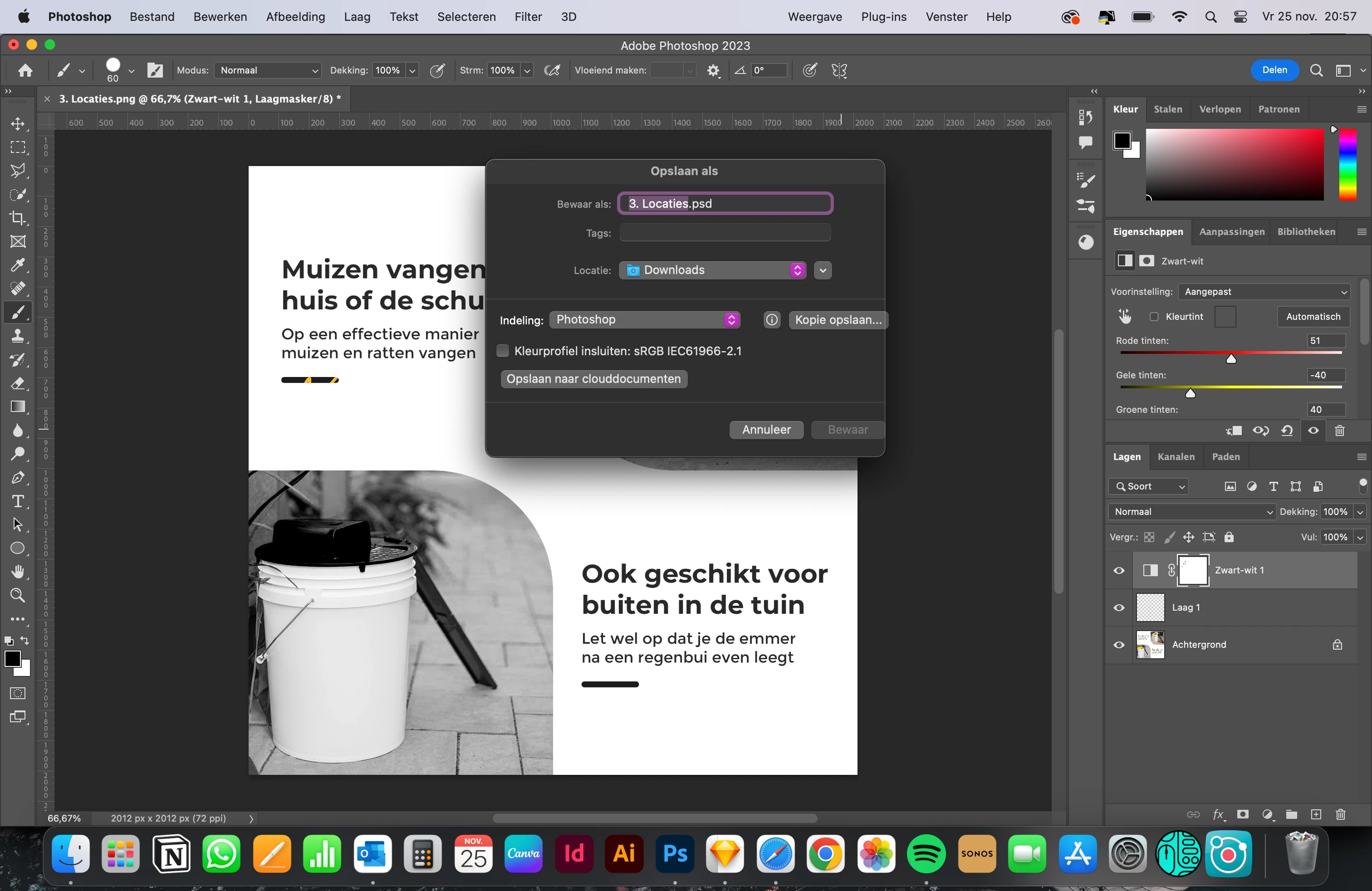
Since a few days I am unable to save a new made PSD file on my MacBook Pro M1 2021 documents. PSD immediately crashes. The only way to save a document is to the Creative Cloud. 


As you can see in the screenshot bellow ''Bewaar'' which means ''Safe'' becomes unavailable. Also I cannot change the location or use the other buttons except for ''Save to clouddocuments''.


I am using the new version of PSD 2023. I hope one of you could help me out, because this is very frustrating. Thanks for your time in advance!


Delano
 

This topic has been closed for replies.
Correct answer TheDigitalDog

In System Preferences (System Settings in Ventura), >Security & Privacy, >Full Disk Access, do you see Photoshop listed? If not, add it and try again.
This explains how to do the same process in Lightroom; just pick Photoshop instead:
https://community.adobe.com/t5/lightroom-classic-discussions/quick-tips-how-to-give-full-disk-access-to-lightroom-classic-on-macos/td-p/12913413

1 reply

TheDigitalDog
TheDigitalDogCorrect answer
Inspiring
November 25, 2022

In System Preferences (System Settings in Ventura), >Security & Privacy, >Full Disk Access, do you see Photoshop listed? If not, add it and try again.
This explains how to do the same process in Lightroom; just pick Photoshop instead:
https://community.adobe.com/t5/lightroom-classic-discussions/quick-tips-how-to-give-full-disk-access-to-lightroom-classic-on-macos/td-p/12913413

Author “Color Management for Photographers" & "Photoshop CC Color Management/pluralsight"