Participant
November 23, 2018
Answered

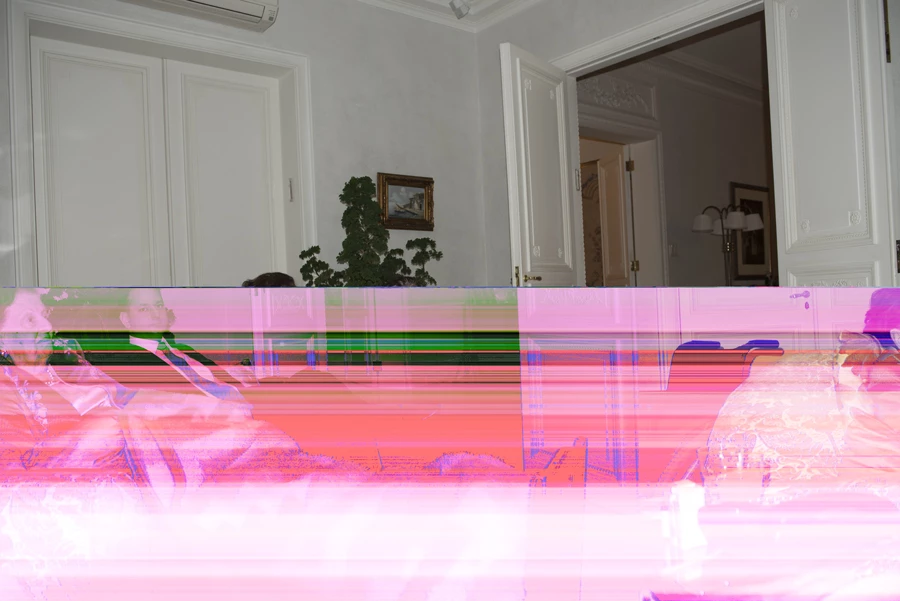
When I download a photo that is perfect in camera it shows corrupted in Bridge and Photoshop

  • November 23, 2018
  • 2 replies
  • 1210 views

it happens in various , not only one.

    This topic has been closed for replies.
    Correct answer gary_sc

    HI Gary,

    I do exactly as you do , the images get corrupted after I do some processing on them, close the computer and external HD ,

    when I reopen the computer to do more work some the images (not all of them), are corrupted.

    I save them on 2 external HD and the corrupted images are not the same (one each HD the corrupted are different )

    but I get corrupted on both.


    HI Ezi,

    Wow, you have my sympathy.

    Yes, the erratic and inconsistent conditions you describe might very well indicate a hard drive issue. At a minimum, I'd get a new hard drive and (a) start to back up everything to that drive but also (b) place some fresh images onto the new drive and see if you start to notice any bad images there. If no bad images that bodes poorly for the older drive if you notice some affected image than that bodes poorly on something in you system and/or software.

    Tred slowly and carefully and good luck!

    2 replies

    JP Hess
    Inspiring
    November 24, 2018

    My suspicion is that these are raw images. The camera is displaying the embedded JPEG preview that must be there to enable the camera to display a preview of the image. The JPEG preview is okay, however the underlying raw data is corrupted. Could be a bad cable if you are using a cable, a bad card, or a bad sector on your hard drive. Looks like there's possibly some troubleshooting to do.

    ezi babuAuthor
    Participant
    November 24, 2018

    Hi Jim,

    the computer is a IMac pro, the camera is Nikon D810, and D850, they are Raw images,I turned the “Use Graphic Processor” to Basic from advanced,It looks like it may help, I’am going to try it with shooting new images and see how it works ,

    because I don’t know if the corrupted ones are recuperable,

    let you know.

    Thank you

    Ezi

    ssprengel
    Inspiring
    November 25, 2018

    What you see in camera is a camera-embedded JPG preview which is ok, because it is a small portion of the overall image file due to JPG compression.

    Random colored boxes like you show means the raw data is corrupted, and raw data is what LR and PS use to create a new image.  Raw data is much more of the image file than the preview JPG so is more likely to become corrupted.

    First test by recopying the images, again, and see if they are ok.  If so then the cable is likely bad.

    If the images are gone from the memory card so you cannot copy them or recopying them yields the same result, then use a new memory card, because the old one is likely bad.

    gary_sc
    Community Expert
    Community Expert
    November 23, 2018

    Hi Ezi,

    Are these raw photos or jpgs?

    What kind of camera?

    What is your operating system (and which version)?

    Which version of Photoshop and which version of Bridge?

    My initial guess is that you have your "Use Graphics Processor" turned on in your Preferences but it might not be compatible with other things. If you uncheck that and the problem goes away, that was your problem.

    Please let us know what happens.