


notadj525
Participant
July 11, 2017
Answered

When I open RAW NEF in photoshop, it opens looking like a negative. How do I fix?

  • July 11, 2017
  • 1 reply
  • 423 views

I just installed the latest version of Photoshop on a different computer than my home CPU. For some reason, every RAW NEF file I open on this new computer opens looking like an actual negative. See pic
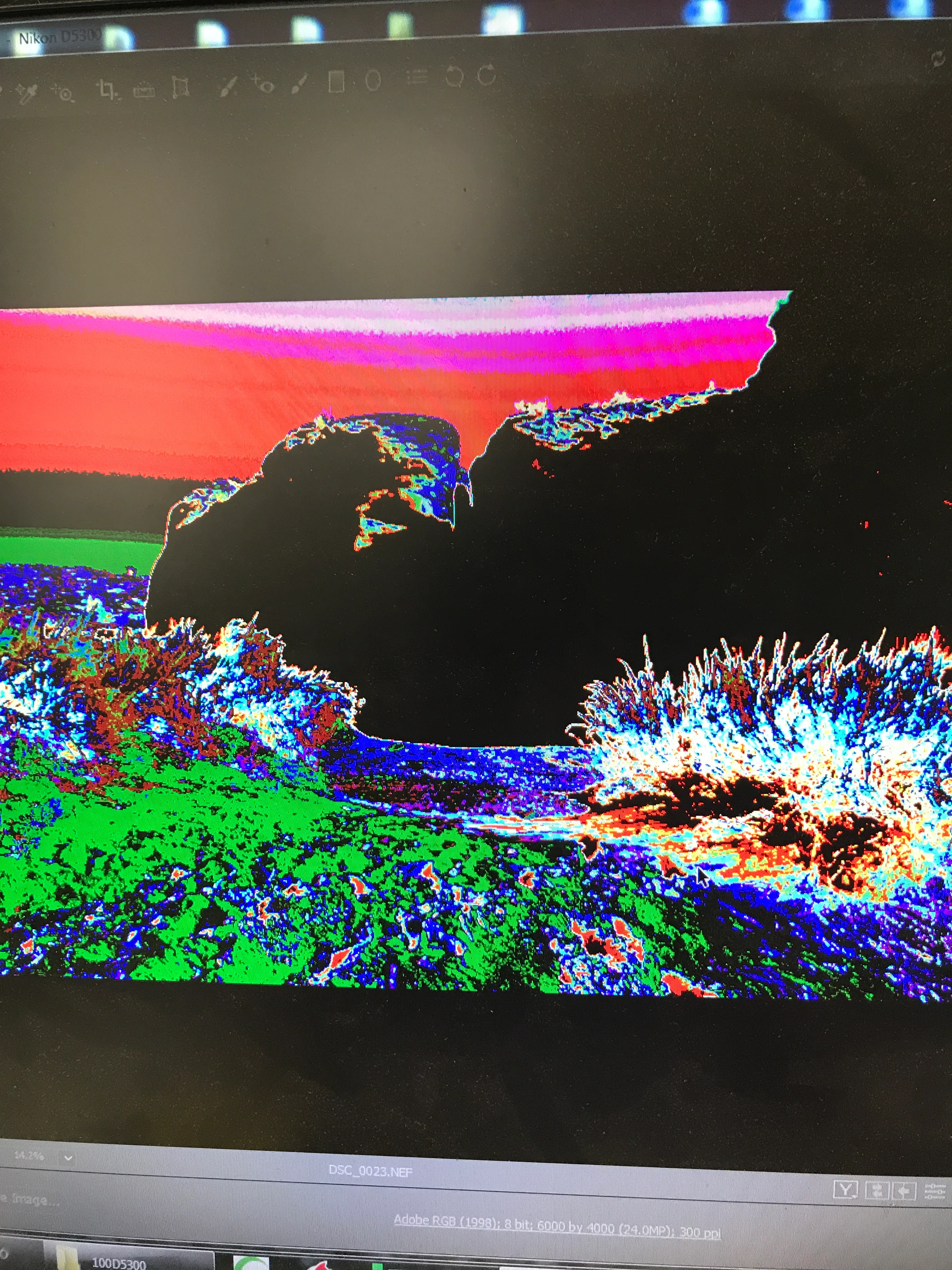
I never had this issue when using on my other CPU. My RAW plug-in is the latest, and my camera (Nikon D810) is supported. Is there some setting I'm missing? Any help would be greatly appreciated. Thanks in advance!

    This topic has been closed for replies.
    Correct answer JP Hess

    Open the Lightroom preferences, performance tab, and uncheck the graphics processor option.

    1 reply

    JP Hess
    JP HessCorrect answer
    Inspiring
    July 11, 2017

    Open the Lightroom preferences, performance tab, and uncheck the graphics processor option.

    notadj525
    notadj525Author
    Participant
    July 11, 2017

    OMFG! Thank you so much! I actually saw that in the Camera RAW preferences, and thought about trying it, but never did. I'm glad (although slightly annoyed lol) it was something so simple. Thank you again!