Inspiring
August 8, 2020
Answered

Where are the eyedroppers?

  • August 8, 2020
  • 1 reply
  • 1161 views

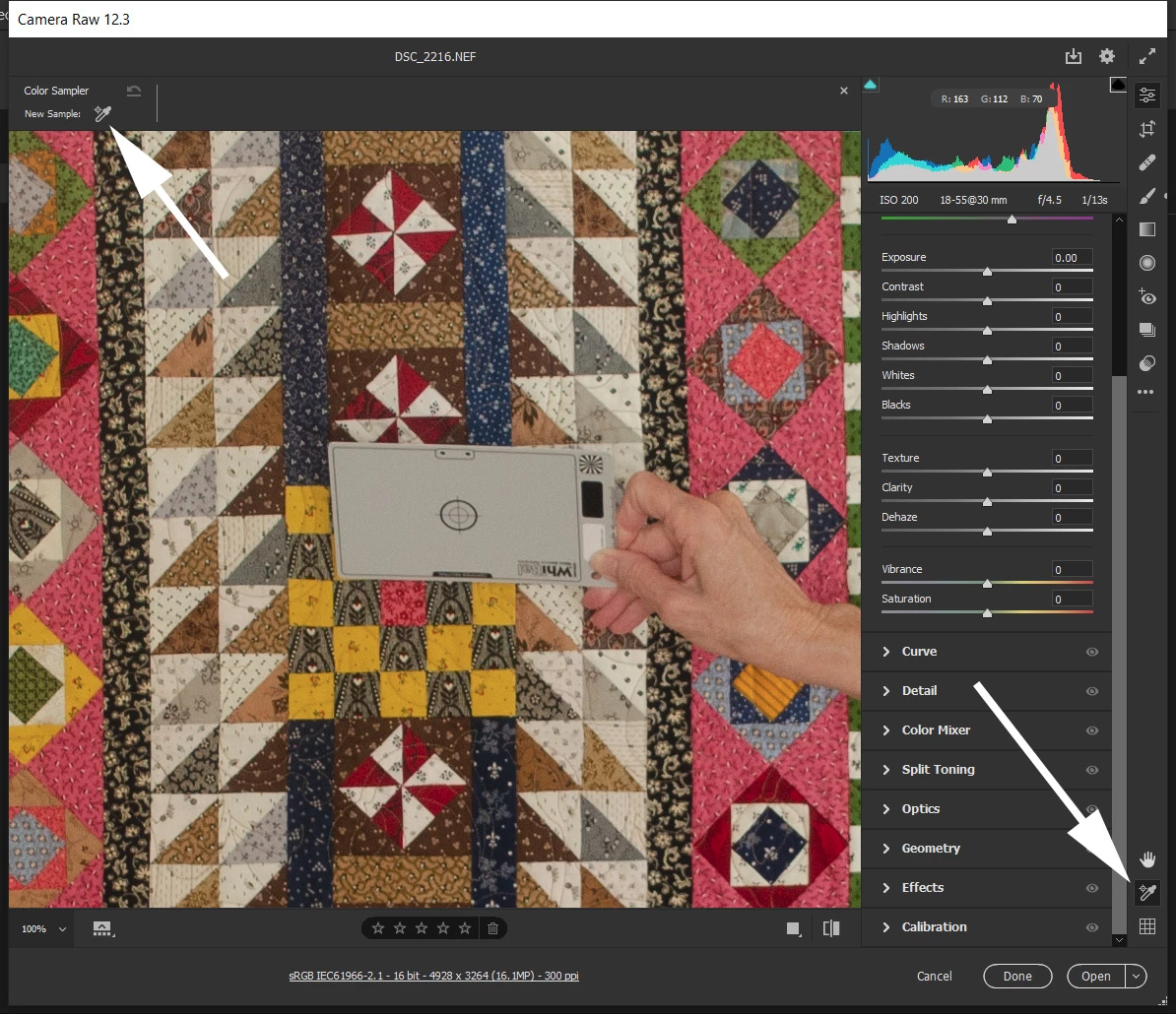
Since Adobe changed the layout of Camera Raw I cannot find the eyedropper I used for white balance correction.


When color is critical my practice is to shoot a gray card and use that in combination with the eye dropper to correct the colors.


There used to be 2 eyedroppers along the top, but no more.


Since the format of camera raw has changed, I only get one and it isn't the correct one.  When I click on the one on the bottom right it brings up the one on the upper left, and it's the wrong one.  Where are the other two?


This topic has been closed for replies.
Correct answer TheDigitalDog

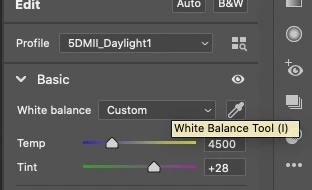
In "Basic" next to White Balance (which kind of makes sense) or I key (should be W like LR):


1 reply

TheDigitalDog
TheDigitalDogCorrect answer
Inspiring
August 8, 2020

In "Basic" next to White Balance (which kind of makes sense) or I key (should be W like LR):


Author “Color Management for Photographers" & "Photoshop CC Color Management/pluralsight"
i_am_jimAuthor
Inspiring
August 8, 2020

That was it.  Thank you very much.


. Windows 10 -- Premiere Elements 2018 -- Photoshop CC