Participant
March 11, 2021
Answered

Where is the Super Resolution?

  • March 11, 2021
  • 3 replies
  • 1290 views

Hey, 


I installed the new PS and Camera Raw version but somehow I cannot find the "enhance" button (I use the german version). I tried it now on my PC Version and my MAC Version but on both no Enhance button if i click right on the picture in Camera Raw Filter. What do I wrong?


THX


Sven

This topic has been closed for replies.
Correct answer Ian Lyons

Edit - I misread your post. 'Enhance' is only available from the Plugin as described below.


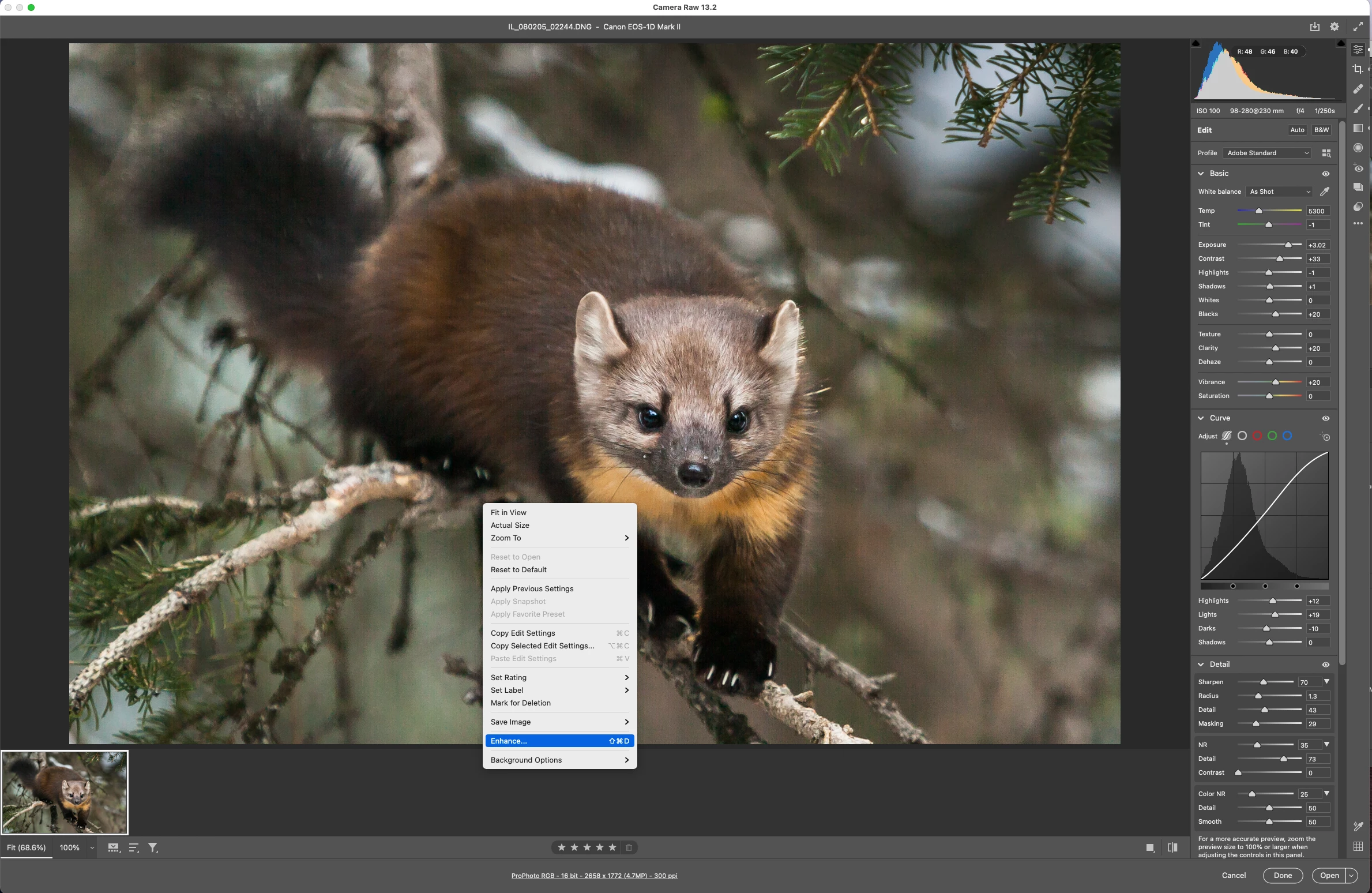
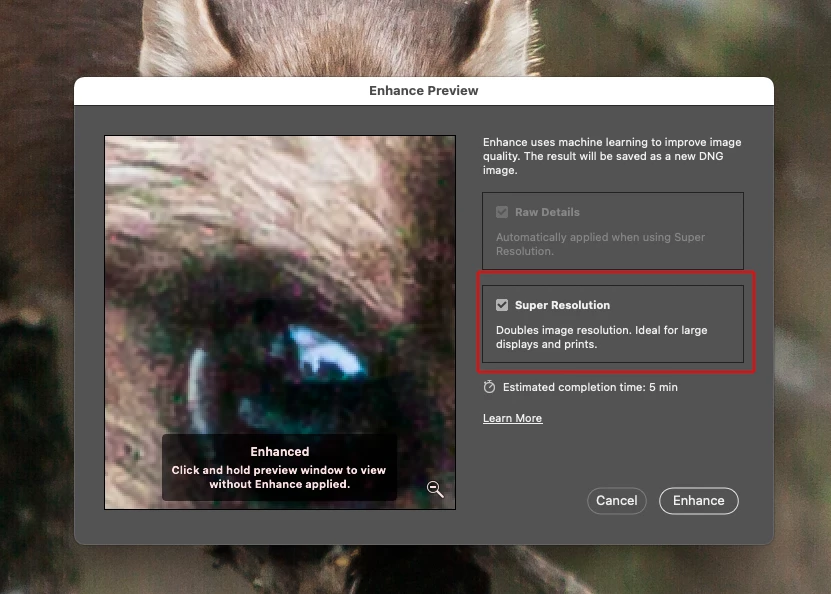
Open an image or images into Camera Raw 13.2, then right mouse button click on the image to get the context menu as shown in screesnhot 1 below. Next, choose 'Enhance' from the context menu to open the control dialog as shown in screenshot 2 below.


3 replies

Participant
April 8, 2021

Hi everyone. I found the solution.

If you go to the Open menu in Photoshop, you choose the photo you want to open (raw, jpeg or others) and you click the drop down menu under Format:, and choose Camera Raw. It will then open the photo and you´ll have the Enhance option in the options when clicking on the photo with the right side of mouse.

Marianne-Deiters
Participating Frequently
March 11, 2021

Nur zur Ergänzung: In der deutschen Version heisst der Befehl "Details verbessern"

Ian Lyons
Community Expert
Ian LyonsCommunity ExpertCorrect answer
Community Expert
March 11, 2021

Edit - I misread your post. 'Enhance' is only available from the Plugin as described below.


Open an image or images into Camera Raw 13.2, then right mouse button click on the image to get the context menu as shown in screesnhot 1 below. Next, choose 'Enhance' from the context menu to open the control dialog as shown in screenshot 2 below.


Participant
March 11, 2021

ah THX Plug-in is not possible... now i founded