



White balance "as shot" is wrong for a7iii profile
Hi,
I am having a hard time matching the white balance settings in camera raw to match the white balance used to make the shot with my a7iii (latest firmware).
Here are my original files (RAW + SOOC jpeg):
https://drive.google.com/open?id=1nFpZ1FT5POgq0gBSF_ynPjiJvZXdOtla
Here are the colors that I get when opening the RAW in the Sony Edit RAW editor without touching any sliders (i.e. white balance as shot):
(this is the colors that I shot with and this is what I would like to keep)
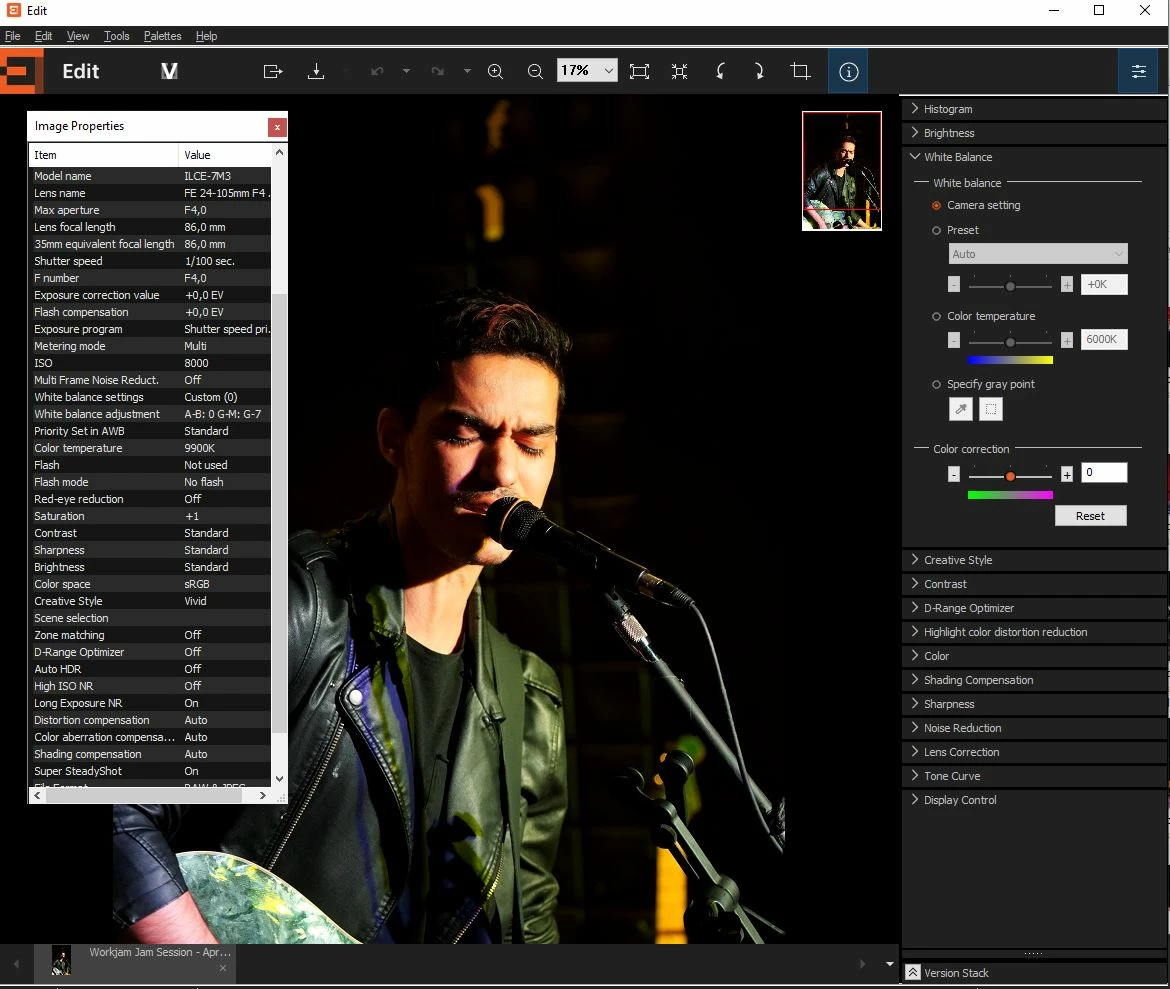
Here is the same RAW file opened in the latest camera RAW (with the camera vivid profile):
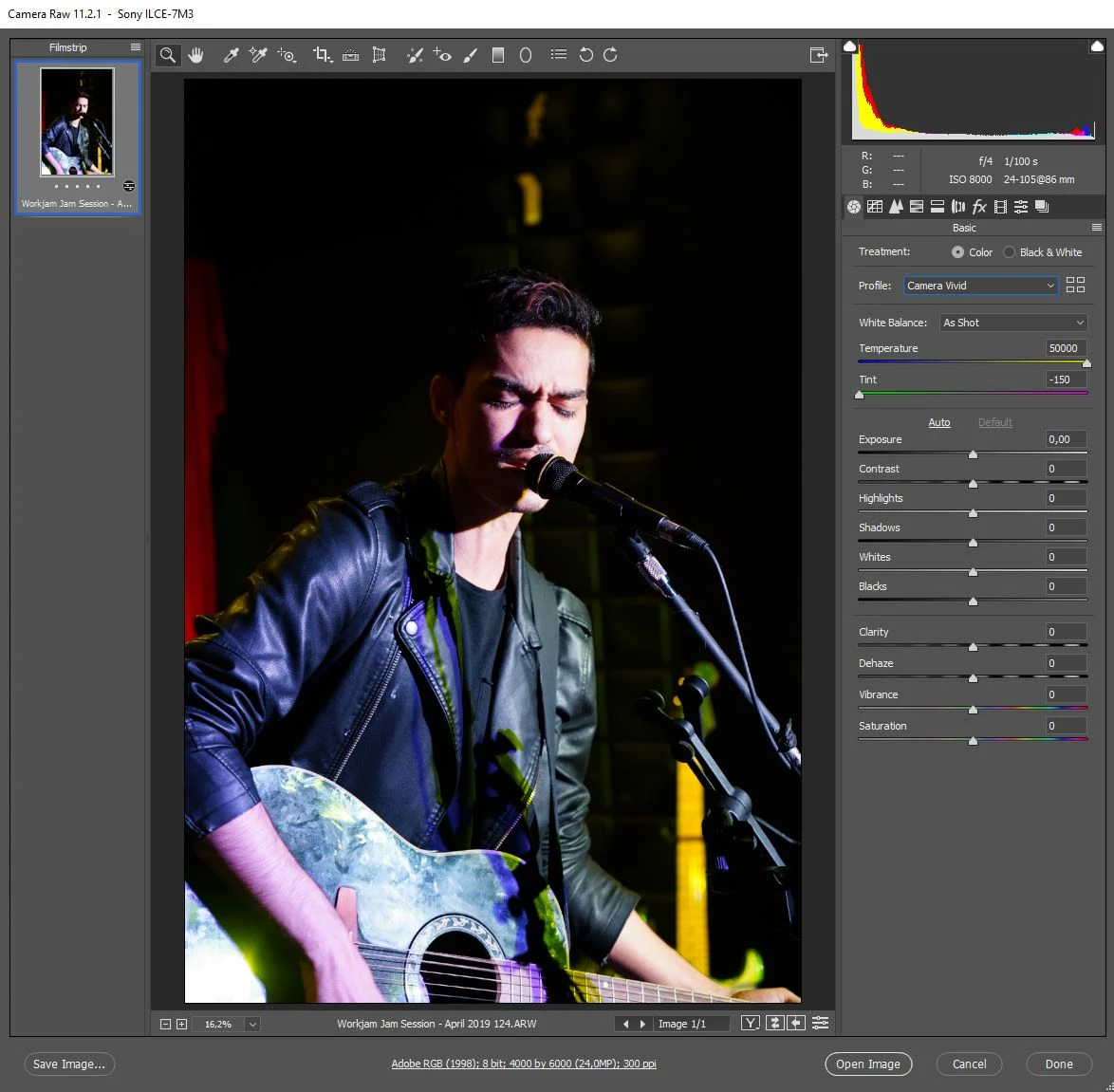
It looks like the white balance white balance sliders are "saturated" (i.e. in the extremities) and cannot render the white balance properly.
I had set a custom white balance in camera, so I don't know if that was a probem...I hope not ?:
So, can anyone help me figure out to obtain the same white balance in camera raw as the white balance that I shot with ?
Thanks a lot for your help !
Philippe

 AdChoices