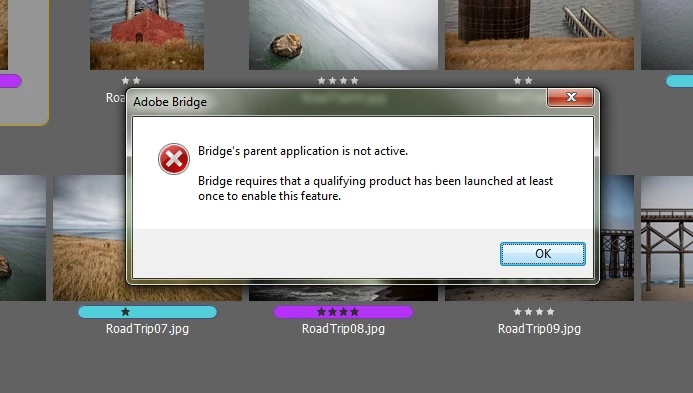
If you Google for “Bridge's Parent Application Is Not Active Solution” then you’ll find some solutions that sometimes work and sometimes not.
One is a YouTube video that suggests copying the AMTLIB.DLL from Photoshop’s program folder to Bridge’s program folder. In the video the guy overwrites the existing DLL. I think I’d be copying the DLL to a backup location before copying the other DLL in its place. Someone else renames the Bridge AMTLIB.DLL to AMTLIB.DLX before copying over the PS version of the DLL.
http://www.youtube.com/watch?v=gEuy_i7aNto
I figured that it works in Bridge if you click on a picture and select "open" in the File menu. It also works from mini bridge in photoshop, but the right clicking method and "Launch ACR" botton on the top of Bridge's menu doesn't work.
Oh, and by the way, for anyone who would read this post trying to solve the same problem:
SSPRENGEL'S SUGGESTION ONLY WORKS FOR CS5, FOR CS6 IT DOESN'T WORKS. SO IF YOU HAVE CS5 - CS5.5, USE THIS METHOD, IF YOU HAVE CS6 DON'T BOTHER. YOU CAN LAUNCH ACR BY CLICKING ON THE IMAGE IN BRIDGE AND SELECTING "OPEN" IN THE FILE MENU. DON'T USE THE ACR ICON OR RIGHT CLICK MENU TO OPEN ACR, IT WILL NOT WORK. YOU CAN ALSO OPEN ACR FROM PHOTOSHOP, AND IT WILL WORK 
Thanks for help ssprengel, my problem is solved but I still wounder why I can't open ACR using the disignated buttons...
-Arty




 AdChoices