


Participating Frequently
January 12, 2022
Question

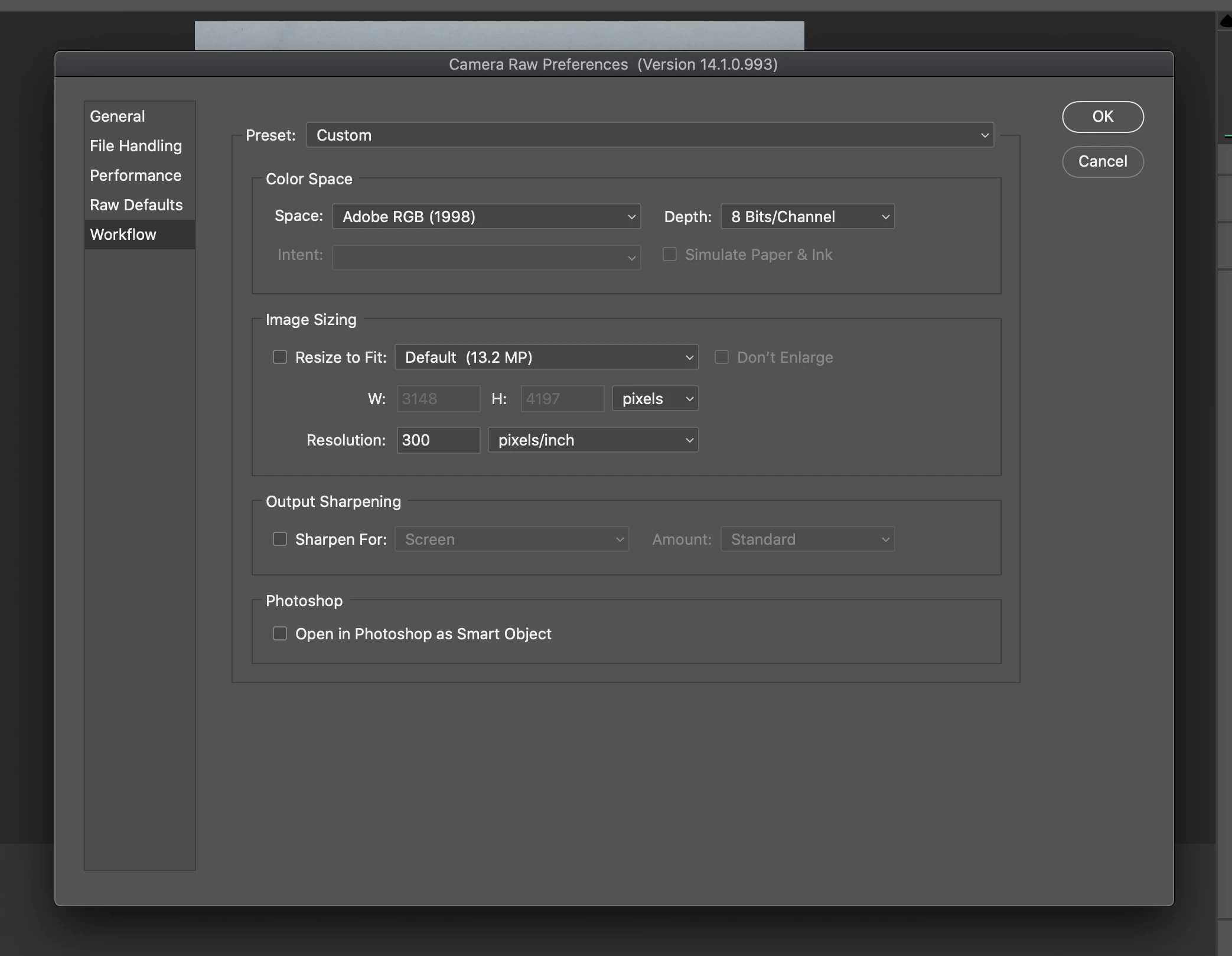
Why does the default MP change?

  • January 12, 2022
  • 2 replies
  • 459 views

I am confused - Can someone explain to me why the MP change depending on the image when imported into Camera Raw when the setting is set to default? I use the same camera everytime - Sony A7II - and it shoots at 24.3 MP so I don't know what this means... Should I click resize to fit and set it at 24 MP?

I am also wondering what is the idea Raw Defaults settings? The Adobe Default or Camera Settings?
 

This topic has been closed for replies.

2 replies

D Fosse
Community Expert
Community Expert
January 14, 2022

Are you sure this is a raw file, not an RGB file cropped to that size? "Default" should always be the full sensor resolution.

elie_dinur
Participating Frequently
January 15, 2022

The UI of ACR's "Workflow" dialog (which is parallel to LRC's "Export"), by some quirk of Adobe design, labels the cropped image's dimensions as the new default (prior to resizing) no matter what the image source. The illustration above is with a CR3 file (32.3 MP) radically cropped to 2000 x 3000. LRC Export does not have this bit of text. I suppose it is useful as a reminder of your starting resolution before resizing, but surely "Cropped Size" would have been more appropriate.

D Fosse
Community Expert
Community Expert
January 15, 2022

Ah, get it. You're right. Any cropping will come up like this.

elie_dinur
Participating Frequently
January 12, 2022

It appears that you have cropped the image to 3148 x 4197 which is  13.2 Mp. This is adequate for a good quality 12 x 16 in. print. How much output resolution do you need?