



WHY My Camera Raw looks different (lack of some tools and panels)
Hello to all,
I am a new user of Adobe Elements 15 and Camera Raw 9.8.
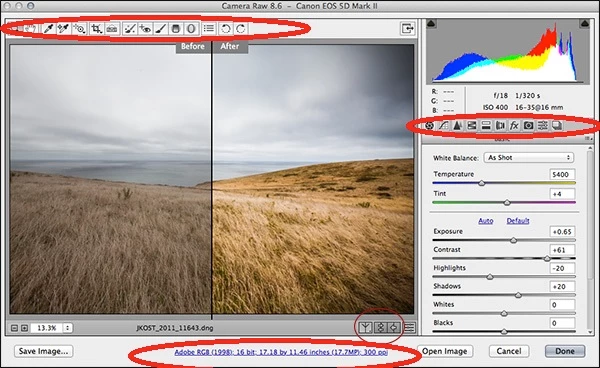
I have bought some manuals HOW TO work in Camera Raw but I found that my ACR looks much different than these one's in manuals foto.
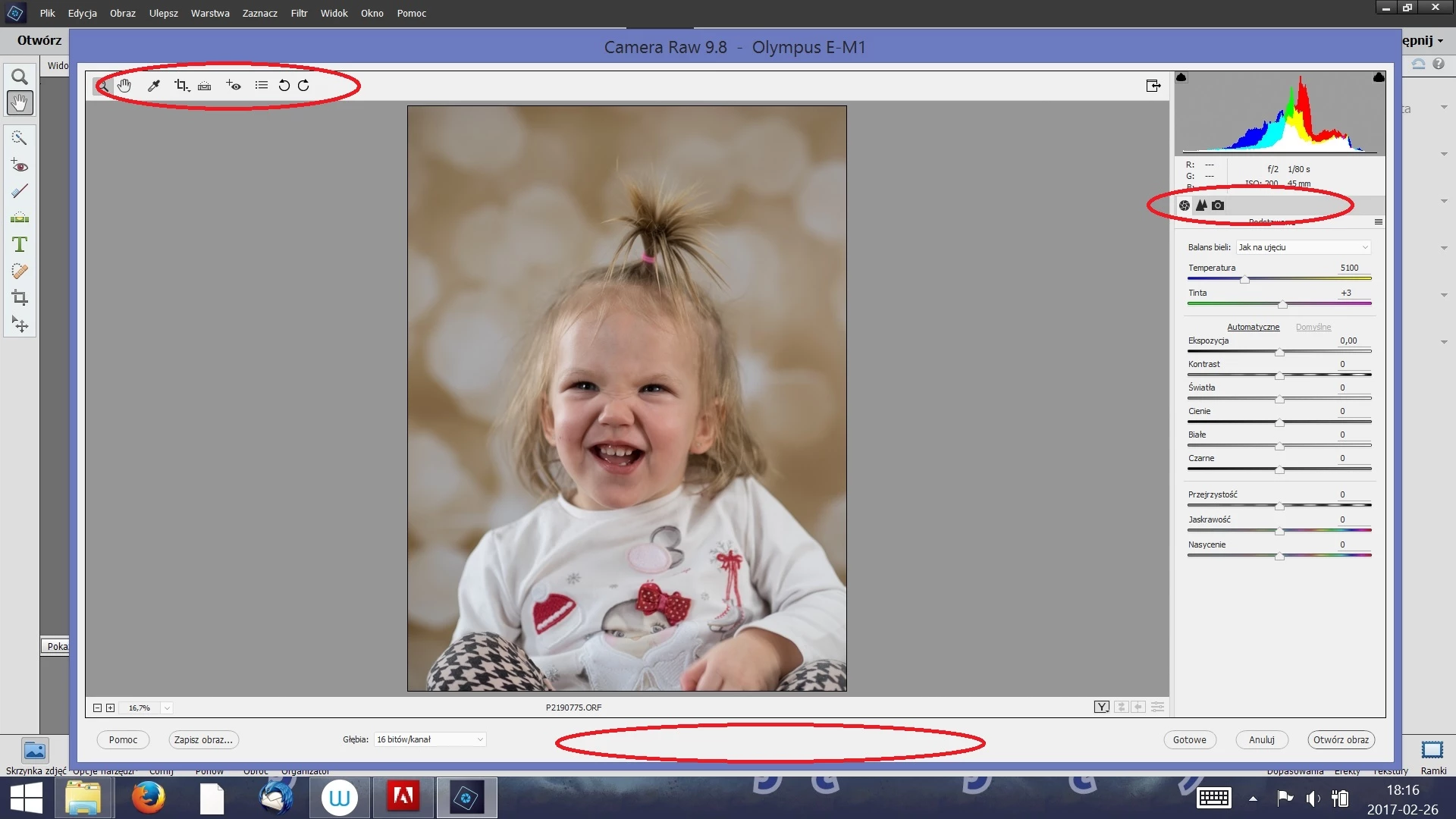
In bookmarks of panels there is only "Basic" "Details" and "camera calibration" - it is my translation from Polish to English.
So there is no: HSL/Grayscale, toning split, lens correction, effects adn the rest of panels.
In the tools I do not have: filters - gradual and radial, no brush,
Additionaly no workflow options...
Here in attachemet I put my printscreen to show U what I mean and additionaly an image of "ACR as in my manuals".
I tried to re-instal my Photoshop Elements 15 and not to update Camera Raw from 9.6 to 9.8 - nothig helped.
I tried to open other raw files than these ones from my Olym[us OM-D EM 1 and it works/looks the same.
Please explain me why my ACR look different or tell what to do to see all metioned tools and panels in ACR.
Thanks in advance.
BTW: sorry for my poor English and probably silly question - but I try to follow another steps from my manuals and I can not.
Thanks once again for your help
Anna

 AdChoices