

Participant
November 11, 2020
Question

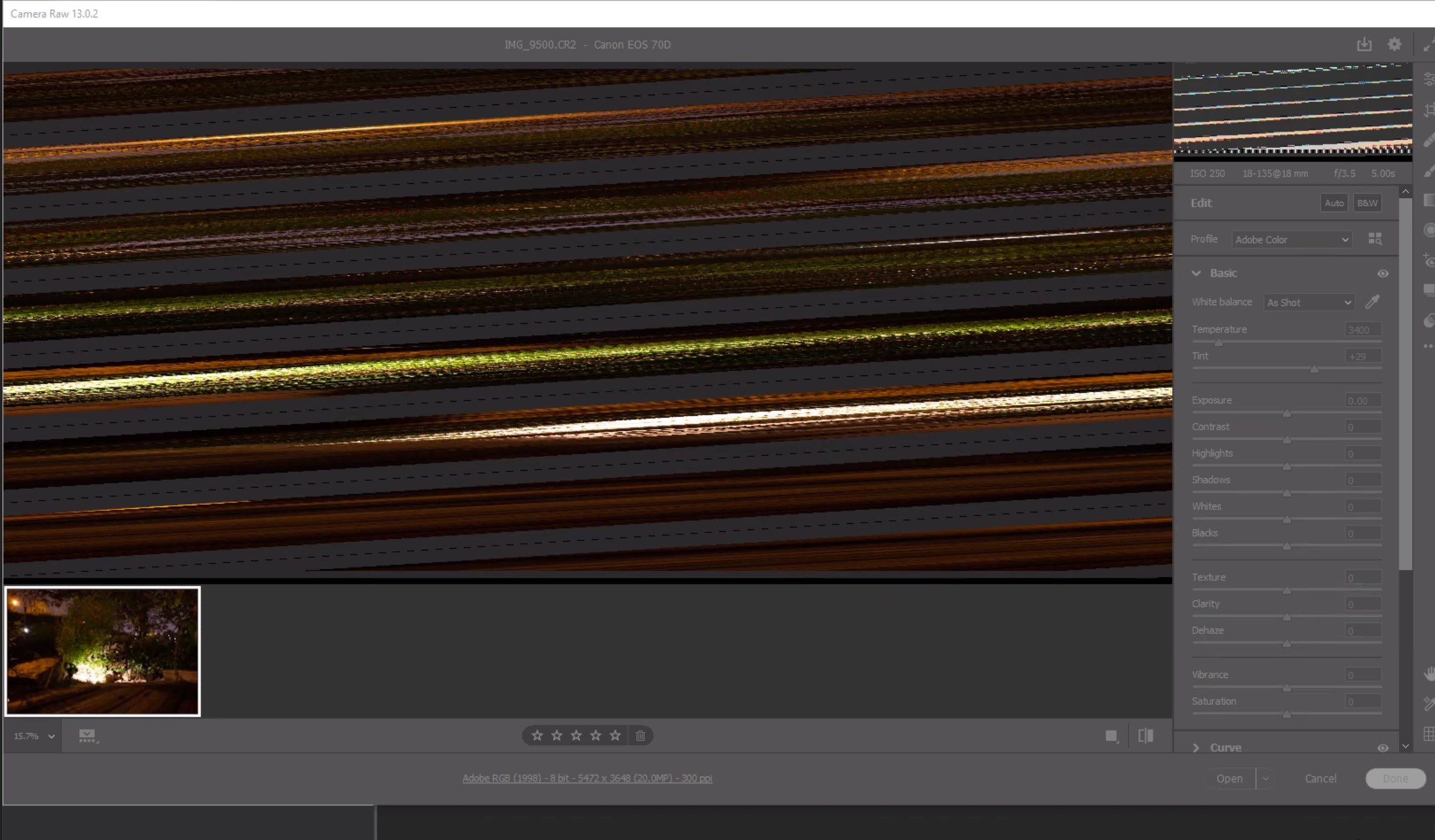
Why when I open RAW file the image looks like that in Camera Raw 13.0.2? many thanks
  • November 11, 2020
  • 1 reply
  • 283 views


{Thread title edited by moderator}

This topic has been closed for replies.

1 reply

nikunj.m
Community Manager
Community Manager
November 11, 2020

Hi,


We're sorry about the trouble with Camera Raw. Please go to the Preferences for Camera Raw, then Preferences & disable the option to Use Graphics Processor. Once done, quit & relaunch both Camera Raw & Photoshop to check if it helps.


If it helps, please try: https://helpx.adobe.com/photoshop/kb/troubleshoot-gpu-graphics-card.html


Let us know how it goes!

Regards,

Nikunj

Participant
November 16, 2020
HI many thanks

Unfortunately it didn't work and I still getting this crazy image when I
open RAW file. 😞

hope you can help me
TheDigitalDog
Inspiring
November 19, 2020

First, try disabling GPU in the preferences (Preformance tab). Any better?
If not, recalibrate and build a new ICC display profile, the old one might be corrupted.
If you are using software/hardware for this task, be sure the software is set to build a matrix not LUT profile, Version 2 not Version 4 profile.
If turning OFF GPU works, it's a GPU bug and you need to contact the manufacturer or find out if there's an updated driver for it. 

Author “Color Management for Photographers" & "Photoshop CC Color Management/pluralsight"
