


Participant
July 12, 2023
Answered

(Win) ACR 15.4 in Bridge 13.0.3 won't recognize dedicated Nvidia graphics card

  • July 12, 2023
  • 1 reply
  • 735 views

App Versions are the latest stable releases.

Adobe Bridge 13.0.3.693

Adobe Camera Raw 15.4.1.1510

Adobe Photoshop 24.6.0


Lenovo Laptop running Windows 11 Home 10.0.22621 Build 22621

Dedicated GPU: nvidia Geforce RTX 4060 Laptop - Driver Version 31.0.15.3640

CPU:  i7-13700HX - 16 Core


Problem:

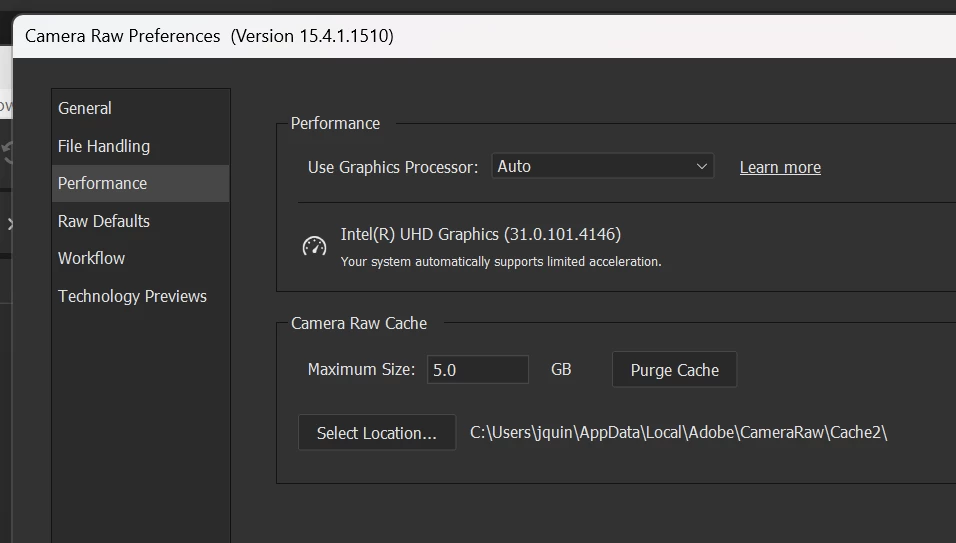
Accessing Adobe Camera Raw Preferences in Adobe Bridge won't recognize the RTX 4060 dedicated graphics card instead only shows the integrated graphics on the Intel processor. This is problematic as using any heavy processes in Adobe Camera Raw through Bridge doesn't utilize the dedicated graphics card.
 

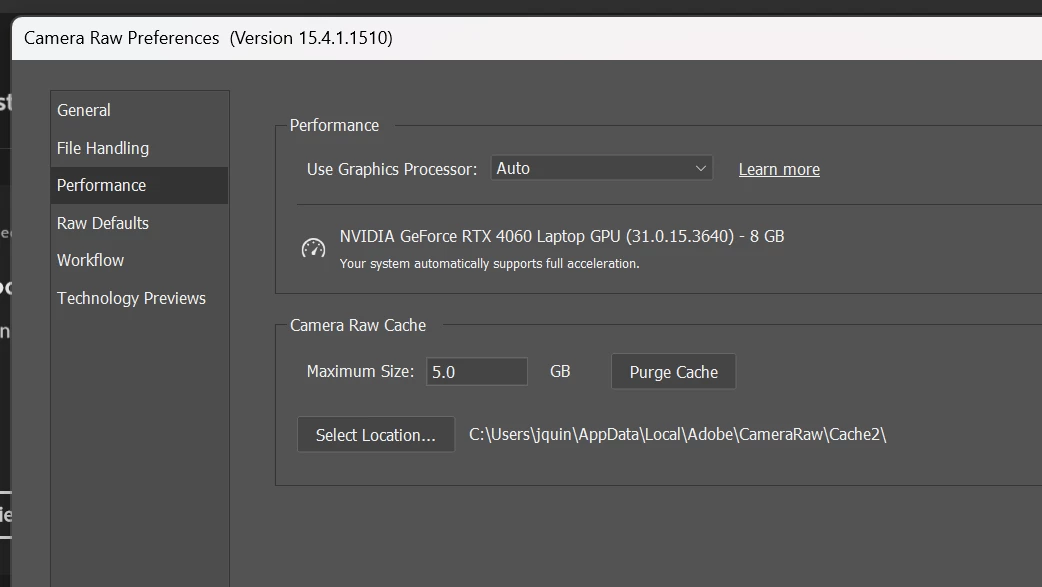
If we move over to Photoshop, and open Adobe Camera Raw Preferences...the RTX 4060 shows up as an option. Same program, same version. Just in Adobe Bridge, it won't give me the option to choose the 4060.
 

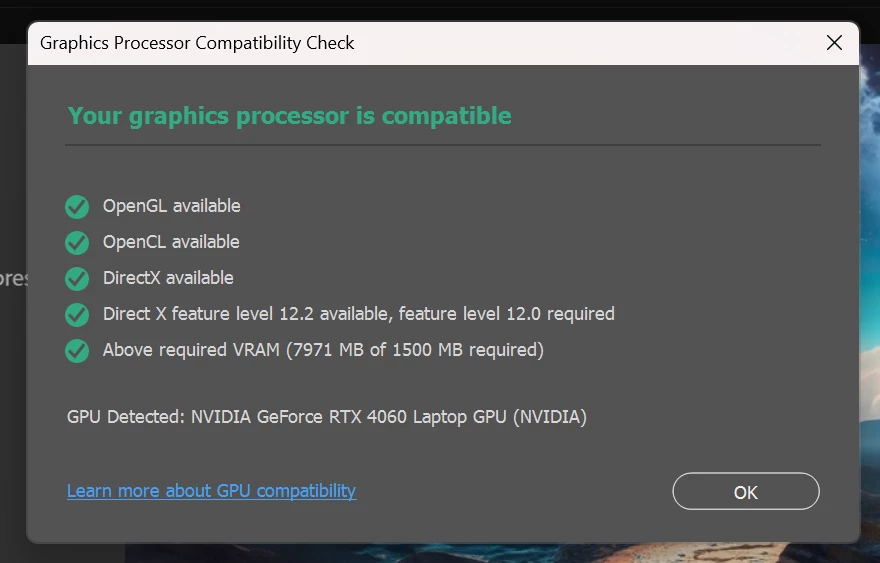
Performing a GPU check in Adobe Photoshop does not change the process or result.
Any help or guidance on this issue is appreciated. I use Adobe Camera Raw in conjunction with Adobe Bridge on a daily basis for my workflow. The differences between using an integrated graphics card with 1GB vram and a dedicated graphics card with 8GB of vram are the difference between night and day in production.


{thread title updated by moderator}

This topic has been closed for replies.
Correct answer Sameer K

Hey @210 JQ. Welcome to the Camera Raw Community. I'll help you figure this out. You're working on a laptop & Windows prioritizes efficiency over performance.


You'll need to set up Windows & Nvidia Control panel to allow Bridge to use High-performance Nvidia GPU. Follow the steps shared here to set the default GPU for Photoshop & follow the same steps for Bridge: https://community.adobe.com/t5/photoshop-ecosystem-discussions/set-up-gpu-for-high-performance-in-photoshop-quick-tip/td-p/13504734


Let me know if this helps. Thanks!
Sameer K

1 reply

Sameer K
Community Manager
Sameer KCommunity ManagerCorrect answer
Community Manager
July 12, 2023

Hey @210 JQ. Welcome to the Camera Raw Community. I'll help you figure this out. You're working on a laptop & Windows prioritizes efficiency over performance.


You'll need to set up Windows & Nvidia Control panel to allow Bridge to use High-performance Nvidia GPU. Follow the steps shared here to set the default GPU for Photoshop & follow the same steps for Bridge: https://community.adobe.com/t5/photoshop-ecosystem-discussions/set-up-gpu-for-high-performance-in-photoshop-quick-tip/td-p/13504734


Let me know if this helps. Thanks!
Sameer K

210 JQAuthor
Participant
July 12, 2023

Thank you @Sameer K - that solved the whole issue. Took a workflow that said would take 299 minutes to 8 minutes instead. Appreciate the help!

- JQ