


KlausKi
Inspiring
March 10, 2022
Answered

Cannot launch ESDebugger in VS Code

  • March 10, 2022
  • 1 reply
  • 497 views

I installed the Adobe ExtendScript Debugger extension for Visual Studio Code on Windows 10x64.

When I then create a .jsx file and try to debug the file, I get the following exception:
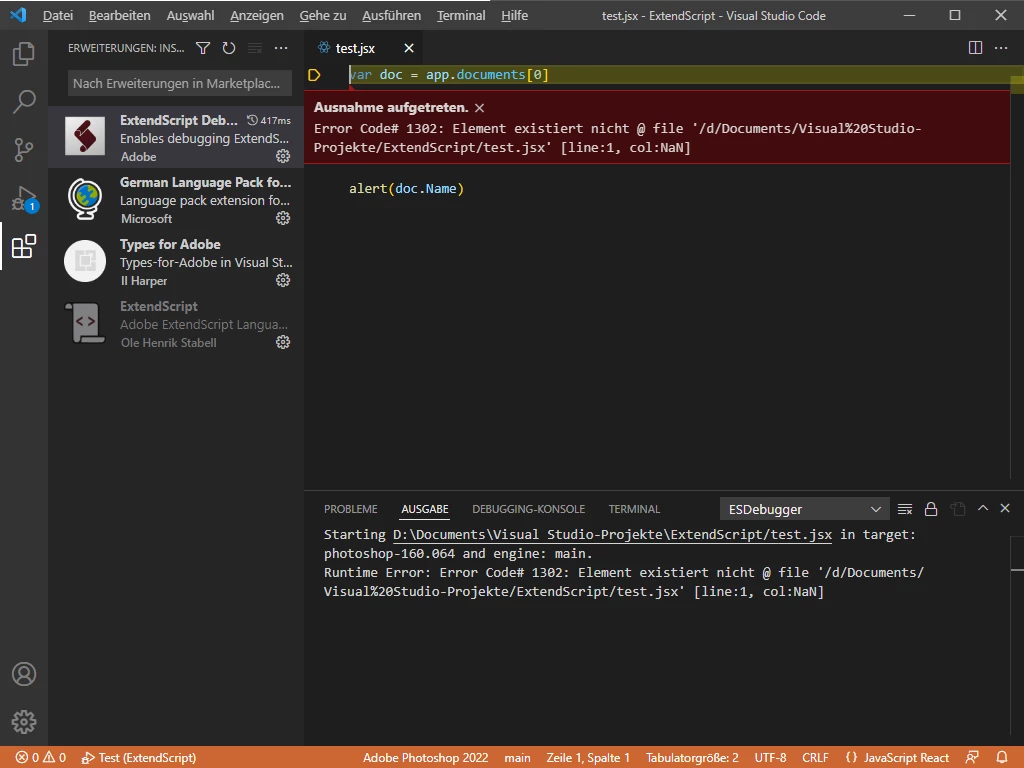
Runtime Error: Error Code# 1302: Element doesn't exist @ file '/d/Documents/Visual%20Studio-Projekte/ExtendScript/test.jsx' [line:1, col:NaN]

    This topic has been closed for replies.
    Correct answer erinferinferinf

    You could try the v2 of the Debugger, currently in prerelease. Please note: It's a total rebuild and a very different experience.


    I'm a bit concerned about this post, maybe recent VSCode updates have made V1 impractical?

    1 reply

    erinferinferinf
    Adobe Employee
    erinferinferinfCorrect answer
    Adobe Employee
    March 10, 2022

    You could try the v2 of the Debugger, currently in prerelease. Please note: It's a total rebuild and a very different experience.


    I'm a bit concerned about this post, maybe recent VSCode updates have made V1 impractical?

    KlausKi
    KlausKiAuthor
    Inspiring
    March 10, 2022

    Thanks, @erinferinferinf , that does the trick!