


Marié Marx_317
Participant
June 20, 2016
Question

Code needed for basic multiplication calculation on Adobe Form

  • June 20, 2016
  • 1 reply
  • 607 views

Hi Adobe Forum experts.

I've tried (unsuccessfully) to find the code required to insert into the "Custom Calculation Script" for a form I've designed.

I need to insert the code for the Total column in the first three total columns on the right.

(New x Qty) + (Old x Qty) = Total
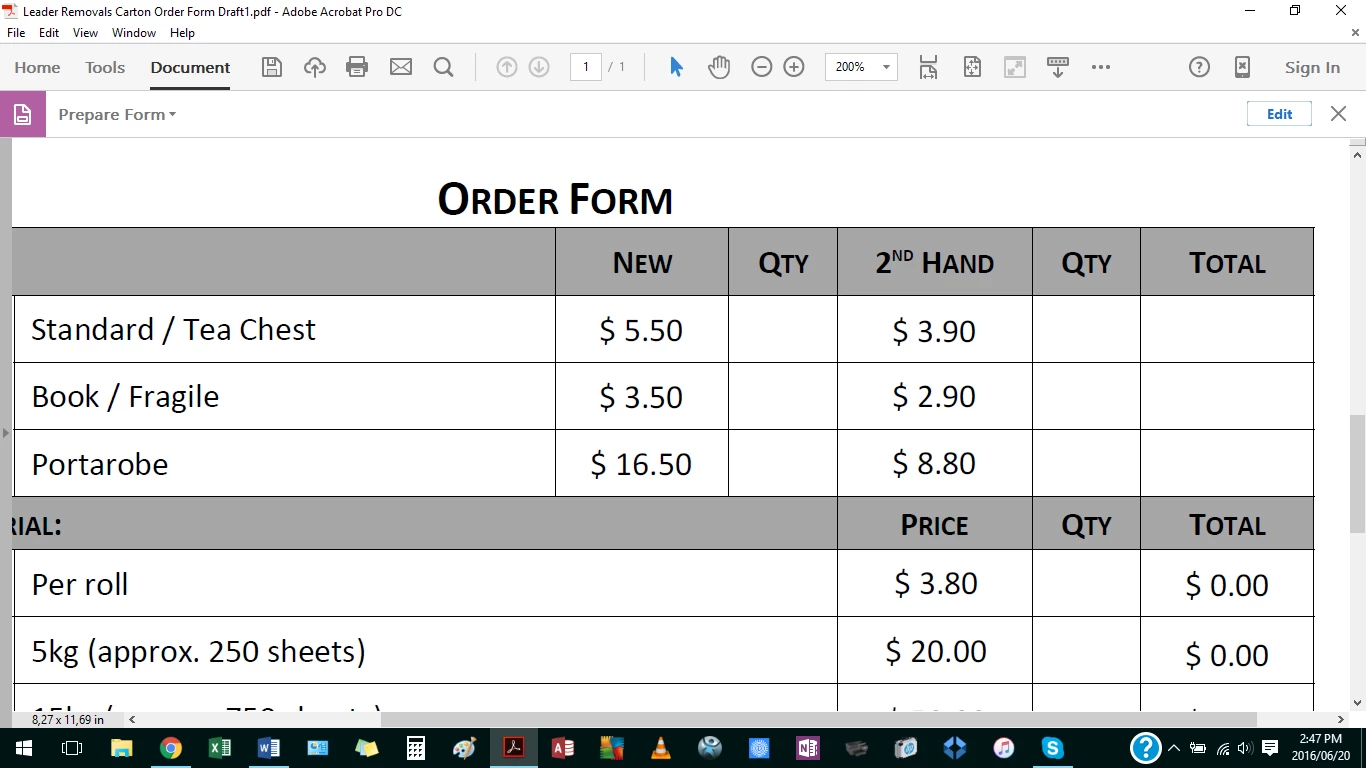
Field names are as follows:
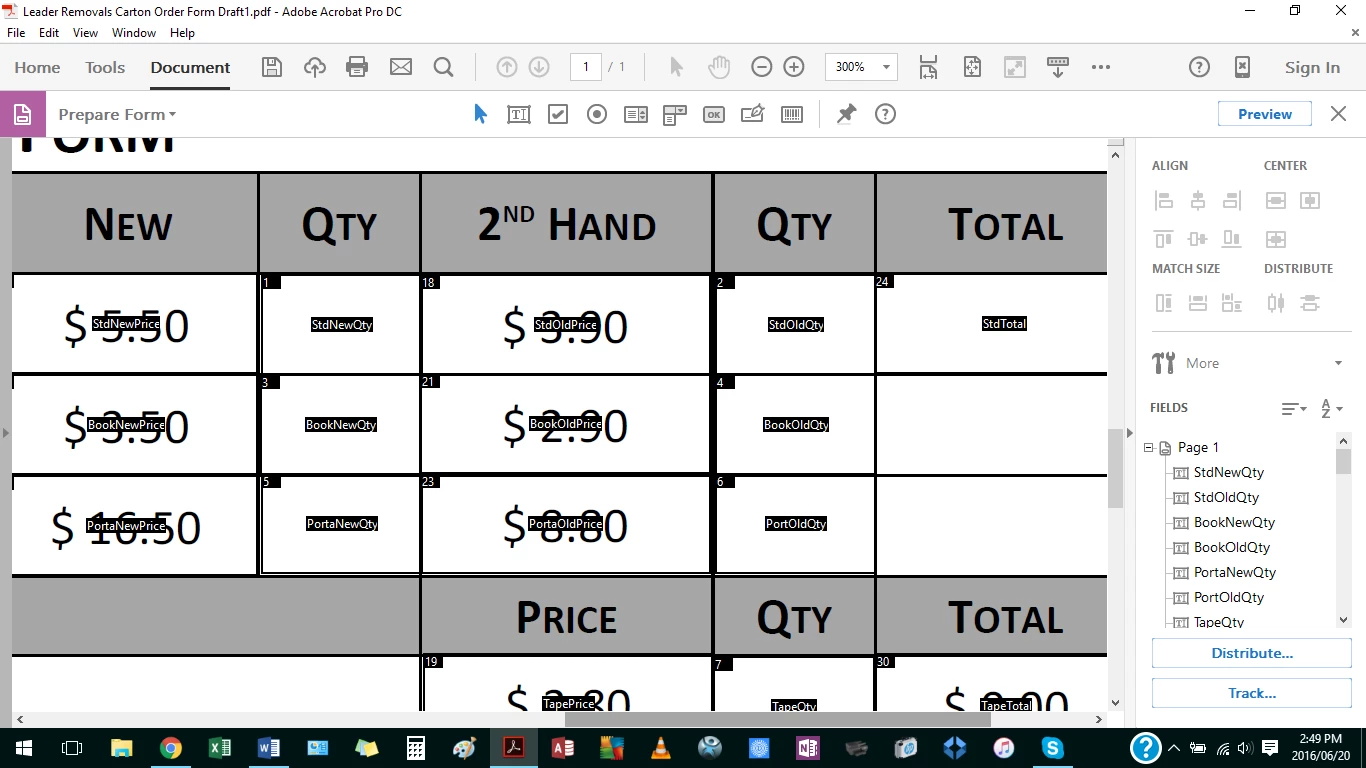
I would greatly appreciate the assistance.

    This topic has been closed for replies.

    1 reply

    sinious
    Legend
    June 23, 2016

    Please don't take this as a push away to helping you achieve this but is there any reason a spreadsheet wouldn't be more ideal for this? They're capable of the font, background colors and spacing you have there and are designed to do exactly what you have, as well as expand extremely easily.

    Marié Marx_317
    Participant
    June 23, 2016

    Thank you sinious - I understand where you are coming from.  Unfortunately the client is always right, and they want a PDF form to send to clients, not a spreadsheet.  My life would be easier if it were a spreadsheet.  But in any event, I managed to figure out the code myself and it is working perfectly.  Thanks for the response.